
Quick wins for a faster PC:
Scan for outdated or missing drivers - takes under a minuteDriver Scan →Clear out junk files and repair common Windows errorsFree Scan →Fix the driver behind crashes, sound loss and screen glitchesFind Drivers →iTechGuides is reader-supported. When you buy through links on our site, we may earn an affiliate commission. As an Amazon Associate I earn from qualifying purchases. Learn more
A practical daily overclock for an Intel Core 2 Quad Q9550 is about 3.6 GHz. Owner reports and setup guides put the useful expectation band around 3.4–3.7 GHz, roughly 20–31% above the 2.83 GHz stock clock. Some unusually capable chips and motherboards reach 4.0 GHz, but that is an upper-end result—not a dependable average.
What “average” means for the Q9550
There is no controlled population study that establishes a mathematical mean for every Q9550. The 3.6 GHz figure is therefore a practical estimate based on published setup guidance and enthusiast stability reports, not a guaranteed result for every processor.



Intel’s specification lists the Q9550 at 2.83 GHz with a 1333 MHz bus, 12 MB of L2 cache and an LGA775 package. The processor has a fixed 8.5× multiplier, so the front-side bus (FSB) largely determines how far it can be overclocked.
Realistic Q9550 overclock targets
| Target clock | Approx. gain over 2.83 GHz stock | Approx. FSB with the fixed 8.5× multiplier | How to interpret it |
|---|---|---|---|
| 3.4 GHz | 20% | 400 MHz | Conservative, commonly used target; also the worked target in Scan’s Q9550 guide. |
| 3.6 GHz | 27% | 424 MHz | Reasonable practical center estimate when the board, memory and cooling cooperate. |
| 3.7 GHz | 31% | 435 MHz | Upper end of the useful expectation band reported by enthusiasts. |
| 4.0 GHz | 41% | 471 MHz | Possible on selected chips and capable platforms, but not typical or guaranteed. |
FSB values are approximate because the Q9550’s 8.5× multiplier produces the final frequency: clock speed = FSB × 8.5. Scan’s example uses 333 MHz FSB × 8.5 = 2,830.5 MHz at stock and 400 MHz FSB for a 3.4 GHz target.
What owner results actually show
About 3.6 GHz is repeatedly reported
One AnandTech discussion records a Q9550 stable at 3.6125 GHz at 1.335 V, while another post reports 3.6 GHz using a 424 MHz FSB and the 8.5× multiplier. A Tom’s Hardware discussion describes a Q9550 running Prime95 for 24 hours at 3.6 GHz. These are individual systems, not a statistical sample, but they support 3.6 GHz as a sensible daily target.
4.0 GHz is an attainable ceiling for some systems
An AnandTech participant reported passing IntelBurnTest at 4.0 GHz, and Tom’s Hardware guidance describes 4.0 GHz at approximately 8.5×470 FSB for a Q9550 with a favorable VID and a suitable air cooler. Those results demonstrate possibility, not an average outcome.
A 4.23 GHz result mentioned in the same Tom’s Hardware discussion was for a Q9650, not a Q9550. The two CPUs should not be treated as interchangeable evidence.
Recommended Free Tools
Why one Q9550 overclocks farther than another
- Silicon quality and VID: chips with better voltage characteristics may hold higher clocks at lower heat.
- Stepping: Q9550 C1 and E0 versions can behave differently; the individual processor still matters more than the label alone.
- Motherboard chipset and FSB headroom: 4.0 GHz requires roughly 470 MHz FSB, which is demanding for many LGA775 boards.
- Memory ratio and RAM capability: raising FSB also affects memory speed unless the BIOS allows an appropriate divider.
- Voltage and cooling: extra voltage increases heat and may shorten component life, while an old cooler or dried thermal paste can make a previously stable setting unsafe.
Is 3.6 GHz or 4 GHz realistic?
3.6 GHz
Yes. Treat 3.6 GHz as the most defensible practical expectation when you have a decent LGA775 motherboard, adequate memory settings and competent cooling. It is not guaranteed, but it appears consistently in the cited reports and is close to the center of the 3.4–3.7 GHz range.
Rank #3

- Processor Type - Intel Core 2 Quad
- Product Type - CPU
- Clock Speed - 2.8GHz
- Product Type - CPU
- Processor Type - Intel Core 2 Quad
4.0 GHz
Sometimes. Reaching 4.0 GHz means approximately 470 MHz FSB, so the motherboard and memory subsystem must remain stable as well as the CPU. A chip that boots at 4.0 GHz is not necessarily suitable for daily use; it must survive sustained testing without errors or excessive temperature.
How to judge a safe daily overclock
Use sustained-load testing, not just a successful boot
- Set a conservative FSB target and keep the Q9550’s multiplier at its fixed 8.5× value.
- Choose a memory divider that keeps RAM within its rated capability.
- Monitor core temperatures with Core Temp or HWMonitor.
- Run Prime95 Blend overnight or for at least 12 hours, watching for errors, freezes or reboots.
- Reduce the clock or voltage and retest if temperatures or stability are unacceptable.
Scan’s historical guidance recommends keeping CPU temperatures below 75°C for long-term operation and says its example procedure does not recommend exceeding 1.45 V for the CPU. Those are platform-era guidelines, not universal guarantees: motherboard behavior, sensor accuracy, cooling, ambient temperature and the particular chip all affect the safe limit.
Bootable is not the same as stable
A BIOS screen or short benchmark only proves that the system can start. A daily setting should complete a long, repeatable stress test and remain within your chosen temperature and voltage limits. The 3.6125 GHz report at 1.335 V is one documented stable example, not a voltage prescription for every Q9550.
Do these 3 things before closing this tab:
1Fix the driver behind crashes, sound loss and screen glitches2Repair Windows errors before they cause bigger problems3Scan for outdated or missing drivers - takes under a minuteA sensible decision framework
| If your priority is… | Start with… | Why |
|---|---|---|
| Low risk and easy setup | 3.4 GHz (400 MHz FSB) | Matches the worked guide target and places less demand on FSB and memory than 4.0 GHz. |
| Balanced daily performance | 3.6 GHz (about 424 MHz FSB) | Fits the strongest cluster of reported Q9550 results while remaining below the extreme FSB needed for 4.0 GHz. |
| Maximum performance from a favorable platform | Test toward 4.0 GHz (about 470 MHz FSB) | Requires unusually capable silicon, board, memory, voltage control and cooling; stop when any one of those becomes the limiting factor. |
Cooling and maintenance considerations
An LGA775-compatible cooler is essential for meaningful stress testing, and replacing old thermal paste can restore contact between the cooler and this aging processor. Temperature monitoring matters more than a nominal clock number: a lower frequency that stays cool and error-free is a better daily setting than a higher frequency that throttles, crashes or runs continuously hot.
Best Value
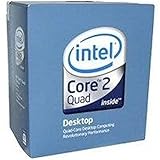
- 1333MHZ BOXED PROCESSOR
Bottom line for Q9550 owners
Plan around 3.6 GHz, regard 3.4–3.7 GHz as the realistic working range, and view 4.0 GHz as a chip-and-platform-dependent bonus. Confirm any setting with extended Prime95 Blend testing and monitored temperatures rather than relying on whether Windows boots.
Quick Recap
Product prices and availability are accurate as of the date/time indicated and are subject to change. Any price and availability information displayed on Amazon at the time of purchase will apply.

