
The Tool Desk
Outbyte Driver Updater FREEScan for outdated or missing drivers - takes under a minuteDriver Scan →Outbyte PC Repair FREEClear out junk files and repair common Windows errorsFree Scan →iTechGuides is reader-supported. When you buy through links on our site, we may earn an affiliate commission. As an Amazon Associate I earn from qualifying purchases. Learn more
Numbers and codes on a TV screen can identify the television, describe the incoming picture, show temporary status information, or report a problem. They do not share one universal codebook. Start with the exact wording and where it appears: note the TV brand and model, the active input or app, and whether the message also appears over the TV’s own menus. That context is more useful than trying to decode a number in isolation.
First identify what kind of number or code you’re seeing
- Model code: identifies the TV’s configuration; it is not an error.
- Information banner: temporarily shows details such as the selected channel, input, or signal.
- Resolution or frame-rate value: describes the video signal or display mode.
- Error or connection message: reports a problem that needs to be interpreted using its exact wording and the TV model.
Write down the full message or take a photo before changing settings. Also note whether it appears during live TV, in a built-in app, or only with one external device. These clues help distinguish a TV issue from a source, input, or connection issue.
What does my TV’s model code mean?
A model code identifies a particular TV configuration. Its format depends on the manufacturer, product generation, and market, so there is no reliable character-by-character decoding scheme that applies to every TV.
What’s actually slowing this PC down?
Pick the symptom - the matching free tool is one click away.
On newer Samsung TVs, the model code may be under Settings (All Settings) > Support > About TV (or About this TV/Projector); older models may show it on a label on the back. Samsung’s example for a 2020 North American TV, QN65Q800TAFXZA, encodes details such as product type, market, screen size, model, generation, tuner, design, and country or market code. Samsung also documents different formats for older sets, and regional availability or settings can vary. Use the exact model code and your region’s support page or manual rather than applying another model’s decoding rules. Samsung’s model-code guidance explains where to find the code and how to use it.
#1 Best Overall
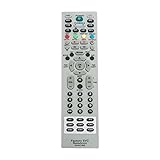
- MKJ39170828 Replacement Remote Control fit for LG LCD LED TV
- No programming or paring is needed. Just insert new batteries and it is ready for use.
- Power Supply: 2X 1.5V AA alkaline battery. Batteries and User Manual Not Included
- Please feel free to contact us if you have any query, thanks!
Why is an information banner showing on my TV?
An information banner is generally a status display, not an error code. It may show the selected channel or input, or details about the signal. Some TVs provide a setting to hide it. The menu path varies: Sony’s guidance for some Android TV and Google TV models points to Channel setup > Info banner > Off, but that path is not universal. Check the manual or settings for your exact model before changing anything. Sony’s information-banner guidance is model-dependent.
What does the resolution number on my TV mean?
Resolution describes how much visible detail a video format can contain; frame rate describes how many frames are displayed each second and is measured in frames per second (fps) or hertz (Hz). Roku summarizes resolution as “the measure of how much detail you can see on the screen.” A resolution value on its own is not an error. Common examples in support documentation include 720p, 1080p, and 2160p; other listed formats include 480i, 480p, and 1080i. These are examples, not a guarantee that every television or connected device supports every mode.
The TV and the device sending the picture must both support the selected format. Check the specifications for both devices if a mode will not display. Some streaming services may also change video resolution as network performance varies. Roku explains resolution and frame rate in its resolution guidance; LG lists output options in its display-settings documentation, and Samsung lists supported input formats in its signal troubleshooting guide.
Quick wins for a faster PC:
Scan for outdated or missing drivers - takes under a minuteDriver Scan →Repair Windows errors before they cause bigger problemsFix Now →Rank #2

- New AA81-00243A Replaced Service Remote Control Applicable for Samsung TV
- No programming or paring is needed.Just install new batteries and it is ready for use.
- Power Supply: 2X 1.5V AAA Alkaline Battery. Batteries and manual are not included.
- Please feel free to contact us if you have any query, thanks!
What does “No Signal” mean on my TV?
“No Signal” or “Weak Signal” usually means the TV is not receiving a usable picture from the selected source. It does not by itself establish that the TV is broken. The issue may be that the source device is off, the wrong input is selected, or a connection is loose or faulty.
- Make sure the connected device, such as a set-top box or game console, is powered on.
- Confirm the TV is set to the input the device uses, and check that the device itself is set to send video to the intended display.
- Reseat the connections at both ends. If possible, try another input, cable, or source device to isolate the cause.
- If the message remains, consult the TV and source-device manuals for model-specific checks.
Samsung’s troubleshooting guide covers “No Signal,” “Weak Signal,” and “Check Signal Cable.” For another diagnostic approach, Sony recommends checking whether symptoms appear on the TV’s own menu and testing another input or device. See Samsung’s signal-message guidance and Sony’s picture troubleshooting guidance.
Rank #3

- ✔️MKJ39170828 Replacement Service Remote Control fit for LG LCD LED TV
- ✔️No programming or setting required, You can just use the remote directly after inserting 2X 1.5V AA Batteries (not supplied).It can match your TV 100%.it covers all the functions of the original remote control.The buttons and functions are the same as the original remote control,
- ✔️Fast Response: Soft Touch and Anti-dusted Buttons. Fastest Response Not over 0.2 Second. Supports over 150,000 Clicks Approved by Tests.
- ✔️Compatible with 49UH6500 60UH655060 60UH6550-UB 55UH6550 55UH6550-UB 43UH6500 43UH6500-UB OLEDC7P 32LN530B 49UK6300PUE EF95000 65EG9600 65EG9600-U
Why does my TV say “Mode Not Supported”?
This message means the connected device is sending a video mode the TV cannot use, or the signal is not reaching the TV reliably. Compare the source’s output resolution and refresh rate with the modes supported by the TV before replacing equipment.
- Check the TV’s supported input modes and the source device’s output settings.
- Restart the TV and connected device, then check whether the message clears.
- If the source allows it, set a fixed output resolution supported by both devices. Test another device at the same resolution, if available, to help identify whether the source or TV is responsible.
- If the signal remains unreliable, test another input or a shorter or different cable. Samsung notes that a long HDMI cable can sometimes contribute to this message.
For a compatible 4K signal at 120 Hz, Samsung says an HDMI 2.1 cable is required and recommends confirming the cable is certified. That requirement applies to this specific high-bandwidth setup; it is not a general fix for every screen message. Check source, input, settings, port, and cable compatibility before buying a replacement. Samsung’s Mode Not Supported troubleshooting gives model-dependent guidance.
Rank #4

- AA81-00243B Replace Service TV Remote Control, fit for Samsung TV : TM1240A UE48H6270SSXZG UE55F9080STXZGUE UE55F9080STXZG UE55F6770SSXZG UE46F6320AWXXN UA46F5500ARXUM UE55JU6050UXZG 55HU8500ZXZT
- AA81-00243B Replacement Service Remote Control works for Samsung TV 2018 and Back TV Models
- Battery type it needed: 2 x AAA batteries;
- Replacement works for SAMSUNG HG32NF690GFXZA, HG40NF690GFXZA, HG43NF690GFXZA, HG43NF690UFXZA, HG49NF690GFXZA, HG50NF690UFXZA, HG55NF690UFXZA, HG65NF690UFXZA, HG75NF690UFXZA Hospitality TV, and more
What does “No Time Information” mean?
Samsung says “No Time Information” means the TV’s internal clock has not been set. Set the clock using the instructions for the exact TV model; menu names and available settings may differ. This message does not indicate a resolution problem or, by itself, a failed video connection. See Samsung’s explanation of the message.
Independent reader supportYour contribution helps us test, update, and keep practical guides available for everyone.How can I tell whether the TV or an external device is causing the problem?
Look for whether the symptom follows a particular source. If it appears only on one input or with one connected device, investigate that source, its output setting, and its connection. If the same visible defect also affects the TV’s menus or built-in screens, the television itself may be involved. Testing another input or device can help separate those possibilities; it does not identify a failed component on its own.
Best Value

- 【Package lncluded】 Pack of 2 remote. Two-pack remote control can solve your home backup remote control needs. Infrared remote no pairing or programming needed. Just Insert 2 Pcs*AAA batteries to get it work(Batteries and manual are not included)
- 【Applicable Type】This infrared replacement remote works with all Samsung Smart TV, LED, LCD, HDTV, 3D, Series TV,Compatible with All Samsung Series TVs. We offer you an authentic details same as we advertised.
- 【Key Features】The universal infrared TV remote features 3 shortcut buttons. It is perfect to replace your old or damaged Samsung TV Remote with the Loutoc remote.
- 【Quick Response】This is the updated infrared remote control for Samsung TVs. An outstanding response between TV and remotes, it will respond quickly in 0.5 seconds, available directly use within 10 meters (32 feet).
- 【After-sale Service】We provide 30 days warranty with no condition return or exchange. If you have any query, please contact us and we will get back to you as soon as possible within 24 hours.
- Only one input or device: check its power, selected output, cable, and TV input.
- Built-in app or live TV only: note the exact app or channel and consult its or the TV’s model-specific support.
- TV menus also affected: treat the symptom as potentially TV-side and use the manufacturer’s troubleshooting guidance.
- Unfamiliar number with no clear label: do not assume it is a universal error code. Record the full display and identify the TV model before looking up its meaning.
To get targeted help for an unfamiliar code, provide the TV’s brand and model, your region, the complete wording or a photo, and whether it appears on every input or only one.
Quick Recap
Product prices and availability are accurate as of the date/time indicated and are subject to change. Any price and availability information displayed on Amazon at the time of purchase will apply.

