
iTechGuides is reader-supported. When you buy through links on our site, we may earn an affiliate commission. As an Amazon Associate I earn from qualifying purchases. Learn more
A validated digital signature can help show that a marketplace report PDF’s signed content has not changed and that its signer’s certificate is trusted under the verifier’s settings. It does not prove that the report’s marketplace data is accurate, complete, or independently audited. To judge the evidence, check the signature status, signer certificate, covered PDF revision, timestamp, and any records supporting the underlying data.
What a PDF digital signature can establish
A certificate-based PDF signature is cryptographic evidence about a document and a signing credential—not a seal of truth. NIST’s FIPS 186-5, published 2 February 2023, describes digital signatures as a means to detect unauthorized modifications to data and authenticate a signatory’s identity. For a marketplace report, a successfully validated signature can therefore support two limited conclusions:
- The signed PDF content has not been altered since that signed revision, according to the validation result.
- The signature is associated with a signer certificate whose identity and certificate chain meet the verifier’s trust settings.
These conclusions are conditional. The verifier must evaluate the cryptographic signature and determine whether to trust the certificate chain or another established trust relationship. A signature graphic, a name printed on the page, or a date displayed beside the signature is not by itself evidence that those checks passed.
How to verify a signature in Acrobat
Adobe’s Acrobat validation guidance, last updated 5 November 2025, describes a workflow for checking signature status and examining the signer’s certificate. Product labels and behavior can change, so follow the current Acrobat interface and report the status it actually displays.
#1 Best Overall

- Instant E-Signatures, One Click Away – Seamlessly send your handwritten signature to your computer with just one tap. Fully compatible with PDF, Word, Excel, JPG, PNG, and TIFF formats.
- Your Paperless Office Hero – Sign quotes, contracts, insurance forms, and internal approvals without ever printing a page. Complete documents quickly and securely—100% digitally.
- Built-in Timestamp & Printed Name – Every signature includes a timestamp and your printed name for enhanced credibility and traceability—ideal for business and legal use.
- Smart Sticky Notes, Digitally Delivered – Jot down memos and upload them instantly to your Outlook Calendar or desktop. Your personal assistant for smart, organized scheduling.
- Effortless Visual Collaboration – Sketch workflows, wireframes, or brainstorm ideas in real time. Perfect for teams that move fast and think visually.
- Open the signed PDF in Adobe Acrobat and open the Signatures panel.
- Select the signature and choose the available command to validate it. Review the resulting status and any warnings; do not rely only on a page icon or visible signature mark.
- Inspect the signer’s certificate and its chain. Note the identity the certificate binds to, whether the chain is trusted under the verifier’s configuration, and any certificate-status issue reported.
- Review whether the signed document was changed after signing and which revision the signature covers. If later updates exist, inspect the revision history rather than assuming the signature covers every current byte.
- Check the timestamp status separately from the signature status. Record whether the time comes from the signer’s local clock or from a timestamp authority, and whether the timestamp itself validates.
Describe the result precisely: for example, “The signature validated in Acrobat under the configured trust settings; the signed revision showed no reported changes, and the signer certificate chain was reported as trusted.” If the validator reports a problem or cannot establish trust, include that limitation instead of calling the PDF authentic without qualification. Adobe’s validation guidance explains the status distinctions; a green indicator or “valid” label is not a universal legal conclusion.
What the timestamp tells you—and what it does not
A date shown in a signature panel is not necessarily independently verified evidence of when the private key was used. It may reflect the signing computer’s clock. A trusted timestamp instead relies on a timestamp authority whose certificate the verifier trusts. A timestamp may also be present but unverifiable—for example, if its authority’s certificate is untrusted, unavailable, or expired. Check the displayed timestamp status rather than treating the presence of a date as proof.
Rank #2

- Please Note: This Signature Pad can shows the signature on its display as well as the computer screen
- Battery-Free Pen: YZ04 signature tablet is the perfect replacement for a traditional mouse! The Havapen advanced Battery-free YP10 stylus does not require charging, allowing for constant uninterrupted Draw and Play, making lines flow quicker and smoother, enhancing overall performance
- Ideal for E-signatures: The HavaPen YZ04 signature tablet is designed for digital E-signatures, online teaching, remote work, it's compatible with Microsoft Office apps like Word, PowerPoint, OneNote, Zoom, Xsplit etc. Works perfect than a mouse, visually present your handwritten notes, signatures precisely
- Ultra thin tablet: Active Area 6 x 4 inches. Fully utilizing our 8192 levels of pen pressure sensitivity―Providing you with groundbreaking control and fluidity to expand your creative output
- What's in box: Signature Pad x 1, Battery-Free Stylus x 1, Pen Nibs x 10, Nib Clip x 1
Elaine B. Barker, author of NIST SP 800-102, published 23 September 2009, states: “A signed message that includes the (purported) signing time provides no assurance that the private key was used to sign the message at that time unless the accuracy of the time can be trusted.” Barker adds that an appropriate digital-signature timestamp from a Trusted Timestamp Authority and/or verifier-supplied data included in the signed message can provide “some level of assurance” about signing time. The qualification matters: a trusted timestamp strengthens time evidence; it does not establish when the marketplace data itself was collected or whether that data is correct.
Quick wins for a faster PC:
Repair Windows errors before they cause bigger problemsFix Now →Fix the driver behind crashes, sound loss and screen glitchesFind Drivers →What a signature does not prove about marketplace data
Signature validation checks the PDF’s signed content and the signer’s credential under a trust policy. It does not independently authenticate the marketplace platform, confirm how records were collected, validate the report’s methodology or calculations, establish that records are complete, or fact-check its claims. This is a limit of what the signature-validation process addresses, not a finding that a particular report is wrong.
Rank #3
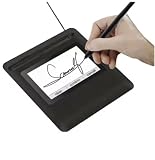
- Seamless Document Signing: Supports direct electronic signature on Word, Excel, PowerPoint, and PDF files without printing or scanning, streamlining your workflow and saving paper and time.
- Smooth & Natural Signature Experience: High-precision pressure-sensitive writing surface delivers clear, consistent signatures just like pen on paper. Capture your authentic signature with every stroke.
- Plug & Play USB Connection: Easy USB-powered design, no complicated setup required. Simply connect to your computer and start signing documents instantly for home, office, bank, hospital, and notary use.
- Clear LCD Display: Built-in clear screen shows your signature in real time, allowing you to preview, adjust, or confirm before finalizing on documents.
- Durable & Lightweight Design: Compact and sturdy construction fits neatly on any desk. Ideal for daily business operations, contract signing, official forms, and administrative work.
For a defensible archive, keep the signed report connected to evidence about its contents. Retain, as appropriate:
- The source exports or records used to prepare the report.
- Collection timestamps and a description of how and when the data was obtained.
- Methodology and version notes, including relevant calculation details.
- Independent checks or reconciliations that support important claims.
- A clear link between those materials and the specific signed report revision.
A careful statement of the evidence separates document integrity from factual accuracy: “The signature validated against [named verifier and trust configuration], and the signed PDF content showed [reported change status]. This supports the document’s integrity and the identity associated with the signer certificate; it does not independently verify the report’s underlying marketplace claims.” Replace the bracketed portions with the actual validation result.
Rank #4

- 【Signature tool 1】: SMAJAYU electronic signature pad works with “SMAJAYU document(s) Signer” a Sign Tool for pdf,word,excel documents digital signature. Pdf,Excel,word documents will be save as pdf after signature on sign tool.
- 【Signature tool 2】: Second sign tool named “demo tool” which is for getting signature picture to past on excel,word.edited files.
- 【Signature tool 3】: 430S SDK is available to integrate with programmable flatform, like website, app. Contact SMAJAYU support team for support.
- 【Apply Windows OS】SMAJAYU Signature pad and Signer tool only compatible with Windows OS, Windows 7,8,10,11, don’t support apple PC.
- 【How to sign documents】Install “ SMAJAYU document(s) Signer” on computer, run this app and create certification for first installation which for signature encryption and safety. Then insert Signature pad by USB and open files to start sign.
Preserving a signed PDF for later verification
Long-term validation can become harder when certificates expire or revocation information is no longer available from issuers. Adobe describes long-term validation as depending on evidence embedded in or retained with the PDF, including the certificate chain, certificate revocation status, and a timestamp. Its 30 June 2022 explanation of long-term validation discusses these dependencies. Acrobat may support adding verification information under qualifying conditions; check current product behavior rather than assuming every PDF or workflow qualifies.
Free tools Windows power users keep installed
One-click scans. No signup required.
- Keep the original signed PDF intact. Do not rewrite or re-save it in a way that could alter the signed revision; retain working copies separately.
- Preserve validation reports and relevant certificates, revocation evidence, and timestamp information where your retention policy permits.
- Record the timestamp authority and trust context, the verification software and version, and the date of each check.
- If the PDF has later permitted updates, preserve and inspect its revision history so it is clear which version each signature covers.
- Keep the report’s source exports, collection information, and methodology records alongside it, with links that identify the corresponding report and revision.
These steps preserve evidence that may help a future verifier assess the signature; they do not guarantee indefinite validation or legal admissibility. Legal effect depends on the applicable jurisdiction and circumstances.
Quick Recap
Best Value

- 3rd-generation touch-screen signing surface for cost efficiency
- LCD display for customizability
- Small size and weight for portability
- High-quality biometric and forensic capture
- Printer output: Monochrome
Product prices and availability are accurate as of the date/time indicated and are subject to change. Any price and availability information displayed on Amazon at the time of purchase will apply.

