
What’s actually slowing this PC down?
Pick the symptom - the matching free tool is one click away.
iTechGuides is reader-supported. When you buy through links on our site, we may earn an affiliate commission. As an Amazon Associate I earn from qualifying purchases. Learn more
Using RFID tags for home security monitoring works best when RFID provides a credential or automation trigger—not when it is treated as an intrusion sensor. A reader can identify an authorized tag, unlock a compatible door, arm or disarm an alarm, log access, or trigger a smart-home scene, but separate sensors are required to detect forced entry.
RFID can make a home-security system easier to use. A deliberate tap can replace a key, PIN, or phone app at an entry door; a named credential can provide useful access logs; and a tag can activate Home, Away, Night, or guest modes. The security result depends on the tag technology, reader, controller, automation rules, physical installation, and recovery plan—not on the word “RFID” alone.
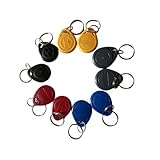
Key takeaways
- A passive RFID tag has no battery, internet connection, GPS, camera, or independent ability to report an event; a compatible reader must detect the tag and pass the event to a controller.
- RFID can unlock a smart lock, arm or disarm an alarm locally, identify a credential, log access, or trigger an automation, but RFID labels do not detect an opened door or window.
- A reader that trusts only a publicly readable tag identifier, or UID, may be vulnerable to copying, spoofing, lost credentials, and other attacks.
- Unlocking a door and disarming an alarm are separate security decisions; coupling both actions without conditions can create an easy bypass.
- A safe installation needs door and window sensors, a siren or alarm, reliable communications, notifications, physical security, and a tested fallback entry method.
What is using RFID tags for home security monitoring?
Using RFID tags for home security monitoring means presenting a credential to a reader so a lock, alarm panel, smart-home hub, or automation system can take an authorized action. The tag is normally an access credential or trigger; the reader and controller provide the decision-making and response.
Recommended Free Tools
A typical system has five parts:
- Tag: A passive tag, battery-assisted tag, or active battery-powered tag.
- Reader: Hardware that detects the tag and either reports an identifier or performs a more secure authentication exchange.
- Controller: A smart lock, alarm panel, Raspberry Pi, ESP32, Home Assistant installation, access-control hub, or similar system.
- Action: Unlocking, arming, disarming, notifying, logging, changing modes, or starting another automation.
- Communication path: A wired connection, Wi-Fi, Bluetooth, Zigbee, Z-Wave, Thread, Matter, or vendor cloud service.
Readers and tags must use compatible radio standards, frequencies, tag types, memory formats, and authentication methods. An inexpensive tag described generally as “RFID” will not necessarily work with a particular smart lock or reader. The NFC Forum’s overview of NFC technology explains that NFC devices can operate as readers, tag writers, or card emulators and that NFC includes multiple tag types.
#1 Best Overall

- Compact & Portable Design: Each package includes 50 NFC tags with a 1.0-inch round NTAG215 card, as small as a quarter coin, making it easy to carry and store. The adhesive backing ensures effortless attachment to various surfaces
- Durable & Waterproof: Made of high-quality PET material, these NFC tags are waterproof, durable, and designed to withstand wear and tear. They function perfectly even in wet conditions, ensuring reliable performance wherever you use them
- Easy Setup & User-Friendly: Simply hover your NFC-enabled device over the tag to initiate data transfer. Equipped with 504 bytes of NDEF memory, these tags allow quick writing and sharing of information. They also feature a read-write lock function for flexible use.(NOTE*. - It can not be edited or reset after setting it as a read-only tag. )
- Wide Compatibility: These NFC tags are compatible with devices such as NFC-enabled phones and TagMo Amiibo. They are rewritable, so you can store and update different data as needed. Note: Amiibo tags can only be edited once and cannot be reused
- Versatile Applications: Ideal for creating Amiibo cards, sharing social media links, music, connecting to Wi-Fi, or automating smart home tasks. These tags enable quick and easy data sharing for a variety of uses, from gaming to daily convenience
What can RFID tags do in a home?
RFID is most useful when a household needs a deliberate, local credential presentation rather than continuous tracking or automatic intrusion detection.
Arm or disarm an alarm locally
A reader beside an entry door can accept an authorized tag and trigger Away, Home, Night, or Disarmed mode. The same event could lock the door, turn on exterior lights, play a confirmation chime, or send a phone notification.
Home Assistant’s official tag documentation describes tag-triggered automations using a phone or a dedicated reader, including a PN532 NFC module connected to an ESP8266. That approach can connect a presented tag to a broader smart-home automation, but the automation still needs carefully defined permissions and failure behavior.
PC Slower Than It Used to Be?
A free scan shows the junk files, broken settings and background clutter dragging Windows down - then fixes them in one click.Free scan · Windows 10 & 11Crashes, No Sound, or Screen Glitches?
Random freezes, missing sound and display glitches usually trace back to one bad driver. Find and replace yours safely.Free scan · under a minuteA safer alarm automation should include a confirmation, a short entry-delay strategy where appropriate, a fallback PIN, key, or app method, immediate revocation for lost tags, and notifications for every disarm event. A guest or cleaner’s credential should not automatically receive the same permissions as a resident’s credential.
Unlock a compatible smart lock
Some smart locks accept NFC cards, stickers, or tags alongside passwords, fingerprints, mobile apps, physical keys, or other methods. For example, the manufacturer pages for the Aqara U50, Aqara U100, Aqara U200 Lite, Aqara U300, and Aqara U400 describe NFC-based access or NFC-compatible credentials, with the exact methods varying by model.
There are three materially different designs:
| Design | What the tag does | Security consideration |
|---|---|---|
| Tag unlocks the lock | Acts as an entry credential. | The alarm may remain armed, which can be safer than coupling access and disarm. |
| Tag disarms the alarm | Changes the security state without necessarily unlocking a door. | Disarm should be restricted by user, location, time, and current alarm conditions. |
| Tag unlocks and disarms | Combines entry and alarm-state changes. | Convenient, but a single lost, copied, or misused credential may defeat two layers at once. |
| Tag triggers a scene | Changes lights, cameras, locks, alarm modes, or notifications. | Scenes need explicit permissions so a low-risk trigger cannot perform a high-risk action. |
Identify credentials and log access
A reader and controller can record the credential identity, scan time, reader location, result, action taken, and whether processing occurred locally or through a cloud service. Logs help troubleshoot failed access, review guest permissions, and identify unusual activity.
An RFID log is not conclusive proof that a specific person entered. A tag can be shared, lost, stolen, handed to another person, or presented without the expected person passing through the door. The log identifies an accepted credential event, not a person’s identity or intent.
The Tool Desk
Outbyte Driver Updater FREEFix the driver behind crashes, sound loss and screen glitchesFind Drivers →Outbyte PC Repair FREERepair Windows errors before they cause bigger problemsFix Now →Control restricted rooms, cabinets, gates, and garages
RFID credentials can control a home office, medication cabinet, workshop, server closet, garage, garden gate, basement, or short-term-rental supply room. Higher-consequence areas should use stronger, preferably cryptographically authenticated credentials or two-factor access rather than an inexpensive UID-only tag.
Identify household items
RFID labels can identify keys, storage bins, tools, medication containers, or other objects when an item passes a reader. A passive tag generally does not provide continuous whole-house tracking. A reader must be positioned where the item passes, such as an entry tray, key cabinet, storage shelf, or garage station. Real-time location claims require active tags, multiple readers, or another location technology.
How do passive and active RFID tags differ?
Passive tags draw energy from the reader’s radio field and respond only when they are close enough to be read. Active and battery-assisted tags use a battery to extend range or beacon periodically, but the extra capability introduces cost, maintenance, and more complicated presence assumptions.
| Tag type | Advantages | Limitations | Best residential use |
|---|---|---|---|
| Passive | Small, inexpensive, battery-free, long storage life, and available as cards, key fobs, stickers, and labels. | Short range; requires deliberate presentation; cannot independently report an alarm; usually does not provide location information. | Door credentials, local alarm actions, cabinet access, and scan-based item identification. |
| Battery-assisted | More range or capability than a purely passive tag. | Requires battery maintenance and a compatible reader system. | Situations needing more dependable range without a full active beacon system. |
| Active | Longer range, periodic beaconing, and potential for location-aware systems. | Higher cost, battery replacement, more infrastructure, and a greater risk of false presence assumptions. | Asset tracking or wider-area detection when the system is designed for it. |
A passive RFID tag attached to a window or door does not report that the window or door opened. A magnetic contact, vibration sensor, tilt sensor, door-position sensor, or another detector is required to detect that physical event.
Rank #2
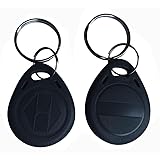
- Convenient to carry:10pcs 125KHz T5577 fob tag,Each NFC Tag comes with a keychain iron ring that can be hung on items such as keys and backpacks, making it very convenient to carry and not easy to lose.
- The chip type: T5577 ID chip.Standard 125Khz ID RFID Card, Please note it can't be read before you program the chip.(CAN NOT WORK WITH ONITY SYSTEM and Proxmark3 RDV4)
- Compatible: It doesn't have pre-programmed id number, so need to write the id on it before you read. It's rewritable, and it can write in 125khz id format and H-ID WG 125khz format, can be customised to 26-bit Prox format. Compatible with T5567 T5577 EM4305.Works perfectly with HID systems and Flipper Zero. These however DO NOT work with the Keysy rfid duplicator
- Material: Unique ABS high-temperature resistant material,High temperature resistance up to 190 degrees Fahrenheit,Non-toxic/Tasteless/It is abrasion-resistant/It has good stabilityVery safe to use!
- Applications: Hotel key card, Access control systems, time attendance system, ticketing, packing card......
Which RFID home-security architecture should you choose?
The right architecture depends on whether the main goal is simple keyless entry, custom automation, or managed access across multiple openings.
| Architecture | Best for | Strengths | Weaknesses |
|---|---|---|---|
| Smart lock with built-in NFC/RFID support | One household wanting convenient keyless entry. | Integrated reader, lock actuator, credential enrollment, and alternative entry methods. | Vendor-specific credentials, ecosystem dependencies, and possible reliance on an app, hub, or cloud for some functions. |
| Home Assistant plus a dedicated reader | DIY users who want custom local automations. | Combines tags with door state, presence, time, alarm state, lights, cameras, locks, and notifications. | More components, configuration, maintenance, update testing, and recovery responsibility. |
| Commercial access-control system | Gates, several exterior doors, detached buildings, or larger credential sets. | Centralized users, revocation, event logs, door contacts, request-to-exit hardware, weather-resistant readers, and battery-backup options. | More expensive and complex than most single-door residential installations; life-safety design is essential. |
Option A: An integrated smart lock
An integrated smart lock is usually the simplest consumer route. Install a compatible lock, enroll the supported card or tag in the manufacturer’s application, assign the credential to a named user where supported, enable access notifications, and test physical-key and emergency-power entry.
For example, the manufacturer’s U100 documentation describes NFC cards, physical-key entry, USB-C emergency power, and several temporary or recurring access methods. Features differ by model and region, so confirm whether third-party tags are accepted, whether cards are included, and which functions work locally without internet or a hub.
Auto-lock should be enabled only after confirming that the door closes and latches reliably. A smart lock does not compensate for a weak door, frame, strike, latch, hinges, or cylinder.
Quick wins for a faster PC:
Clear out junk files and repair common Windows errorsFree Scan →Fix the driver behind crashes, sound loss and screen glitchesFind Drivers →Option B: Home Assistant with a dedicated reader
Home Assistant is appropriate for technically inclined users who want a tag event to interact with an alarm state, door sensors, lights, cameras, locks, and notifications. A typical DIY system uses a Home Assistant host, an NFC/RFID reader, an ESP8266 or ESP32 controller, a network connection, and separate door and window sensors.
Tag presented
  → reader detects tag
  → controller sends event to Home Assistant
  → Home Assistant validates credential and current state
  → lock, alarm, lights, and notifications respond
  → event is logged
The Home Assistant PN532 example documents the general reader-to-automation concept. Exact menus, integrations, and software behavior can change, so test the current installation rather than copying an old automation blindly.
Home Assistant can make a system highly adaptable, but a DIY automation is not automatically equivalent to a professionally installed and monitored alarm. Back up the configuration, protect administrator access, test updates, and decide what happens when the host, reader, Wi-Fi, power, or internet connection fails.
Option C: Commercial access control
Commercial access control is more appropriate for multiple doors, gates, detached buildings, or high-use entrances. A complete design may include a weather-resistant reader, door contact, request-to-exit sensor, electric strike or magnetic lock, exit button, battery backup, centralized event logs, and a managed credential database.
Fire and life-safety requirements matter. An access-control installation must provide safe egress and appropriate behavior during power, fire, controller, and communication failures. A design that can trap people inside is unacceptable.
How should you install RFID access safely?
Start with the consequence of a false acceptance, not with the cheapest tag or reader.
1. Define the event and threat
Write down whether the credential should unlock a door, arm an alarm, disarm an alarm, identify a resident, trigger a Home or Away scene, log an item, or permit access to a restricted room. Disarming an alarm and turning on entry lights do not have the same risk and should not automatically share the same credential policy.
Rank #3

- 【Chip & Capacity】Genuine NTAG215 Chip – 504 Bytes Memory. Authentic chip ensures full compatibility and maximum storage for all NFC projects
- 【Rewritable Feature】Rewritable Hundreds of Times with Optional Lock. Write and rewrite easily using apps like NFC Tools. Lock as read-only when data security is needed
- 【Durability & Compatibility】Durable, Waterproof & Universal – Strong adhesive PVC tags work indoors/outdoors. Compatible with all NFC smartphones (iOS/Android) and popular apps like NFC Tools, TagWriter for diverse applications
- 【Key Applications】Perfect for Gaming, Smart Home & Automation – Compatible with Nintendo Switch for Amiibo functionality (Zelda, etc.). Also great for smart home, Wi-Fi sharing, 3D printer bed leveling (Klipper), and one-tap phone routines
- 【Package & Support】60 Tags + Full Support – Includes 60 transparent 1-inch round tags. Backed by clear setup guides and responsive customer support
2. Match credential strength to consequence
Simple credentials are reasonable for low-risk actions such as entry lighting, a welcome scene, or routine item logging. Exterior unlocking, alarm disarming, garage access, and high-value storage deserve stronger authentication, restricted permissions, and possibly a second factor.
Do not assume that a product marketed as RFID provides encryption or anti-cloning protection. Confirm the exact chip family, protocol, authentication method, reader behavior, and revocation process. Security guidance from NIST’s RFID publication treats RFID security as a matter of system-specific mechanisms and standards, not a universal property of every tag.
3. Verify compatibility before buying
Check the reader’s frequency, supported tag standards, read distance, indoor or outdoor rating, power requirements, network protocol, local-versus-cloud processing, and credential-management features. Most importantly, determine whether the reader merely exposes a tag UID or performs secure authentication.
A phone’s NFC reader, a PN532 development module, a smart-lock reader, and a long-range access-control reader are not interchangeable. NFC and RFID terminology often overlaps in consumer products, but compatibility still depends on the reader, tag type, memory format, authentication method, and vendor implementation.
4. Place and protect the reader
- Place an entry reader where the user must deliberately tap it.
- Do not make the tag readable from a public sidewalk, porch, or window if that would expose the credential to unnecessary scans.
- Protect outdoor hardware from rain, tampering, and temperature extremes.
- Protect wiring and controller communications, especially when an exterior reader can expose relay or network connections.
- Keep a conventional exit method inside the home.
- Ensure the physical door and frame cannot be bypassed independently of the reader.
5. Enroll and name every credential
Assign each tag to one person or purpose instead of keeping a collection of anonymous identical tags.
Front-door tag 01 — Alex — permanent
Front-door tag 02 — Jamie — permanent
Front-door tag 03 — cleaner — weekdays only
Front-door tag 04 — child — front door only
Record the owner, purpose, reader location, issue date, expiration date, revocation status, and replacement process. Visitor credentials should expire automatically where the system supports expiration. Revoke a lost tag immediately and review recent access events after a loss.
6. Use conditional automations
The safest automation does not treat “tag detected” as sufficient proof that the house should disarm. A better rule validates the credential, reader location, alarm state, time restrictions, door condition, and user permission.
IF valid credential detected
AND reader is the front-door reader
AND alarm is armed
AND credential is currently permitted
AND door state is appropriate
THEN perform the authorized action
ELSE reject and notify
Useful restrictions include requiring a PIN for disarm, allowing a child’s tag only during specified hours, allowing a guest tag to unlock without disarming, rate-limiting failed attempts, requiring confirmation before changing Away to Disarmed, and refusing to unlock when forced entry is reported.
7. Provide independent recovery methods
Keep a mechanical key, keypad, app, emergency battery connector, or another documented method that works when the reader, hub, network, lock battery, or power supply fails. A fallback should be tested in the actual failure condition, not merely assumed to work.
What are the main RFID security risks?
Can RFID tags be copied?
Some low-cost systems treat a static, publicly readable identifier as the entire credential. If an attacker can read or reproduce that identifier, the system may accept a copy. Not every RFID tag is trivially cloneable, but no buyer should assume that every RFID tag is secure.
A UID-only rule such as “if the identifier equals this approved value, disarm the alarm” is convenient but weak. Use UID-only credentials for low-risk triggers, or add a PIN, phone presence, app approval, door-position validation, time restriction, rate limiting, and anomaly notifications. For high-security access, look for secure challenge-response authentication, encrypted credentials, secure elements, transaction counters, distance-bounding features, or equivalent documented protections where available.
Rank #4

- Note: These are 125kHz key fobs (tags). If you want to add them to your lock system, please ensure that your system uses the same frequency of unencrypted 125kHz. Not compatible with other frequencies like 13.56MHz. For example, they don't work for Tuya or TTLock smart locks. Not work for encrypted systems.
- Compatible with other universal 125kHz tags like EM4100/4102. Not compatible with encrypted tags like HID, Indala, Cobra, APCiK, Paradox, Kaba, Isonas, etc.
- Read only. Not rewritable. You cannot re-program them. Each key fob is already pre-programmed with a unique ID number. The 10-digit number is engraved on the tag casing.
- Suitable for 125kHz RFID proximity access control system and ID management system. For example, add it to your RFID door lock if applicable.
- Approx. Size: 1.4*1.1*0.2 inch. Casing Material: ABS Plastic. Package includes 100 PCS.
What happens if a tag is lost or stolen?
Treat an RFID tag like a key: revoke it immediately, issue a replacement, review logs, and avoid printing a home address on the tag. Do not hide a permanent access tag near the door. Guest, cleaner, caregiver, and contractor credentials should have the narrowest practical permissions and an expiration date.
Are relay attacks possible?
Relay attacks extend communication between a legitimate credential and a reader. The NFC Forum identifies relay-based threats as an ongoing concern for NFC-enabled access systems. Short reading distance reduces casual exposure but does not eliminate relay attacks, cloning, lost-credential abuse, or physical reader tampering.
Do these 3 things before closing this tab:
1Scan for outdated or missing drivers - takes under a minute2Clear out junk files and repair common Windows errors3Fix the driver behind crashes, sound loss and screen glitchesCan an attacker tamper with the reader?
Strong credential cryptography cannot fix an exposed installation. An attacker may try to remove the reader, short exposed wires, spoof controller communications, cut power or network service, or force the door independently of the electronic lock. Protect the enclosure, wiring, controller, power supply, relay, and physical door hardware as one system.
What privacy issues do RFID access logs create?
Access logs can reveal when residents arrived, left, or entered restricted rooms, and when cleaners, caregivers, or children were present. Retain only the information and history needed for security and troubleshooting, restrict administrator access, secure backups, and tell household members and workers what is recorded.
What does RFID not replace?
RFID does not replace a door or window contact sensor, glass-break detector, motion sensor, smoke detector, heat detector, carbon-monoxide detector, siren, backup power, cellular or professionally monitored alarm communications, a secure physical door, or emergency egress hardware.
A reader detects credential presentation. A door contact detects whether a door opened. A motion sensor detects movement in an area. A complete security system uses the appropriate sensor for each threat rather than asking an RFID credential to perform every job.
Free tools Windows power users keep installed
One-click scans. No signup required.
How does RFID compare with other home-security access methods?
RFID and NFC tags are one access option among keypads, biometrics, phones, UWB credentials, and mechanical keys. Ordinary alarm sensors are different: they detect physical events rather than authenticate people.
| Requirement | RFID/NFC tag | Keypad | Fingerprint | Phone credential | Standard alarm sensor |
|---|---|---|---|---|---|
| Fast local identification | Strong | Strong | Strong | Moderate | None |
| Works without carrying a phone | Strong | Strong | Strong | Weak | Not applicable |
| Easy to revoke | Usually | Usually | Usually | Usually | Not applicable |
| Easy to share safely | Moderate | Moderate | Weak | Strong with temporary access | Not applicable |
| Resistance to casual copying | Depends heavily on technology | Depends on PIN quality | Often strong, with privacy trade-offs | Depends on secure implementation | Not applicable |
| Detects forced entry | No | No | No | No | Yes |
| Works during phone or app outage | Often | Often | Often | Not always | Usually |
| Needs deliberate user action | Yes | Yes | Yes | Sometimes | No |
| Best role | Credential or trigger | Credential | Credential | Credential or remote control | Intrusion detection |
A keypad is useful for visitors who do not carry a tag, but codes can be shared, observed, or reused. A fingerprint reader can provide user-specific access but involves biometric privacy and reliability trade-offs. A phone or watch credential can offer convenient remote management but depends on device battery, compatibility, and the chosen ecosystem. A mechanical key works during many electronic failures but is difficult to revoke and does not create a useful access log.
Some products combine several methods. The manufacturer describes the Aqara U400 as supporting NFC cards, fingerprints, passcodes, app access, physical keys, and UWB-based access, with UWB requiring compatible devices and a Thread-enabled Matter controller. A multi-method lock can improve resilience, but every enabled credential type must be managed and tested.
How should you test an RFID security installation?
Test the failure paths before relying on the system for exterior access or alarm disarming. Record the expected safe behavior for each test.
| Test | Expected question | Safe result to verify |
|---|---|---|
| Unknown tag | Does the reader reject it without revealing valid-user details? | No unlock or disarm; event is logged and notification behavior is understood. |
| Lost or revoked tag | Does revocation take effect at the reader and controller? | Credential no longer works and the event is visible. |
| Reader offline | What happens when the reader loses power or network access? | The door and alarm do not silently enter an unsafe state; fallback entry works. |
| Hub or Home Assistant offline | Does a reboot change the alarm state? | The system restores or verifies the prior armed state rather than silently disarming. |
| Internet unavailable | Which functions are local and which require cloud service? | Local entry and emergency methods behave as documented. |
| Power outage | Does the lock, siren, reader, and network have backup power? | Safe egress remains available and the recovery method works. |
| Low lock battery | Is there an alert before entry fails? | Warning arrives early enough to replace or recharge the battery. |
| Door ajar or forced open | Does a credential event override a door sensor? | Alarm and notification rules remain correct. |
| Two tags presented together | Does the reader consistently identify the intended credential? | No ambiguous or unintended authorization. |
| Expired guest credential | Does the time restriction apply locally and remotely? | Expired access is rejected. |
| Physical-key or emergency-power entry | Can the home be entered during electronic failure? | The documented fallback works without disabling security unexpectedly. |
Which products and services fit each use case?
Product choice should follow the security task rather than an arbitrary “best RFID device” ranking.
Best Value
| Reader need | Most suitable direction | What to verify before purchase |
|---|---|---|
| Simple NFC entry at one residential door | Integrated smart lock with NFC and a physical-key or emergency-power fallback. | Lock fit, supported card or tag type, included credentials, local operation, notifications, and battery recovery. |
| Custom alarm and smart-home automations | Home Assistant with a supported reader, controller, door sensors, siren, and notifications. | Current integration behavior, backups, local operation, update process, and safe restart behavior. |
| Multiple doors, gates, or detached buildings | Commercial access-control hardware. | Credential revocation, event logs, weather protection, request-to-exit hardware, battery backup, wiring security, and safe egress. |
| Actual intrusion monitoring | A complete alarm system with contacts, motion or glass-break detection, siren, backup communications, and optional professional monitoring. | Sensor coverage, outage behavior, response workflow, support, installation constraints, and recurring costs. |
The Aqara U400 product page showed a $269.99 USD price during the research pass; treat that figure as an observed price signal rather than a guaranteed current price. The U400’s advanced UWB path also has device and controller requirements, so buyers who only want tap-based NFC access should not pay for ecosystem features they will not use.
The U100, U50, U200 Lite, and U300 pages describe different combinations of NFC cards or stickers and alternative access methods. Confirm regional availability, current pricing, included cards, third-party tag compatibility, hub requirements, and emergency-entry behavior before purchase. A generic inexpensive reader may be suitable for experimentation or low-risk automation, but it should not be presented as a complete home-security solution.
What is the safest overall design?
The safest general design treats RFID as one layer in a layered system:
The Tool Desk
Outbyte Driver Updater FREEFix the driver behind crashes, sound loss and screen glitchesFind Drivers →Outbyte PC Repair FREEClear out junk files and repair common Windows errorsFree Scan →Physical door security
+ door and window sensors
+ alarm and siren
+ reliable communications
+ secure access credential
+ notifications and logs
+ backup entry methodUse a tag for convenience where deliberate presentation makes sense. Use a door contact to detect opening, a motion or glass-break sensor for the relevant threat, and a monitored alarm or notification path when response beyond the home matters. Keep unlocking and disarming separate unless the combined rule has clear user, time, location, and alarm-state conditions.
Frequently Asked Questions
Can an RFID tag detect when a door or window opens?
No. An RFID tag and reader detect a credential presentation, not the physical opening of a door or window. Use a magnetic contact, door-position sensor, vibration sensor, tilt sensor, or another dedicated detector for that event.
Are RFID tags secure enough to disarm a home alarm?
Security depends on the tag, reader, protocol, authentication method, credential management, and physical installation. A system that accepts only a static UID is weaker than one using authenticated credentials, and a second factor is preferable for high-consequence disarming.
Can RFID tags be used with Home Assistant?
Yes. Home Assistant documents tag-triggered automations using phones and dedicated readers, including a PN532 reader connected to an ESP8266. The reader, controller, integration, and current software behavior must be checked and tested for the specific installation.
What should I do if an RFID security tag is lost?
Revoke the credential immediately, review recent access logs, issue a replacement, and check that the lost credential is rejected by every relevant reader or lock. Treat the tag like a lost key.
Is an RFID smart lock the same as a monitored alarm system?
No. An RFID smart lock controls or authenticates entry, while a monitored alarm system uses intrusion sensors, an alarm or siren, communications, and a response workflow. A smart lock does not detect broken glass, opened windows, smoke, motion, or forced entry by itself.
The Bottom Line
RFID can improve home security when it makes authorized access and alarm use more consistent, but RFID is not home-security monitoring by itself. Choose a compatible credential and reader, protect the installation, assign individual permissions, avoid UID-only protection for high-risk actions, test every outage and recovery path, and combine RFID with real intrusion sensors, an alarm, reliable communications, and a backup entry method.
Quick Recap
Product prices and availability are accurate as of the date/time indicated and are subject to change. Any price and availability information displayed on Amazon at the time of purchase will apply.
Recommended Free Tools

