
Do these 3 things before closing this tab:
1Scan for outdated or missing drivers - takes under a minute2Clear out junk files and repair common Windows errors3Fix the driver behind crashes, sound loss and screen glitchesiTechGuides is reader-supported. When you buy through links on our site, we may earn an affiliate commission. As an Amazon Associate I earn from qualifying purchases. Learn more
The UniFi Express 7 (UX7) combines a UniFi gateway, tri-band Wi-Fi 7 and multi-gig Ethernet in a compact desktop unit. Its strongest case is for a small UniFi setup that needs 6 GHz Wi-Fi and a fast WAN connection without a separate gateway and wireless access point. Its main compromise is equally clear: it has just two Ethernet ports, and it depends on UniFi Network software. Ubiquiti publishes useful capacity and coverage figures, but the available specifications do not establish real-world speed, range or latency.
What the UniFi Express 7 is
The UX7 is a desktop UniFi Cloud Gateway with an integrated wireless access point. It can serve as the network gateway and Wi-Fi source in one device, while also managing other UniFi equipment. Ubiquiti says it can manage 30+ UniFi devices and support 300+ simultaneous connected users. Those are manufacturer capacity claims, not guarantees for a particular home or workload. See Ubiquiti’s UX7 technical specifications.

The radio is tri-band, with Wi-Fi 7 (802.11be) and support for Wi-Fi 6/6E. Each band is listed as 2×2 MU-MIMO. Ubiquiti’s maximum radio-rate specifications are 5.7 Gbps on 6 GHz, 4.3 Gbps on 5 GHz and 688 Mbps on 2.4 GHz. These are theoretical specification figures, not measured internet speeds or a promise that one client will reach those rates.
Ports: fast WAN, limited wired expansion
The UX7 has two RJ45 Ethernet sockets: one 10 GbE port and one 2.5 GbE port. Ubiquiti identifies the 10 GbE port as the default WAN and lists one maximum WAN port. That provides substantial headroom for a fast internet connection, but leaves only two physical Ethernet connections for the whole device. If you need several wired clients, plan how to add ports—typically with a separate switch—rather than assuming the gateway has a bank of LAN sockets.
#1 Best Overall
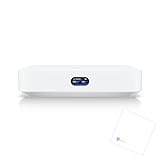
- Multi-WAN UniFi Cloud Gateway
- Runs UniFi Network for full-stack network management.
- Manages 30+ UniFi Network devices and 300+ clients.
- 1 Gbps routing with IDS/IPS.
- 0.96" LCM status display.
This port layout is central to the buying decision. A high WAN link rate does not itself make every client faster: wired devices must connect through the available LAN path, and Wi-Fi results depend on the client, radio conditions and internet service as well as the gateway.
Gateway and security features
Ubiquiti lists 2.3 Gbps IDS/IPS throughput and capabilities including stateful and application-aware firewalling, traffic identification, content filtering, ad blocking, intrusion prevention, VLAN and subnet segmentation, VPN server/client functions, and OSPF routing. These are manufacturer-listed features and figures; the published material does not independently verify their performance under a specific configuration. Treat the IDS/IPS number as a vendor specification, not a measured throughput result for your intended rules or traffic.
Rank #2

- Holds gateway & power adapter
- Open design to allow better heat dissipation
- 3D Printed with PETG material for strength
- Please Note: This listing includes the 3D printed rack mount only. UniFi device not included. Blazin3D tries our hardest to make every part as clean as possible but please remember 3D printed parts while great will usually have a few surface imperfections.
Wi-Fi coverage and mesh expansion
Ubiquiti specifies coverage of 160 m² (1,750 ft²). That is a coverage estimate, not a guarantee of a strong signal everywhere: walls and building materials, placement, interference, client radios and mesh backhaul all affect results. The available information does not provide independent UX7 range, throughput, roaming or latency tests.
Recommended Free Tools
Ubiquiti positions the UX7 for mesh expansion and for extending an existing deployment as an access point. The company also publishes specifications for the U7 Mesh, a Wi-Fi 7 access point with a 2.5 GbE uplink and stated coverage of 140 m² (1,500 ft²). The available product information does not establish a direct compatibility matrix for a specific UX7-to-U7 Mesh pairing, so confirm current pairing support and the intended backhaul arrangement before choosing nodes. See Ubiquiti’s U7 Mesh specifications.
Rank #3

- Designed as a unique, high-performance wireless bridge for UniFi Protect Sensors with minimal lag
- Offers extended Bluetooth Low Energy range that matches standard WiFi signal reach
UniFi software is part of the purchase
The UX7 requires UniFi Network version 9.0.108 or later, according to Ubiquiti’s technical page. Check that requirement against the software environment you plan to use, and consider whether you want UniFi’s management ecosystem rather than a standalone conventional router interface. Software compatibility is not an incidental detail: it is a stated prerequisite for this device.
How it differs from the original UniFi Express
Ubiquiti’s specifications show a substantial change in wireless generation and wired ports, while both products remain compact gateways. This is a comparison of published specifications, not a test of relative performance.
| Specification | UniFi Express (UX) | UniFi Express 7 (UX7) |
|---|---|---|
| Wi-Fi | Wi-Fi 6 | Tri-band Wi-Fi 7, including 6 GHz |
| Ethernet | Single gigabit WAN and two gigabit Ethernet ports | One 10 GbE and one 2.5 GbE port; 10 GbE is default WAN |
| Stated coverage | 1,500 ft² | 1,750 ft² (160 m²) |
| Maximum power consumption | 10 W | 22 W |
Sources: UX specifications and UX7 specifications. Ubiquiti says the original UX will continue receiving updates on Network 9.0 for critical security updates and selected enhancements, and directs users on UniFi Network 9.1 and later to the UX7. Check the current original UX product information if you are deciding whether to keep or replace that model.
PC Slower Than It Used to Be?
A free scan shows the junk files, broken settings and background clutter dragging Windows down - then fixes them in one click.Free scan · Windows 10 & 11Outdated Drivers Are Slowing You Down
One free scan finds every outdated or missing driver and matches the right update for your exact hardware.Free scan · exact hardware matchPower, accessories and price details
The technical specifications call for USB Type-C power at 5V/5A and state that an adapter is included. The US store lists an optional PoE Integrated AC Adapter and a Universal Table Stand; the PoE adapter is not presented as a required purchase. Verify the included power arrangement and accessory fit for your setup on the Ubiquiti US product page.
Best Value

- Features a 10G desktop cloud gateway equipped with built-in WiFi 7, a PoE switch, microSD storage, and complete UniFi app compatibility
- The EU store edition comes with an EU power plug exclusively
At the time the store page was accessed on October 7, 2026, it displayed a three-pack at $559.00 with an additional displayed surcharge. That is a configuration- and time-specific listing, not a single-unit price or a universal regional price. Check the current configuration, total and availability directly before ordering.
Who should consider the UX7?
- A good fit: someone building or extending a UniFi network who wants a gateway and tri-band Wi-Fi 7, including 6 GHz, in one compact unit.
- Plan carefully: anyone with multiple wired devices, because the UX7 has only two Ethernet sockets and the 10 GbE port is the default WAN.
- Check first: buyers who need a particular mesh pairing, broad whole-home coverage, or a specific UniFi Network version should verify those details for their deployment.
- Look beyond the headline rates: the published radio maxima, IDS/IPS throughput and coverage are vendor specifications, not independent tests of everyday performance.
When comparing it with another gateway, focus on WAN and LAN port speed and count, Wi-Fi bands and client support, integrated gateway features, expansion options, software requirements, independent performance measurements, and the full purchase cost. The published information here is not enough to rank the UX7 against other routers on tested speed, range or latency.
Quick Recap
Product prices and availability are accurate as of the date/time indicated and are subject to change. Any price and availability information displayed on Amazon at the time of purchase will apply.
Quick wins for a faster PC:
Scan for outdated or missing drivers - takes under a minuteDriver Scan →Repair Windows errors before they cause bigger problemsFix Now →
