
PC Slower Than It Used to Be?
A free scan shows the junk files, broken settings and background clutter dragging Windows down - then fixes them in one click.Free scan · Windows 10 & 11Crashes, No Sound, or Screen Glitches?
Random freezes, missing sound and display glitches usually trace back to one bad driver. Find and replace yours safely.Free scan · under a minuteiTechGuides is reader-supported. When you buy through links on our site, we may earn an affiliate commission. As an Amazon Associate I earn from qualifying purchases. Learn more
The UniFi Dream Router 7 (UDR7) is a compact UniFi Cloud Gateway with a tri-band Wi-Fi 7 access point—not just a basic wireless router. It brings routing, firewall and VPN features, multi-gigabit Ethernet, one PoE output, microSD storage, and support for UniFi applications into one desktop unit. It makes the most sense if you want that configurable UniFi ecosystem in a single box; its value is less compelling if you want a simple router and won’t use the additional controls.
What is the UniFi Dream Router 7?
The UDR7 combines a gateway and wireless access point. As a gateway, it handles routing, firewall controls, VPN options, and network management. Its built-in access point broadcasts on 2.4 GHz, 5 GHz, and 6 GHz. Ubiquiti lists support for UniFi Network, Protect, Access, Talk, and Connect, so the device can also manage compatible UniFi applications and equipment. Ubiquiti’s technical specifications describe it as a UniFi Cloud Gateway with integrated Wi-Fi 7.
| # | Preview | Product | Price | |
|---|---|---|---|---|
| 1 |

|
Dream Router 7 UDR7 | $310.95 | Buy on Amazon |
| 2 |

|
Ubiquiti UDR7 Dual-Band 10Gbps Ethernet Wi-Fi 7 Router | $303.00 | Buy on Amazon |
| 3 |
|
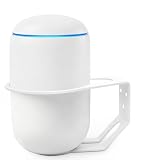
Metal Wall Mount Compatible with Ubiquiti UniFi Dream Machine UDR7 & UDM-US | $18.99 | Buy on Amazon |
That breadth is the central trade-off: it offers more network controls and application support than a conventional all-in-one router, but those features can mean more to configure and manage. RTINGS characterizes its software capabilities as substantial and contrasts them with simpler consumer-oriented systems. RTINGS’ review is a source for performance and comparison findings; the specifications below are manufacturer figures, not independent test results.
The Tool Desk
Outbyte Driver Updater FREEScan for outdated or missing drivers - takes under a minuteDriver Scan →Outbyte PC Repair FREEClear out junk files and repair common Windows errorsFree Scan →What do the ports and Wi-Fi specifications offer?
| Feature | UDR7 specification | What it means |
|---|---|---|
| Wi-Fi bands | 2.4 GHz, 5 GHz, and 6 GHz; 2×2 MIMO on each band | Tri-band Wi-Fi 7, including 6 GHz for compatible clients. |
| Listed maximum Wi-Fi rates | 688 Mbps at 2.4 GHz; 4.3 Gbps at 5 GHz; 5.7 Gbps at 6 GHz | These are nominal specification rates, not guaranteed device, application, or internet speeds. |
| RJ45 Ethernet | Four 2.5 GbE ports | One is a PoE output; the default WAN assignment includes one 2.5 GbE port. |
| SFP+ | One 10G SFP+ port | The other default WAN option. An SFP+ to RJ45 adapter may be needed for an Ethernet handoff or device, depending on the connection. |
| PoE | One port; 15.4 W device and port budget | Check the connected access point or camera’s power requirements before relying on the UDR7 to power it. |
| Storage | Included 64 GB microSD card and microSD expansion slot | Provides storage for NVR use; additional capacity may require a compatible card. |
| Listed IDS/IPS throughput | 2.3 Gbps | A Ubiquiti specification figure, not a speed test or an assurance of end-to-end throughput. |
All figures in the table are from Ubiquiti’s UDR7 specifications. Wi-Fi link rates describe advertised radio capability under suitable conditions; actual throughput depends on the client, signal, interference, network configuration, and internet service. A 5.7 Gbps 6 GHz rating does not mean an internet plan or single client will reach that speed.
#1 Best Overall
- Management Capabilities - Utilizing the Network app for iOS and Android devices, you can manage and analyze your network through the Machine. As a network controller, you can use it to view network topology, manage system traffic, engage a Deep Packet Inspection (DPI) to see what's using the most bandwidth, and much more.
- Network Overview - View network topology and configuration, real-time statistics, and debugging metrics. Monitor the network's vitals and make on-the-fly adjustments.
- Deep Packet Inspection - The proprietary Deep packet Inspection (DPI) engine includes the latest application identification signatures to track which applications (and IP addresses) are using the most bandwidth.
- Guest Portal/Hotspot - Configure custom settings, including authentication, Hotspot setup, and the option to use your own external portal server.
- Wireless Uplink - This functionality enables wireless connectivity between access points for extended range, wireless adoption of access points in their default state, and real-time changes to network topology.
Will the UDR7 cover your home?
Ubiquiti lists coverage of 1,750 sq ft (160 m²), plus capacity for 300 or more simultaneous connected users and 30 or more managed UniFi devices. Treat these as vendor capacity and coverage figures, not a guarantee for a particular home. Walls, floor construction, layout, interference, and router placement all affect signal quality.
RTINGS describes the UDR7’s range as good but cautions that standalone coverage may not be enough in a very large home. Compatible UniFi access points can extend coverage, which also adds hardware and potentially configuration to the system. If your home has distant rooms or multiple floors, plan around the location and number of access points you may need rather than buying on the square-foot estimate alone.
What network controls and applications are included?
Ubiquiti lists features including VLAN and subnet segmentation, application-aware and zone-based firewall controls, intrusion prevention and detection, ad blocking, VPN server and client options, multi-WAN load balancing, and SD-WAN. It also lists the UniFi Network, Protect, Access, Talk, and Connect applications. The practical appeal is the ability to manage a broader UniFi setup and apply controls beyond basic wireless settings from the gateway.
Quick wins for a faster PC:
Scan for outdated or missing drivers - takes under a minuteDriver Scan →Repair Windows errors before they cause bigger problemsFix Now →Fix the driver behind crashes, sound loss and screen glitchesFind Drivers →Rank #2
- Immediate replacement shipment; no need to wait for inspection results
- Priority processing applied throughout the entire RMA application process
- Prepaid return shipping fees are included
Ubiquiti’s launch article says, “The UDR7 can seamlessly run all UniFi applications at once and boasts:” That is a manufacturer statement about the product, not an independent test result. The technical page lists UniFi Network version 9.0.108 and later as its software baseline; software requirements can change, so check the current specifications and application compatibility when purchasing.
Is the UniFi Dream Router 7 worth it?
It is a stronger fit for people who want a gateway, Wi-Fi 7 access point, and UniFi management platform together than for buyers who only need dependable basic Wi-Fi. Its combination of configurable network features, a 10G SFP+ port, four 2.5 GbE ports, and integrated tri-band wireless is unusually broad for a compact unit. The costs of that flexibility are a more involved ecosystem, just one low-power PoE output, and the possibility of needing additional access points or accessories.
In RTINGS’ comparisons, the UDR7 offers more robust software and faster wired networking than the consumer-oriented AmpliFi Alien. In its tested comparison of a dual eero Max 7 mesh setup against the standalone UDR7, RTINGS reports better speed and range for the eero setup, while the UniFi system offers broader feature depth. Those findings apply to the reviewer’s specific test setups; they are not universal rankings of every configuration.
Rank #3
- If you're not having the UDM sit on a table, this is the perfect UDM bracket for walls. Metal unibody smooth edges, good paint, thought-out design molding with no protruding sharp parts to protect your UniFi Dream Machine. It's sturdy, well built, and powder coated.
- This UDM wall mount prevents tipping, and allows all the ports to plug in easily. The top ring sits between 2 ethernet ports. The ability to spin the UDM ports to the side made the wiring easier.
- Easy to Install: Irst mark the three empty positions with a pencil on the position you want to put, use an electric drill to make three empty spaces, and then drive the dry wall anchor into the wall.Place the Ubiquiti UniFi Dream Machine in the wall mount stand,Fix it with screws.
- What Included: Come with 3 screws and 3 dry wall anchors for mounting.
- 100% Satisfied Guarantee: 30 days refund guarantee.If you have any issue, please don't hesitate to contact us. We're very happy to either provide a no-questions-asked Refund or Replacement.
Good fit
- You want UniFi network controls and application support integrated with your gateway.
- You have multi-gigabit wired devices or a WAN connection that can use the 2.5 GbE or 10G SFP+ options.
- You are comfortable managing a more configurable network and adding compatible UniFi access points if coverage requires them.
Consider another approach
- You want the simplest possible setup and are unlikely to use the UniFi controls or applications.
- Your coverage needs depend on a large or multi-floor home and you do not want to budget for additional access points.
- Your planned PoE device needs more than 15.4 W or you need several devices powered directly from the router.
What should you budget beyond the router?
Ubiquiti’s US Store showed the UDR7 at $279.00, with a displayed $307.00 surcharge-included amount when accessed in 2026. This is a time-sensitive US listing, not a universal or guaranteed price; check the current local store price and any applicable charges before purchase. The same store snapshot listed a 5G ISP Failover device at $99, five-year UI Care at $59 per unit, annual CyberSecure at $99 per unit, an SFP+ to RJ45 10GbE adapter at $65, and high-capacity microSD cards from $69. These are optional items and volatile prices, not required additions for every buyer. See Ubiquiti’s US Store listing.
What’s actually slowing this PC down?
Pick the symptom - the matching free tool is one click away.
Work out what your setup actually needs: confirm whether your ISP handoff is RJ45 or SFP+, check whether you need the adapter, size storage for your NVR use, and verify the power draw of any device you intend to run from PoE. If you need wider wireless coverage, include the cost of compatible access points. Ubiquiti also lists LTE backup support; hardware availability and compatibility can vary by region.
Verdict
The UDR7 is appealing as an all-in-one entry into UniFi: gateway, tri-band Wi-Fi 7, multi-gigabit wired networking, and application management in a compact device. Its headline specifications are not substitutes for real-world speed or a coverage plan, and the single 15.4 W PoE output narrows what it can power. Buy it for the UniFi ecosystem and the controls you expect to use—not simply because Wi-Fi 7 appears on the box.
Quick Recap
Product prices and availability are accurate as of the date/time indicated and are subject to change. Any price and availability information displayed on Amazon at the time of purchase will apply.

