
iTechGuides is reader-supported. When you buy through links on our site, we may earn an affiliate commission. As an Amazon Associate I earn from qualifying purchases. Learn more
When a Samsung laptop stops responding, the first job is to work out whether Windows itself is frozen or whether only the display has gone blank. The two problems call for different checks, so the order below starts with a quick test, then moves from the least disruptive fixes to the most drastic. Your files stay safe as long as you back up before any reset.
First, tell a Windows freeze from a blank screen
Both symptoms look the same from across the room, but they point in different directions. Use the table to decide which route to follow.

| What you see | What it most likely means | First action |
|---|---|---|
| Ctrl+Alt+Delete brings up the Windows security screen | Windows is running. A program or process may be overloading the processor or memory. | Open Task Manager and follow Step 1, Part A below. |
| The screen is black but a mouse cursor is visible or the keyboard responds | Windows may be running while the display or the Windows shell (Explorer) has failed. | Follow Step 1, Part B below. |
| The power light is on, the screen is blank, and there is no cursor or keyboard response | The cause is not yet clear. It could be a display problem or a full lockup, and the sources cited here do not settle which. | Check power and external display connections, then move to Step 3 if Windows will not respond. |
Step 1: Check whether Windows still responds
Part A: The security screen appears
Press Ctrl+Alt+Delete. If the security screen appears, select Task Manager and look at the Processes list for an item using unusually high CPU or memory. Samsung’s PC performance guidance says to end a task that is clearly unnecessary and resource-heavy. Do not end an unfamiliar system process until you know what it does, because doing so can cause further instability. Samsung’s guidance on slow or frozen PCs is published at Samsung PC runs slowly or freezes.
Quick wins for a faster PC:
Clear out junk files and repair common Windows errorsFree Scan →Fix the driver behind crashes, sound loss and screen glitchesFind Drivers →Part B: The screen is blank but Windows may still be running
Microsoft’s guide to blank screens in Windows 10 and 11 recommends these checks, in order:
#1 Best Overall

- LCD panel Replacement;Non touch;
- 1366*768;11.6 inch;30 pin;LCD model:B116XTN02.3
- For Samsung ChromeBook 2 3 4 XE310XBA XE500C12 XE500C13 XE501C13 Series;
- Mounting brackets: Right & Left brakets;Standard TN (NON IPS)
- Test twice before shipping;Check laptop model to avoid buying wrong;
- Confirm the laptop’s power supply is connected and, if you use an external monitor, that its cable is seated at both ends.
- Press Windows+Ctrl+Shift+B to reset the graphics driver.
- Press Windows+P to cycle through display modes, which can bring a missing screen back if the output was switched to a disconnected display.
- If the mouse cursor is visible, open Task Manager and restart Windows Explorer. If Explorer is absent entirely, Microsoft describes running
explorer.exeas a new task from Task Manager.
Microsoft’s full guide is at Troubleshooting blank screens in Windows.
Step 2: Once you have control, check software and storage
If Windows responds, the most common fixes are housekeeping rather than repairs. Work through these checks before you restart:
Rank #2
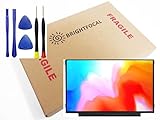
- Compatible Model: BRIGHTFOCAL New Screen Replacement for Samsung ChromeBook 2 3 4 XE310XBA XE500C13 XE501C13 XE310XBA-K01US XE500C13-K02US XE500C13-K01US XE500C13-K04US Non Touch 11.6 30Pin LCD LED Display with Tool
- Important: You must match the RESOLUTION, BACKLIGHT, and SCREEN SIZE, TOUCH/NON-TOUCH to your current screen. You cannot deviate from your current screen specifications. Purchasing a screen with different specifications will not work with your system. If you are unsure what your current screen specification is, please contact us before purchase and we will gladly help. BrightFocal provides 100% compatible new item and your satisifaction is guaranteed.
- Package includes Brand NEW LCD screen only, no extra control board, bezel, back cover, instruction or tool etc. Please keep your original parts. Please confirm with us if you are not sure which parts fit your machine.
- 11.6 HD
- Comes with Toolkit for Installation
- Free disk space. Confirm the system drive has room to spare. Samsung lists low free storage among its core performance checks.
- Windows Update. Install pending Windows updates.
- Samsung drivers and support software. Install updates for Samsung’s utilities and drivers.
- Apps. Update the programs you use most, especially any that were running when the freezes began.
Restart normally and observe whether the freeze returns. If it does, move on to Step 3. If the laptop also refuses to shut down, Samsung Electronics Service Korea’s guide to shutdown problems explains how to use Task Manager to review startup apps: Laptop will not shut down.
Step 3: Use Safe Mode to narrow the cause
Safe Mode is a diagnostic tool, not a repair. Samsung’s recovery guidance describes it this way: “Safe mode starts Windows in a very basic state, using a limited set of files and drivers.” If the freezing stops in Safe Mode, default settings and basic drivers are less likely to be responsible, and the recent software changes you made become the more likely suspects. If it keeps happening in Safe Mode, that points away from the default configuration. Neither result identifies a specific faulty app or driver, and Safe Mode does not fix anything by itself.
Rank #3

- MUST match resolution and connector: FHD 1920x1080 30pins Non-touch (will not work if different resolution and type)
- Screen size: 15.6", Matte, IPS (Wide View), Narrow bezel
- Tested screen, Guaranteed compatibility
- Warranty: 2 years
- Comes with complimentary set of tools and adhesive tape for installation
How to reach Safe Mode
Entry routes differ slightly between Windows versions. Where available, go to Settings > System > Recovery > Advanced startup. If the laptop will not reach the desktop, Samsung’s guidance says repeated failed startups can bring up Windows Recovery automatically. From there, choose Troubleshoot > Advanced options > Startup Settings, then restart and select the Safe Mode option. Samsung’s boot-failure guide is at Samsung PC turns on, but doesn’t start or boot into Windows.
Step 4: Use Galaxy Book reset instructions only after you identify the model
Samsung’s Electronics Service Korea guide gives different soft RTC reset instructions for each Galaxy Book generation and processor variant, so a key sequence that works on one model may do nothing on another. Find your exact model on the laptop’s label or in Settings, then follow only the group that matches it:
- Galaxy Book 6
- Galaxy Book 5
- Qualcomm-based Galaxy Book 4
- Intel-based Galaxy Book 4 and Galaxy Book 3
- Galaxy Book 2 and earlier
For some procedures, Samsung says the first startup afterward may take about one to three minutes. Wait that long before concluding the laptop has failed to boot, and do not interrupt the startup during that window. This timing is specific to the model-dependent procedure on Samsung’s page and does not describe typical repair times. The full guidance is at Samsung laptop screen does not appear.
Step 5: Treat factory reset as a last step
A factory reset removes installed software and can remove personal data. Before you start, copy important files to an external drive or cloud storage. Samsung Recovery is not available on every Galaxy Book model and may not be preinstalled, so check whether your model includes it before planning around it. Samsung’s recovery and reset steps are described at Recover, restore, or reset your Samsung PC.
Best Value

- 2-Year warranty.
- Designed for DIY installation with included tools.
- Features a Matte finish to reduce glare.
- Works for 1366x768 HD resolution. 30-pin connector. For Non-Touch laptops.
- Please, make sure your original screen has the same specifications before purchasing.
When to stop troubleshooting and contact Samsung
If the laptop keeps freezing after a factory reset, Samsung recommends requesting service rather than repeating resets. Have your model name and the steps you already tried ready when you contact support, since the Galaxy Book instructions above depend on the exact model.
What the official guidance does not establish
Samsung’s published guidance does not show that a cooling pad, an external mouse, a USB-C charger or separate recovery media will fix a freezing laptop. Overheating, input-device failure and charger failure are also not established as causes in these sources. Use the checks above to diagnose the problem before buying any accessory.
Sources: Samsung PC runs slowly or freezes; Microsoft, Troubleshooting blank screens in Windows; Samsung, Recover, restore, or reset your Samsung PC; Samsung, PC turns on but doesn’t start or boot into Windows; Samsung Electronics Service Korea, Samsung laptop screen does not appear; Samsung Electronics Service Korea, Laptop will not shut down.
Do these 3 things before closing this tab:
1Repair Windows errors before they cause bigger problems2Scan for outdated or missing drivers - takes under a minute3Clear out junk files and repair common Windows errorsQuick Recap
Product prices and availability are accurate as of the date/time indicated and are subject to change. Any price and availability information displayed on Amazon at the time of purchase will apply.

