
Recommended Free Tools
iTechGuides is reader-supported. When you buy through links on our site, we may earn an affiliate commission. As an Amazon Associate I earn from qualifying purchases. Learn more
The Thecus N5200XXX was a feature-rich five-bay NAS for its time, but its age is now the defining factor. It combines several RAID options and two Gigabit Ethernet ports with an older SATA II platform, dated drive-compatibility information, and fan noise that reviewers found intrusive. Its published benchmarks are useful historical context—not a prediction of how a unit will perform today. Anyone considering one used should verify its condition and exact drive compatibility, account for its noise and data-migration needs, and compare the total cost with a current replacement.
What the Thecus N5200XXX offers
The N5200XXX is a desktop NAS with five drive bays, an Intel Atom D525 processor, and 1 GB of DDR3 memory. B&H’s product listing describes the bays as accepting 3.5-inch or 2.5-inch SATA I/II drives and lists two Gigabit Ethernet ports, five USB 2.0 ports, and one eSATA port. B&H marks the product no longer available (B&H product specification).
For the period covered by IT Pro’s 2011 review, the NAS supported SATA II drives up to 3 TB but not SATA III models. That is a historical compatibility limit, not confirmation that every drive at or below that capacity will work reliably in a particular used unit (IT Pro’s 2011 review).
What’s actually slowing this PC down?
Pick the symptom - the matching free tool is one click away.
RAID options and setup experience
The product specification lists RAID 0, 1, 5, 6, 10, and JBOD. IT Pro also describes support for stripes, mirrors, RAID 5, and dual-disk-redundant RAID 6. In its 2011 account, building a five-disk RAID 5 array took about six hours; the volume became usable roughly 20 minutes after the initial formatting process began (IT Pro’s 2011 review).
#1 Best Overall

- 【Reliable External Storage System for Individuals and Business】The 4 Bay Hard Drive Enclosure supports 2.5/3.5 inches HDD and SSD, max capacity up to 80TB( 20TB for each hard drive), it's a ideal external hard drive enclosure for personal or enterprise using.Save space on your desktop or laptop.
- 【No heat】The 4 bay hard drive reader built in Aluminum-Alloy materials and 2 inch Fan.Maximize the security of your data.NOTE:Fan noise is around 40-50 decibels, not recommended if you are very sensitive to noise.
- 【Up to 5Gbps】This 4 bay enclosure equips with advanced chip and USB 3.0 output interface, Max 5Gbps under UASP control.Transfer 1G movie in 3-5 seconds with USB 3.0 Ports, which is 10 times faster than USB 2.0.
- 【Wide Compatibility, Plug and Play】Equipped with USB A/C 3.0 Cable Cable.Compatible with Windows 7 and above, Mac 9.1 and above, Linux.Plug and play, no fuss, no muss.
- 【Stable power supply】Equipped with DC 12V power adapter to provide stability for high-speed transmission.
The official firmware 5.03.01 manual documents automatic rebuild after a disk error for RAID 1, 5, 6, or 10, and a limit of ten iSCSI volumes for the N5200XXX family. Those are features described for that firmware era; they do not establish that the same behavior or management options are available on every unit today (Thecus N5200XXX firmware 5.03.01 manual).
What historical tests found
SmallNetBuilder said it did not produce a full review, so its figures should be read as results from a specific test report, not as a comprehensive evaluation. Its sample ran firmware 5.01.00.8 and used a mixed set of four 500 GB/80 GB-class disks. The test report recorded 63 W with those test drives spun up and 39 W with them spun down. The reviewer also found the fan conspicuously noisy in the test environment (SmallNetBuilder test report).
Rank #2

- Hardware RAID & Multi-Mode Flexibility: Equipped with a professional hardware RAID controller, this 5-bay enclosure supports RAID 0, 1, 3, 5, 10, JBOD, Clone, and Clear modes. Easily configure your storage through hardware switches to achieve lightning-fast speeds, secure data redundancy, or independent single-disk operations based on your specific backup and workflow needs
- 110TB Massive Capacity Workstation: Expand your data storage to massive proportions. This high-capacity 5-bay DAS storage station seamlessly supports both 2.5" and 3.5" SATA HDDs and SSDs. With a single-drive capacity of up to 22TB, it delivers a total capacity of up to 110TB, making it a desktop storage solution for large backup projects, video editing, and media libraries
- 150W Built-In Power Supply for Multi-Disk Stability: Say goodbye to bulky, messy external power adapters. This multi-disk HDD enclosure features a powerful 150W built-in power supply to ensure peak voltage stability even when running 5 high-consumption mechanical drives simultaneously. Keep your creative studio or office workspace clean, neat, and reliably powered
- High-Speed USB 3.0 Transfer & Universal Compatibility: Features a high-speed USB 3.0 Type-A interface that delivers stable data transfer rates up to 230MB/s for fast file backups. It offers instant plug-and-play cross-platform compatibility with Windows, Mac, and Linux systems-no drivers required for effortless data management and cross-system sharing
- Advanced Heavy-Duty Cooling System: Engineered for 24/7 long-term operation, the rugged aluminum alloy shell is paired with a built-in 80mm silent cooling fan. Combined with front and rear honeycomb airflow vents, it rapidly dissipates heat to prevent drive throttling and overheating under heavy data loads, extending the lifespan of your valuable hard drives
File-copy and storage results
SmallNetBuilder’s Windows file-copy results were:
Do these 3 things before closing this tab:
1Scan for outdated or missing drivers - takes under a minute2Repair Windows errors before they cause bigger problems3Fix the driver behind crashes, sound loss and screen glitches| RAID configuration | Write | Read |
|---|---|---|
| RAID 0 | 91 MB/s | 84 MB/s |
| RAID 5 | 95 MB/s | 96 MB/s |
| RAID 10 | 100 MB/s | 94 MB/s |
These are SmallNetBuilder’s historical Windows file-copy measurements using its test setup; RAID 10 used four drives because that configuration requires an even number (SmallNetBuilder test report).
Rank #3

- Ultimate Storage Versatility: Featuring four SATA 6Gbit/s bays, the enclosure supports both 3.5'' and 2.5'' hard drives and SSDs. Effortlessly expand your storage capacity up to 4x32TB, ensuring you have ample space for all your critical data, multimedia projects, and extensive game libraries. Note: For 2.5'' hard drives, additional 2.5'' to 3.5'' mounting brackets are required(Not included).
- Blazing Fast Data Transfer: Experience unparalleled data transfer speeds with the USB 3.2 Type-C port, capable of reaching up to 10Gbps. Seamlessly handle massive files and high-volume data transfers with exceptional efficiency and speed, perfect for both professional and personal use.
- Enhanced Connectivity and Display Options: Beyond storage, this docking station features an additional USB 3.2 Type-C port for connecting peripherals or daisy-chaining devices, along with an HDMI interface that supports up to 4K@60Hz resolution(under DP1.4). Create a seamless and efficient workspace with high-speed connectivity and stunning display capabilities. Note: Please ensure the USB-C port on your host supports video output and use the USB-C to C cable, or the HDMI port will not work.
- Premium Build Quality and Cooling: Constructed from high-quality aluminum, the docking station offers superior heat dissipation and robust structural integrity. Dual built-in fans automatically activate at 48°C, ensuring your drives remain cool and perform optimally, even during intensive tasks.
- Hot-Swappable Flexibility: Designed for convenience, each of the four bays comes with an independent ON/OFF power switch. Easily swap drives in and out without powering down the entire system, streamlining your workflow and enhancing productivity.
In the report’s NASPT file-copy tests, write and read results were respectively 112 and 75 MB/s for RAID 0, 117 and 83 MB/s for RAID 5, and 123 and 83 MB/s for RAID 10. The same test report measured rsync backup at 38 MB/s. On a 10 GB RAID 5 iSCSI volume, it recorded 35 MB/s write and 79 MB/s read (SmallNetBuilder test report).
External-drive backup results
SmallNetBuilder’s USB and eSATA attached-drive backup tests ranged from 15 MB/s for NTFS over USB to 52 MB/s for FAT32 over eSATA. The reviewer noted that formatting an external drive was not built into the NAS’s workflow. The results describe that test setup and should not be treated as expected transfer rates for a modern external drive or a different unit (SmallNetBuilder test report).
Rank #4

- RELIABLE, DROP-FREE MULTI-DRIVE ACCESS: A dedicated ASMedia ASM1351 controller for each of the five bays gives every drive its own stable, independent connection. For the most reliable link, connect with the included USB-C to USB-C cable.
- 5 EMPTY 3.5in BAYS - DRIVES NOT INCLUDED: This is the enclosure; you supply the drives. Holds up to five 3.5in SATA HDDs or SSDs (up to 100TB, 5 x 20TB) over one 10Gbps USB-C port, USB 3.1 Gen 2, backward compatible with USB 3.0/2.0.
- QUIET PWM TEMPERATURE-CONTROLLED COOLING: The 120mm fan uses intelligent PWM control, ramping up only as your drives warm — quieter during everyday use while keeping drives safe during heavy transfers.
- TRAY-LESS HOT-SWAP + DAISY-CHAIN: Tool-free drive insertion with per-bay power switch, activity LED, and a locking key plus Kensington slot. A rear USB-C port connects peripherals or daisy-chains a second dock; internal auto-switching power supply (no external brick).
- DIRECT ATTACHED STORAGE (DAS), NOT RAID AND NOT A NAS: A DAS enclosure — each drive mounts individually, JBOD-style, with no hardware RAID. It connects directly to one computer over USB-C rather than to your network. Aluminum and reinforced housing. Works with Windows, macOS, and Linux. 1-year warranty (extendable to 2 years with registration).
Noise, compatibility, and data safety
Noise and placement
SmallNetBuilder found the fan conspicuously noisy in its environment, and Clubic also described it as too loud for an office setting (SmallNetBuilder test report; Clubic’s coverage). Those are reviewers’ observations, not a measured decibel rating. If noise matters, assess the actual unit in the place where it would run rather than assuming it will suit a desk or quiet room.
Quick wins for a faster PC:
Fix the driver behind crashes, sound loss and screen glitchesFind Drivers →Clear out junk files and repair common Windows errorsFree Scan →Drive compatibility and filesystem limits
Thecus’s HDD/SSD compatibility document names the N5200XXX, but it is dated July 18, 2014; it cannot validate current drive models. The document says listed disks were tested at room temperature, recommends enterprise drives for business-critical environments, and warns that compatibility does not guarantee reliability. Check the exact drive model, the unit’s firmware, and the intended filesystem before configuring an array (Thecus HDD/SSD Compatibility List, July 18, 2014).
Best Value
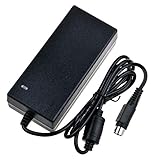
- Input: 100-240V 50-60Hz
- PK-Power products are CE / FCC / RoHS certified, tested by the manufacturer to match and / or exceed the OEM specification
- OVP, OCP, SCP Protection (OVP: Over Voltage output Protection. OCP: Over Current output Protection. SCP: Short Circuit output Protection)
- COMPATIBILITY: Please see full list of compatible models in the Product Description
- Our After Sale Service: Our friendly and reliable customer service will respond to you within 24 hours.
Within the firmware context covered by that 2014 list, EXT3 volumes are limited to 8 TB and EXT4/XFS volumes to 16 TB. These are document-specific limits; do not assume they apply unchanged to a different firmware version or configuration (Thecus HDD/SSD Compatibility List, July 18, 2014).
Thecus explicitly warns that RAID does not guarantee data safety and advises administrators to back up important data regularly. Keep an independent backup of anything important; an array’s redundancy is not a substitute for one (Thecus HDD/SSD Compatibility List, July 18, 2014).
Is a used N5200XXX worth considering?
There is no current support or security status established here, and the available sources do not establish current used-market pricing. That uncertainty matters for a storage device that may hold important data. Treat a used N5200XXX as legacy hardware, not as a verified, currently maintained NAS or a known-secure platform.
Before committing money or data, assess the individual unit and the work needed to put it into service:
- Confirm the exact model and installed firmware, then check whether its management interface and intended network use meet your requirements.
- Verify each proposed drive model against the dated compatibility list and the unit’s own firmware and filesystem context. The old SATA II platform is not a basis for assuming compatibility with current drives.
- Inspect the drive bays, fans, power supply, and ports; check the health of any included disks and plan for data migration if you are replacing an existing NAS.
- Consider whether the historical fan-noise reports are acceptable for your intended location.
- Compare the total cost of the unit, suitable drives, setup, and migration with a current alternative. No current used price is established by the cited sources.
- Maintain an independent backup before and after array setup; do not entrust the only copy of important files to RAID.
Verdict
For its era, the N5200XXX paired five bays and a broad RAID feature set with respectable results in SmallNetBuilder’s contemporary tests. Today, its older SATA II platform, reported fan noise, dated compatibility information, and unestablished current support and security status make it a cautious used-hardware prospect rather than an easy recommendation. It is most defensible for someone who understands legacy NAS administration, can verify the specific unit and drives, and has a separate backup plan.
Quick Recap
Product prices and availability are accurate as of the date/time indicated and are subject to change. Any price and availability information displayed on Amazon at the time of purchase will apply.

