
Recommended Free Tools
iTechGuides is reader-supported. When you buy through links on our site, we may earn an affiliate commission. As an Amazon Associate I earn from qualifying purchases. Learn more
The best video hosting platforms in 2026 depend on the job: YouTube is best for public reach, Vimeo for polished professional embeds, Wistia for marketing analytics, SproutVideo for secure business sharing, Mux or Cloudflare Stream for developer APIs, Brightcove for enterprise broadcasting, and Uscreen or Vimeo OTT for paid memberships.
Those recommendations are not interchangeable. A public video platform, a branded embed service, a video infrastructure API, a video CMS, and an OTT commerce platform solve different problems. The right choice starts with deciding who should watch the video, how viewers should gain access, and how much control your team needs.
Pricing and product details change frequently. Prices cited below were seen on August 18, 2026, after the commercial research date of August 16, 2026; verify current pricing, included usage, taxes, regional availability, and plan terms before purchasing.
The Tool Desk
Outbyte Driver Updater FREEFix the driver behind crashes, sound loss and screen glitchesFind Drivers →Outbyte PC Repair FREERepair Windows errors before they cause bigger problemsFix Now →Key takeaways
- YouTube is the strongest default for free public discovery, while paid hosts are usually better when branding, privacy, or controlled embedding matters.
- Vimeo is the broadest general-purpose professional choice, Wistia is designed around marketing and lead generation, and SproutVideo emphasizes secure white-label business video.
- Mux and Cloudflare Stream are developer infrastructure products, not no-code video libraries; both require an application or engineering workflow.
- Uscreen and Vimeo OTT are better suited to subscriptions, rentals, purchases, and branded streaming services than ordinary video hosts.
- Cloudflare Stream lists storage at $5 per 1,000 minutes stored and delivery at $1 per 1,000 minutes delivered, while Mux uses duration-based storage and delivery pricing.
- An unlisted or password-protected link is not equivalent to authenticated playback, signed tokens, or DRM, and no ordinary web video system can completely prevent screen recording.
What is the best video hosting platform?
There is no universal best video hosting platform because public publishing, private business sharing, marketing, SaaS playback, enterprise broadcasting, and paid streaming require different capabilities.
#1 Best Overall

- 【The Latest WIFI 6 Technology And Bluetooth 5.3】This projector with Wi-Fi and Bluetooth is equipped with the latest Wi-Fi 6 technology, compatible with Wi-Fi 6, 5G and 2.4G, offering faster connection speed and stronger stability, eliminating buffering and disconnection issues, and ensuring smoother online content playback. Additionally, it is fitted with the latest Bluetooth 5.3 chip, allowing for easy connection to Bluetooth speakers, headphones or other Bluetooth audio devices, providing a more efficient and stable transmission channel, and enabling users to enjoy higher audio quality with ease
- 【Built-in Streaming Media APP】Without any additional equipment,The YGSKK Wi-Fi projector supports streaming apps such as Prime Video, YouTube, and Hulu.The built-in applications allow you to easily enjoy a wide variety of movies, popular TV series and millions of other contents. Moreover, it also has an app store where you can download more applications. Whether it's a shared movie night or personal entertainment, this smart projector is very suitable
- 【Native 1080P High Definition,Compatible 4K】The native 1080P resolution presents you with clear and sharp full HD picture quality, with a brightness of up to 300 ANSI lumens, offering you images that are 50% brighter than those of similar projectors on the market. Whether you are watching movies, TV series, playing games or browsing photos, it will bring you astonishing clarity. Moreover, this movie projector is compatible with 4K, allowing you to enjoy the perfect experience of 4K picture quality. Note: Please ensure to connect 4K devices (such as TV sticks or USB drives) via HDMI to play 4K videos
- 【Wirelessly Connect to a Smart Phone, 50-200‘’ Large Screens】This is an amazing projector for iPhone. It is equipped with the "J-Share" setting, which enables wireless connection with smartphones. Both the phone and the projector need to be in the same network environment. Android phones need to download a program to connect, while iPhones do not need to download any applications (connect through the iPhone's screen mirroring function). In addition, this portable projector can project a large screen of 50 to 200 inches. You can adjust the screen size according to your personal preference to better enjoy the perfect experience of a large screen
- 【Strong Compatibility And Built-in Speakers】YGSKK projector for bedroom is equipped with three interfaces: HDMI, USB and audio (with an HDMI cable included). It is compatible with TV sticks, TV boxes, DVD players, laptops, USB flash drives, Switch/PS5, PC and other devices. The projector is built with high-fidelity stereo speakers, providing excellent and clear audio quality for an outstanding audio experience. It is also an excellent mini projector suitable for both indoor and outdoor activities
| Best for | Recommended platform | Why it belongs on the shortlist | Main drawback |
|---|---|---|---|
| Public discovery and free reach | YouTube | Large audience, search discovery, live streaming, analytics, and easy embedding | Limited control over the surrounding viewing experience; unlisted links can be forwarded |
| Professional hosting and embeds | Vimeo | Clean player, customizable embeds, privacy controls, collaboration, and creator or business tooling | Plan limits and changing packaging; enterprise pricing may require a sales conversation |
| Marketing and lead generation | Wistia | Viewer analytics, calls to action, forms, and marketing integrations | Expensive if you only need storage and playback |
| Secure business sharing | SproutVideo | White-label hosting, security controls, signed embeds, watermarks, analytics, and live streaming | Not designed for public discovery |
| Video inside an app or SaaS product | Mux | API-first playback, live video, analytics, and developer controls | Requires engineering work |
| Simple developer-managed delivery | Cloudflare Stream | One API for uploading, encoding, storing, and delivering live or on-demand video | Fewer built-in marketing, collaboration, and audience-management features |
| Enterprise broadcasting | Brightcove | Enterprise hosting, broadcasting, monetization, analytics, and security options | Sales-led pricing and implementation complexity |
| Paid memberships and branded OTT | Uscreen or Vimeo OTT | Subscriptions, purchases, branded sites, and apps | Higher total cost and more operational complexity than ordinary hosting |
| DRM-sensitive premium content | VdoCipher, Mux DRM, or an enterprise OTT vendor | More appropriate when content protection is a central requirement | DRM adds cost, compatibility testing, and support requirements |
The market can also be divided into three practical groups: API-first infrastructure such as Mux and Cloudflare Stream; general-purpose business hosting such as Vimeo, Wistia, and SproutVideo; and ecosystem or enterprise platforms such as Brightcove and OTT services. This market segmentation is more useful than ranking every product in one supposedly universal list.
What counts as a video hosting platform?
A video hosting platform handles more than storing a video file. A complete service normally covers some combination of upload, transcoding, adaptive playback, delivery, embedding, access control, analytics, content organization, and distribution.
| Category | Typical examples | What the category is designed to do |
|---|---|---|
| Public video platform | YouTube | Publish videos for discovery, sharing, advertising, live streaming, and a large external audience |
| Embedded video host | Vimeo, Wistia, SproutVideo | Place a controlled, branded player on a website, course, portfolio, or client portal |
| Video infrastructure API | Mux, Cloudflare Stream, Bunny Stream | Give an application upload, encoding, playback, delivery, and sometimes live-video capabilities |
| Video CMS | Enterprise video platforms and selected business hosts | Manage libraries, metadata, permissions, playlists, search, and team workflows |
| OTT platform | Uscreen, Vimeo OTT | Sell subscriptions, rentals, purchases, or access through branded websites and apps |
| Cloud storage | Dropbox, Google Drive, Amazon S3 | Store and share files, without necessarily providing a finished video player, adaptive delivery, or viewer analytics |
A storage bucket is not automatically a video hosting platform. Buyers should evaluate the complete path from upload to playback, access control, analytics, distribution, export, and support.
Is your video public, private, or paid?
The audience and access model should be the first buying decision because a platform optimized for public reach may be unsuitable for confidential or paid content.
Public video: choose reach and discovery
Public video prioritizes search, social sharing, large-scale delivery, live streaming, advertising, and low hosting cost. YouTube is the obvious benchmark for this use case, and comparative hosting guidance from Vimeo also distinguishes public reach from controlled hosting.
YouTube is sensible for public marketing, tutorials, news, entertainment, and educational content when recommendations and platform branding are acceptable. YouTube is a poor fit for confidential client material or paid courses where a forwarded link could undermine access control.
Private or business video: choose control
Private video needs controls such as password protection, domain-restricted embeds, viewer authentication, download controls, watermarks, audit records, SSO, and viewer analytics. SproutVideo’s pricing structure illustrates how stronger controls such as restricted viewer login, dynamic watermarks, signed embeds, geographic or IP playback restrictions, reports, and SSO can be separated into higher tiers. SproutVideo’s current plan details should be checked against the exact security requirement.
Do these 3 things before closing this tab:
1Fix the driver behind crashes, sound loss and screen glitches2Clear out junk files and repair common Windows errors3Scan for outdated or missing drivers - takes under a minutePaid video: choose commerce and entitlements
Paid video requires more than playback. A paid service may need customer accounts, subscriptions, rentals, one-time purchases, payment processing, tax and refund handling, access revocation, mobile and connected-TV apps, customer support, and content protection. That is an OTT or digital-commerce decision, not merely a hosting decision.
OTT platform comparisons place services such as Uscreen and Vimeo OTT in this category. Ordinary Vimeo, Wistia, or YouTube plans may still need separate systems for billing and entitlement management.
Which platform has the best player and embedding controls?
Vimeo, Wistia, and SproutVideo are generally more suitable than public platforms when a company wants a clean, branded player on its own website.
Compare the following player controls before signing up:
PC Slower Than It Used to Be?
A free scan shows the junk files, broken settings and background clutter dragging Windows down - then fixes them in one click.Free scan · Windows 10 & 11Crashes, No Sound, or Screen Glitches?
Random freezes, missing sound and display glitches usually trace back to one bad driver. Find and replace yours safely.Free scan · under a minute- Whether platform branding and recommendations can be removed.
- Player colors, logos, controls, thumbnails, chapters, captions, and subtitles.
- Playback speed, picture-in-picture, responsive behavior, and custom domains.
- Download buttons and whether downloads can be disabled.
- JavaScript APIs, SDKs, webhooks, and server-side playback authorization.
- Whether the player sends viewers to another site, account system, or related-content feed.
A public platform can deliver reliable playback while still weakening a company’s brand control. A professional embed host costs more because the buyer is paying for that control, along with administration, privacy, analytics, and support.
Rank #2

- A Roku account and internet connection are required for activation (Creating an account is free). Note: Power Supply: 100-240V AC, 50/60Hz.
- America's #1 TV Streaming Platform, All Top Apps: With Roku as your entertainment guide, exploring popular apps like NetfIix, Prime Video, Hulu, YouTube, Roku Channel—plus free movies, shows, and live TV—is as easy as it is fun. No dongles or extra remotes. Enjoy 500+ TV channels with live news and weather, sports coverage, and more—totally free.
- A Simple and Fast Home Screen: Enjoy a simple projector interface with intuitive navigation, quick search, and personalized recommendations. No-nonsense remote keep it effortless, while the Roku mobile app lets you control with your phone, type easily, or use voice commands.
- 1080P Full HD Resolution: Enjoy your favorite movies and TV shows in stunning high-definition picture quality for enhanced clarity and detail. This projector is perfect for creating a massive 60 to 150-inch screen for your home theater and outdoor movie nights.
- Auto Focus & Keystone Zero-Fuss: Advanced auto focus and auto keystone correction instantly adjust for a sharp, aligned screen-just place, power on, and enjoy a big screen without manual setup.
What privacy and security controls do video hosts provide?
“Private” describes several different protection levels, and buyers should not treat them as equivalent.
| Control | What it does | What it does not guarantee |
|---|---|---|
| Public | Makes the video discoverable or openly playable | Brand control, confidentiality, or restricted access |
| Unlisted | Hides the video from ordinary discovery while allowing anyone with the link to watch | Protection from forwarding or copying the link |
| Password protection | Requires a shared password before playback | Protection if viewers share the password or capture the video |
| Domain restriction | Limits embedding to approved websites or domains | Protection from every form of extraction or recording |
| Viewer login | Associates playback with an authenticated viewer account | Prevention of screen recording by an authorized viewer |
| Signed playback | Uses time-limited authorization or tokens before playback | Absolute protection after an authorized viewer receives the video |
| Geo/IP restriction | Blocks playback from selected regions or network addresses | Perfect location identification or protection against VPNs |
| Dynamic watermark | Places identifying information on the playback to discourage redistribution | Guaranteed prevention of copying |
| DRM | Adds a stronger content-protection layer for supported devices and players | Universal compatibility or prevention of screen recording |
Unlisted is not the same as secure. Password protection can also be shared. Signed playback and authenticated access are stronger choices for courses, client portals, and paid video, while DRM should be selected only after testing the target browsers, operating systems, mobile devices, and connected TVs.
Cloudflare Stream provides API-based video delivery and usage controls, but Cloudflare’s Stream documentation should not be interpreted as proof that the basic service is a complete DRM or entitlement-management system.
How do the best video hosting platforms charge?
Video hosting prices can be based on a monthly plan, storage, delivery, viewing minutes, seats, subscribers, live usage, add-ons, or revenue share. A low headline price is not necessarily a low total cost.
Use this estimate:
Estimated monthly cost = platform fee + storage overage + delivery or bandwidth + seats + live usage + paid add-ons + payment or revenue-share costs.
| Pricing model | Common billing unit | Best question to ask |
|---|---|---|
| Flat-rate hosting | Monthly or annual plan | How much storage, bandwidth, team access, and live usage are included? |
| Storage-based | GB or stored video minutes | Do deleted, archived, or original files continue to count? |
| Delivery-based | Bandwidth or delivered minutes | Do buffering, preloading, downloads, and repeated plays count? |
| Seat-based | Editors, administrators, or viewers | Are viewers free while internal users consume seats? |
| Subscriber-based OTT | Accounts or subscribers | Are transaction fees, apps, payment processing, and taxes separate? |
| Revenue share | Percentage of purchases or advertising revenue | What does the vendor retain, and which payment costs are additional? |
| Enterprise quote | Contracted package | What are the usage limits, support commitments, implementation fees, and exit terms? |
Verified pricing signals
Cloudflare Stream’s pricing documentation lists storage at $5 per 1,000 minutes stored and delivery at $1 per 1,000 minutes delivered. Ingress and encoding are included, and on-demand and live video use the same basic billing dimensions. The figures were seen on August 18, 2026.
Mux’s pricing page describes a free tier with 100,000 free monthly delivery minutes and up to 10 stored videos. Mux’s base pricing lists storage starting at $0.0024 per minute, with additional delivery and quality-related charges. The figures were seen on August 18, 2026.
Wistia’s standard pricing page lists Free at $0, Business at $79 per month billed annually, Business + Lead Gen at $329 per month, and Enterprise as custom-priced. Storage, users, analytics, branding, and marketing features vary by plan.
SproutVideo’s pricing page showed annual-billing promotional prices of $12 per month for Seed, $35 for Sprout, $72 for Tree, and $195 for Forest, with monthly list prices shown alongside them. Storage, bandwidth, seats, live streaming, and security vary by tier. These are promotional annual-billing prices, not ordinary month-to-month prices.
Cloudflare’s billing documentation also describes an important edge case: client-side preloading and buffering can count toward billable delivery, while playback served from a browser or client cache may not. MP4 downloads are billed according to the percentage of the file delivered. Teams with large audiences should model delivery behavior rather than multiplying storage alone.
Which platform is best for live streaming?
Live-streaming support is not automatically equivalent to on-demand hosting. Compare the entire event workflow before choosing a service.
Free tools Windows power users keep installed
One-click scans. No signup required.
| Live requirement | Questions to ask |
|---|---|
| Input | Does the platform accept RTMP, SRT, browser input, or a hardware encoder? |
| Quality | What resolution, frame rate, bitrate, and adaptive-ladder options are supported? |
| Audience | Are concurrent viewers, live minutes, regions, or event size limited? |
| Latency | Is the stream suitable for conversation, auctions, training, or broadcast viewing? |
| Event workflow | Are registration pages, paywalls, chat, moderation, DVR, and automatic recording included? |
| Reliability | Can the service support a backup encoder, redundant connection, and fallback destination? |
SproutVideo includes different live input and delivery allowances by plan. Mux and Cloudflare Stream support live video through developer-oriented infrastructure, but neither should be confused with a turnkey webinar or OTT product. Cloudflare’s Stream documentation and Mux’s product and pricing information should be checked for the current implementation details.
Rank #3
![[Built-in Apps] Mini Projector with WiFi and Bluetooth & Android 12, Electric Focus 1080P Mini Portable Projector, Compatible with HDMI/Smartphone/USB for Movie/Gaming](https://m.media-amazon.com/images/I/51fGmnvk0+L._SL160_.jpg)
- 【Built-In Smart Apps & Smooth Operation】Please Attention: Bluetooth function supports audio transmission only, not video!! Enjoy endless entertainment with our small projector with WiFi. The upgraded system comes with popular apps pre-installed for instant movies and shows. No extra devices are needed.The intuitive interface makes it easy for everyone to use right out of the box
- 【Fast WiFi 6 & Stable Bluetooth 5.4 Connection】Experience seamless wireless streaming and casting with cutting-edge dual-band WiFi 6 technology. It ensures a stable, buffer-free connection. The latest Bluetooth 5.4 allows you to easily connect wireless headphones, speakers, or other devices for a personalized audio experience
- 【Ultra-Clear Picture & Electric Focus】Mini portable projector delivers a stunning 1200 ANSI lumens bright image with native 1080P and 4K support. Advanced technology and auto focus ensure sharp, vivid colors and perfect clarity in every detail. The auto keystone correction instantly gives you a perfectly rectangular screen
- 【Immersive Dolby Sound & 180° Flexible Projection】Built-in powerful stereo speakers deliver surprising bass and clear treble for an immersive viewing experience. This portable projector can rotate a full 180°, allowing you to project onto a wall or even the ceiling. Its compact and lightweight design makes it perfect for both indoor and outdoor use
- 【Extensive Compatibility for Gaming & Entertainment】This Bluetooth projector is your ultimate entertainment hub. It works seamlessly with HDMI devices like X-box, N-intendo S-witch gaming and laptops. Perfect for creating a large gaming screen, backyard movie nights, or presentations
What analytics should a video platform provide?
“Analytics included” can mean anything from a simple play count to viewer-level engagement and revenue attribution.
| Analytics level | Useful measurements | Best suited to |
|---|---|---|
| Playback | Plays, unique viewers, completion, watch time, geography, device, browser, errors, and buffering | Creators, publishers, and technical teams |
| Engagement | Drop-off points, rewatches, heat maps, clicks, forms, and calls to action | Course teams and marketing departments |
| Business | CRM attribution, lead scoring, pipeline influence, segmentation, exports, and API access | Revenue and demand-generation teams |
Wistia’s higher-tier plans position viewing data as an input to marketing and lead generation, including calls to action, forms, and integrations. SproutVideo emphasizes analytics, engagement, marketing tools, and exportable reports on higher tiers. Wistia’s plan comparison and SproutVideo’s plan details should be compared with the reports your team actually needs.
A marketing team that needs viewer identity and CRM attribution should not choose a service merely because the word “analytics” appears on its feature page. Ask whether the data is aggregate, viewer-level, exportable, connected to a CRM, and available through an API.
Which video hosting platform is best for developers?
Mux and Cloudflare Stream are the strongest choices in this shortlist when an engineering team needs to put video inside an application rather than manage a manual video library.
Mux
Mux is an API-first video product for upload, playback, live video, analytics, and developer-controlled workflows. Mux’s pricing uses video-duration-based metrics, so teams should model stored minutes, delivered minutes, quality requirements, and add-ons rather than assuming a conventional file-storage bill. Mux is a poor fit for a nontechnical buyer who wants a ready-made course catalog or marketing library.
Cloudflare Stream
Cloudflare Stream provides a unified API for uploading, storing, encoding, and delivering live and on-demand video without separately managing the video infrastructure. Cloudflare’s API overview makes it attractive to teams already building on Cloudflare or seeking simple minute-based billing. Cloudflare Stream has fewer built-in marketing, collaboration, editorial, and audience-management features than a business video host.
Developer buyers should verify direct creator uploads, resumable uploads, webhooks, player SDKs, HLS or DASH support, signed playback, captions, thumbnails, metadata, live APIs, playback-error monitoring, rate limits, regional availability, data residency, and migration options.
Quick wins for a faster PC:
Fix the driver behind crashes, sound loss and screen glitchesFind Drivers →Repair Windows errors before they cause bigger problemsFix Now →How do Vimeo, Wistia, SproutVideo, and YouTube differ?
Vimeo is the broadest professional embed choice, Wistia is the marketing specialist, SproutVideo is the security-focused business host, and YouTube is the public-reach option.
| Platform | Strongest use case | Analytics and marketing | Privacy and player control | Do not choose it when |
|---|---|---|---|---|
| YouTube | Public discovery, social reach, and free hosting | Strong platform analytics; less control over owned-site marketing journeys | Embedding is easy, but the surrounding platform experience is not fully controlled | Content is confidential, paid, or must have a fully controlled brand experience |
| Vimeo | Portfolios, agencies, creators, teams, and professional embeds | Useful general-purpose tools; not primarily a CRM attribution system | Clean player, customizable embeds, privacy, and collaboration | The main requirement is granular API billing or deep marketing attribution |
| Wistia | Marketing video and lead generation | Viewer analytics, forms, CTAs, and integrations are central | Branded hosting and embed controls | The requirement is simply inexpensive storage and playback |
| SproutVideo | Private business video, client portals, training, and white-label delivery | Analytics, engagement, and reports on suitable tiers | Password, restrictions, signed embeds, watermarks, and SSO vary by plan | The main goal is public search discovery or consumer social reach |
What are the best video hosting platforms for specific use cases?
| Use case | Shortlist | Why |
|---|---|---|
| Small business website | Vimeo or SproutVideo | Professional embeds and more control than a public social platform |
| Agency or freelancer portfolio | Vimeo | Clean presentation, collaboration, and client-friendly embedding |
| Marketing campaign | Wistia | Calls to action, forms, engagement reporting, and marketing integrations |
| Online course | SproutVideo, Vimeo, Uscreen, or Vimeo OTT | Choice depends on whether the course needs private embeds or subscriptions and apps |
| Internal employee training | SproutVideo or an enterprise video CMS | Access control, viewer reporting, administration, and governance matter more than discovery |
| Client proofing and review | Vimeo or SproutVideo | Controlled sharing, collaboration, and branded presentation |
| SaaS product | Mux or Cloudflare Stream | APIs, playback controls, webhooks, and scalable delivery |
| Webinar or live event | SproutVideo, Brightcove, or a dedicated event workflow | Live input, concurrent viewers, replay, registration, moderation, and support must be evaluated together |
| Paid membership service | Uscreen or Vimeo OTT | Subscriptions, purchases, accounts, entitlements, and branded distribution |
| Enterprise broadcaster | Brightcove or Kaltura | Enterprise administration, broadcasting, monetization, security, and implementation support |
| Premium DRM-sensitive content | VdoCipher, Mux DRM, or an enterprise OTT vendor | Content protection is central, but compatibility and screen-recording limits must be tested |
Video hosting use-case comparisons commonly combine marketing, monetization, and private sharing. Treat those as separate requirements during procurement instead of assuming one product performs equally well in all three.
What does enterprise-ready video hosting mean?
Enterprise readiness means more than a large storage limit or an “enterprise” label. Buyers should verify SSO or SAML, SCIM provisioning, role-based permissions, audit logs, compliance documentation, data-processing agreements, regional hosting, service-level commitments, dedicated support, migration assistance, retention policies, multi-brand administration, DRM, advertising support, and contractual usage limits.
Brightcove is positioned toward enterprise video, broadcasting, monetization, analytics, and security, but Brightcove pricing is generally sales-led rather than transparently self-serve. Vimeo’s product distinctions also separate ordinary video products from enterprise and OTT offerings. A small business should not treat a “contact sales” quote as directly comparable to a $12 or $79 self-serve plan.
What’s actually slowing this PC down?
Pick the symptom - the matching free tool is one click away.
How should you compare platforms before buying?
Score each shortlisted service from 1 to 5 against actual requirements, then test the two highest-scoring products with representative videos and viewers.
Rank #4
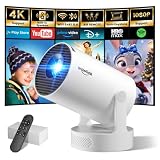
- Big Screen, Short Throw/Distance - Incredible Space-Saving & Fun Anywhere! Designed for modern lifestyles, this mini projector boasts an exclusive 0.8:1 ultra short throw ratio. Ideal for bedrooms, kid’s rooms, RVs and rental apartments, it produces an 80‑inch image from only 1.5 m away, whereas others require over 1.8 m. Free from shadows, bulky setups and space limitations, it brings crisp, immersive visuals wherever you place it.
- Endless Entertainment & Stream Smoothly - Always Catch up All Your Favorites. Enjoy unlimited entertainment with full access to the APP Store— Projector with WiFi and Bluetooth compatible with YouTube, Prime Video, D+, Hulu and thousands more without needing external devices. wowlink mini projector also support HDMI input for simple connection to external media devices, bringing you a highly versatile viewing experience.Powered by blazing-fast Wi-Fi 6, you’ll experience smooth streaming with minimal buffering even in busy network environments. Perfect for movies, shows, watching sports highlights or football replays on a big screen.
- Purpose‑built Audio - Powerful Sound from a Mini Projector. Unlike combining cooling and audio in shared space, our projector adopts an independent speaker base, it provides louder volume, crisper dialogue and fuller surround sound, ideal for movies, gaming and presentations. Built‑in Bluetooth 5.4 enables pairing with external speakers and home audio systems for superior audio output.
- Clear Image & Auto Vertical Correction - Immerse in brilliant 1080P/4K HD, lifelike colors and 10000:1 sharp contrast—Great for immersive movies and gaming. Automatic vertical keystone maintains proper alignment on uneven surfaces, while the smooth focus slider delivers fast sharpness adjustment. Desk, shelf or ceiling‑mount compatible, it consistently produces crisp, well‑framed imagery for effortless viewing.
- 60% Smaller, Highly Compact & Travel‑Ready - Big Entertainment On-the-Go. wowlink mini projector is 60% more compact than typical portable models. An upgraded cooling system lowers fan noise by up to 50% (≤25 dB). Slip it in your bag for big‑screen entertainment without excess bulk or noise.
| Criterion | Question to ask |
|---|---|
| Playback quality | Does adaptive playback work reliably across target devices and regions? |
| Player control | Can branding, controls, domains, captions, and downloads be configured? |
| Privacy | Are passwords, domains, authentication, signed playback, or DRM available? |
| Analytics | Does the reporting level match playback, engagement, viewer, or revenue needs? |
| Marketing | Are forms, CTAs, CRM integrations, and lead scoring built in? |
| Live streaming | Does the service support the expected input, audience, latency, and replay workflow? |
| Monetization | Can it sell subscriptions, rentals, purchases, or advertising? |
| Developer fit | Are the APIs, SDKs, webhooks, and playback tokens sufficient? |
| Scale | What happens when storage, viewing, users, or concurrent viewers increase? |
| Cost predictability | Can the monthly bill be estimated from realistic storage and viewing behavior? |
| Administration | Are teams, permissions, SSO, audit logs, and governance supported? |
| Portability | Can files, metadata, captions, playlists, analytics, and customer data be exported? |
| Support and compliance | Does the service meet support, regional, legal, and regulatory requirements? |
What should a realistic cost estimate include?
Small business library
Assume 100 videos, 100 GB stored, 10,000 minutes watched each month, five internal users, and mostly embedded playback. This pattern may favor predictable flat-rate hosting with included storage and bandwidth. A minute-based or delivery-based service can still work, but the buyer should calculate storage and viewing separately.
High-viewership marketing library
Assume 500 GB stored, 500,000 minutes watched each month, and a need for lead capture and CRM integration. Wistia’s higher price may be justified if its forms, calls to action, attribution, and marketing workflows replace other tools. A developer-oriented host may cost less when the company does not need built-in marketing features, but engineering and integration work must be included in the comparison.
SaaS or application video
Assume 10,000 uploaded videos, 1 million delivery minutes each month, multiple resolutions, API-generated playback, and live plus on-demand support. Mux or Cloudflare Stream is more appropriate than a manual library. The calculation must include engineering, monitoring, application authorization, captions, support, and migration labor rather than storage and delivery alone.
These are planning assumptions, not vendor quotes. Run the same scenarios through each vendor’s current calculator or sales estimate and record included minutes, overages, seats, add-ons, taxes, and annual-payment requirements.
What happens when video hosting fails?
| Problem | Likely checks | Recovery action |
|---|---|---|
| Upload fails | File size, codec, container, upload method, and resumable-upload support | Transcode to a supported format, use a resumable workflow, and preserve the original master |
| Video buffers | Bitrate ladder, player settings, delivery region, CDN behavior, and playback-error data | Test adaptive renditions, inspect real error reports, and avoid assuming storage is the problem |
| Private video leaks | Shared links, passwords, embed restrictions, and authorization lifetime | Replace shared access with authenticated playback or signed tokens, revoke old links, and rotate credentials |
| Course access is shared | Whether access depends on an unlisted URL | Use logged-in entitlements, watermarking, and server-side authorization |
| Costs spike | Storage versus delivery, repeated downloads, preloading, buffering, and alerts | Set usage alerts, inspect delivery behavior, and limit unnecessary downloads or preloading |
| Platform migration is needed | Export of originals, captions, metadata, thumbnails, playlists, analytics, and entitlements | Test a bulk export before signing a long contract |
| Live event fails | Encoder, internet connection, stream destination, and recording workflow | Maintain a backup encoder, redundant connection, fallback destination, and downloadable recording |
| Captions are inaccurate | Automatic transcription quality and player accessibility | Require human review and retain downloadable caption files |
| DRM breaks playback | Browser, operating-system, device, app, and connected-TV compatibility | Test every target environment before committing to a DRM workflow |
How do you avoid migration and vendor-lock-in problems?
Before purchasing, request a written answer to these questions:
- Can original video files be downloaded in bulk?
- Are captions, subtitles, thumbnails, metadata, and playlists exportable?
- Can analytics be retained or exported in a usable format?
- Can customer accounts, subscriptions, and entitlements move to another system?
- Will existing URLs and embeds remain stable during a migration?
- What happens to data after cancellation, and how long is the retention period?
- Are API access, download volume, and export support limited by plan?
Maintain an independent master library even when a host stores the delivery copies. A platform may be reliable today while its packaging, ownership, pricing, policies, or product direction changes later.
Final decision tree
- Need public reach and search discovery? Choose YouTube.
- Need a clean professional embed? Start with Vimeo.
- Need marketing attribution, forms, or calls to action? Evaluate Wistia.
- Need secure business sharing, white-label delivery, or client portals? Evaluate SproutVideo.
- Need video inside an application? Compare Mux and Cloudflare Stream.
- Need subscriptions, rentals, purchases, or branded apps? Compare Uscreen and Vimeo OTT.
- Need enterprise broadcasting and contractual support? Evaluate Brightcove or Kaltura.
- Need DRM for premium content? Test VdoCipher, Mux DRM, or an enterprise OTT provider against every target device.
The safest shortlist usually contains two or three products from the same use-case category. Compare representative uploads, real viewer traffic, privacy controls, analytics exports, live workflows, and a full monthly cost estimate before moving the entire library.
Recommended Free Tools
Frequently Asked Questions
Is YouTube or Vimeo better for video hosting?
YouTube is better for public discovery, free reach, search, and social sharing, while Vimeo is usually better for polished professional embeds, privacy controls, collaboration, and a more controlled brand experience. Neither is automatically best for paid memberships or developer-managed application video.
Is an unlisted video private?
An unlisted video is hidden from ordinary discovery but is generally watchable by anyone who receives the link, so an unlisted URL is not the same as authenticated or signed playback. Passwords can also be shared, and no ordinary web video system completely prevents screen recording.
What is the cheapest video hosting platform?
YouTube is usually the practical low-cost choice for public video because it offers a free consumer-facing hosting model. For developer-managed delivery, Cloudflare Stream lists storage at $5 per 1,000 minutes stored and delivery at $1 per 1,000 minutes delivered, but the best value depends on viewing, storage, implementation, and access-control requirements.
Should I use Mux or Cloudflare Stream for a SaaS product?
Mux and Cloudflare Stream are both developer-oriented choices for video inside an application. Mux offers API-controlled video workflows, playback, live video, analytics, and quality-related options, while Cloudflare Stream emphasizes a unified API and simple minute-based storage and delivery billing; compare APIs, playback authorization, live requirements, analytics, and projected usage.
Do video hosting platforms prevent screen recording?
Video hosting platforms cannot guarantee prevention of screen recording by an authorized viewer. Signed playback, viewer authentication, watermarking, and DRM can reduce unauthorized sharing or make it more traceable, but they add implementation and compatibility requirements.
The Bottom Line
Bottom line: Choose the platform that matches the video business model, not the platform with the longest feature list. Use YouTube for public reach, Vimeo for professional embeds, Wistia for marketing, SproutVideo for secure business sharing, Mux or Cloudflare Stream for application video, Brightcove for enterprise broadcasting, and Uscreen or Vimeo OTT for paid streaming. Confirm the full cost, security level, analytics depth, live workflow, and export path before committing.
Quick Recap
Product prices and availability are accurate as of the date/time indicated and are subject to change. Any price and availability information displayed on Amazon at the time of purchase will apply.

