
iTechGuides is reader-supported. When you buy through links on our site, we may earn an affiliate commission. As an Amazon Associate I earn from qualifying purchases. Learn more
The best alternatives to Evernote depend on what you need to replace. UpNote is the closest conventional Evernote replacement, Notion is best for teams and structured work, Obsidian is best for local Markdown files, Joplin is best for open source and privacy, and OneNote is best for free-form notes and Microsoft integration.
Evernote remains a capable cross-platform notes platform, so changing apps is not automatically an upgrade. The right choice depends on whether you want a cheaper Evernote-style archive, a collaborative workspace, a local knowledge base, a privacy-focused tool, or simply a faster way to capture notes.
Key takeaways
- UpNote is the closest Evernote-style replacement for notebooks, tags, rich notes, attachments, and a familiar workflow.
- Notion is the strongest all-purpose workspace for databases, wikis, projects, and collaboration, but it is not a one-to-one Evernote clone.
- Obsidian stores notes as local Markdown files and is the strongest choice for portability and linked knowledge, while dependable multi-device sync requires a deliberate setup.
- Joplin combines open-source software, Markdown, offline-first use, ENEX import, multiple sync choices, and optional end-to-end encryption.
- OneNote is the best free-form alternative, especially for handwriting, diagrams, and readers already using Microsoft 365.
- Export your Evernote library, test a representative sample, and keep the original archive before deleting or downgrading Evernote.
Which are the best alternatives to Evernote?
The best alternatives to Evernote are different tools for different jobs rather than interchangeable winners. Choose UpNote when you want the least workflow disruption; choose Notion for team collaboration and databases; choose Obsidian for local linked files; choose Joplin for open source and encryption options; and choose OneNote for handwriting and Microsoft integration.
Quick wins for a faster PC:
Clear out junk files and repair common Windows errorsFree Scan →Fix the driver behind crashes, sound loss and screen glitchesFind Drivers →Repair Windows errors before they cause bigger problemsFix Now →| Best for | Alternative | Why choose it | What you give up |
|---|---|---|---|
| Closest conventional replacement | UpNote | Notebook-and-tag note taking with rich notes and attachments | Smaller ecosystem and less emphasis on team collaboration |
| Teams and structured work | Notion | Pages, databases, wikis, projects, and sharing | More setup and a less traditional archive model |
| Local-first knowledge management | Obsidian | Local Markdown vaults, backlinks, graph relationships, and plugins | More configuration and a less familiar Evernote workflow |
| Open source and privacy | Joplin | Offline-first notes, ENEX import, multiple sync methods, and encryption options | More configuration and a less polished team experience |
| Free-form notes and handwriting | Microsoft OneNote | Flexible pages and strong Microsoft 365 integration | A different notebook, section, and page model |
| Apple-only convenience | Apple Notes or Bear | Fast native capture, scanning, and Apple device integration | Weak fit for Windows, Android, Linux, or neutral exports |
| Quick capture | Google Keep | Fast notes, checklists, labels, images, voice capture, and reminders | Too lightweight for a large research archive |
| Notes plus tasks | Amplenote | Notes, tasks, calendars, and prioritization in one workflow | Smaller ecosystem and a more specialized productivity model |
Why are people leaving Evernote?
People compare Evernote alternatives for more reasons than price. Some users are reacting to higher subscription costs and tighter free-plan restrictions, while others want collaboration, local files, backlinks, databases, stronger privacy, or better task management.
#1 Best Overall

- 【Important Note】 Before using the YUAN Smart Pen for the first time, fully charge it via USB. The first full charge may take several hours – we recommend charging it overnight.
- 【Yuan Smart Notebook】the handwriting of the smart notebook can not be erased! our smart notebook with the special code for the smart pen to recognize, so the Yuan smart pen only work with our Yuan smart notebook. Replacement smart notebooks and the refill of the smart pen are available in our store.
- 【Pen-and-Paper Texture & Real-Time Digital Sync】Enjoy smooth, natural handwriting with real-time sync to your mobile device via the smart pen—no scanning or photo-taking required. Offline notes automatically upload when reconnected, balancing the traditional writing experience with modern digital convenience.
- 【4 Versatile Page Templates & All-in-One Planner】 Features daily/weekly planners smart notebook, to-do lists, grid and lined pages, ideal for project management, fitness tracking, family scheduling, budgeting, task lists and more. One notebook replaces multiple planners for work and daily life.
- 【Smooth Smart Pen & Complete Set】The Yuan smart pen with smart notebook planner delivers consistent, skip-free writing. Package includes: 1×Smart Pen, 1×Digital Notebook (187 pages), 4×D1 ink refills, 1×USB charging cable, 1×user manual—ready to use out of the box.
Evernote’s current individual plans are Free, Starter, and Advanced. According to Evernote’s August 2026 plan-change FAQ, US Starter pricing is $14.99 per month or $99 per year, and US Advanced pricing is $24.99 per month or $249.99 per year. The same FAQ says the Free plan allows 50 notes, one notebook, 20 tags, one synced device, and 1 GB of storage; Starter allows up to 1,000 notes, 20 notebooks, 100 tags, three synced devices, and 5 GB of storage; Advanced removes those listed note, notebook, attachment, and device limits.
Those limits are a legitimate reason to compare alternatives, but they do not mean every Evernote user should leave. Evernote still offers archive-oriented features such as web clipping, offline notes, advanced search, attachments, transcription, tasks, calendar connections, and AI features on relevant paid tiers. The practical question is which Evernote function matters most to you.
Which Evernote problem are you trying to solve?
| If you are saying… | Look first at… | Why |
|---|---|---|
| “I want Evernote, but cheaper.” | UpNote | It preserves a more conventional notes-and-tags mental model. |
| “I want a more powerful knowledge system.” | Obsidian or Notion | Obsidian emphasizes links and local files; Notion emphasizes databases and workspaces. |
| “I only need quick notes.” | Google Keep or Apple Notes | Both reduce the overhead of maintaining a large archive. |
| “I need a team workspace.” | Notion or OneNote | Both fit shared documents and collaboration better than personal-first note apps. |
| “I need to own my files.” | Obsidian or Joplin | Both offer stronger local or portable-data models than a cloud-only archive. |
| “I need notes to turn into tasks.” | Amplenote | Tasks, calendars, and notes are designed to work together. |
What made Evernote distinctive?
Evernote is more than a blank page editor. Its baseline combines notebooks and tags, rich text, attachments, web clipping, document scanning, OCR, search inside images or attachments, cross-platform apps, offline access, sharing, tasks, reminders, calendar connections, and ENEX export.
That baseline explains why a highly rated note app may still be a poor Evernote replacement. Google Keep is excellent for quick capture but is not designed for thousands of research notes. Obsidian is stronger for local linked knowledge but does not reproduce the conventional notebook-and-tag experience by default. Notion is more flexible for databases and teams but requires different assumptions about structure and offline use. Apple Notes is convenient inside Apple’s ecosystem but is not a neutral cross-platform choice.
Is UpNote the closest Evernote replacement?
Yes. UpNote is the closest conventional Evernote replacement for readers who want notebooks, tags, rich notes, attachments, cross-platform access, and a relatively focused notes application. UpNote’s official product page is the place to verify current platform coverage, import behavior, and plan details before switching.
UpNote’s main advantage is reduced transition friction. Users who think in notebooks, tags, and individual documents do not have to redesign their entire system around databases or a graph of linked files. Current comparison coverage also identifies a lifetime-purchase option as an important commercial differentiator, but the exact price and terms should be checked on UpNote’s current checkout page.
UpNote is not automatically equivalent to Evernote. Verify OCR, search inside images, attachment limits, export formats, web clipping, and the handling of complex ENEX content with a sample from your own library. UpNote is also a smaller vendor than Microsoft, Google, or Notion, and a lifetime purchase is not a guarantee of perpetual feature development or infrastructure support.
Free tools Windows power users keep installed
One-click scans. No signup required.
Verdict: Choose UpNote when the goal is “I want Evernote again, without Evernote.” Choose another app when your real goal is databases, advanced collaboration, local ownership, or task management.
Is Notion better than Evernote for teams?
Notion is generally the stronger choice for teams because it combines documents, notes, databases, wikis, project planning, and collaboration in one workspace. The Notion product site describes the broader workspace model, while Notion’s pricing page lists current plan and collaboration terms.
Notion works well when a team wants a shared knowledge base, project records, meeting notes, task views, or structured information. A single piece of information can be represented as a page, database item, project document, or linked record instead of living only in a notebook.
The trade-off is that Notion is not a one-to-one Evernote clone. Database flexibility can create unnecessary setup work for someone who only wants to write and retrieve notes. Team costs can also increase when more collaborators need paid seats. Test imports containing tables, PDFs, scans, internal links, tags, and web clips before moving a large archive. Check offline behavior on the exact devices and plan you use rather than assuming cloud workspace behavior matches Evernote.
Do these 3 things before closing this tab:
1Scan for outdated or missing drivers - takes under a minute2Clear out junk files and repair common Windows errors3Fix the driver behind crashes, sound loss and screen glitchesVerdict: Choose Notion when you want to replace Evernote with a broader team workspace, not merely another notebook app.
Is Obsidian better than Evernote for local files?
Obsidian is better than Evernote for readers who prioritize local Markdown files, backlinks, graph relationships, plugins, and long-term portability. Obsidian stores notes in local vaults, and its official Evernote migration guidance explains how Evernote users can begin moving their notes.
Obsidian’s local-first model changes the ownership equation. Your notes can remain readable Markdown files on your devices rather than existing only inside a vendor’s hosted database. Backlinks and graph views help connect ideas, but those features solve a different problem from searching for an arbitrary scanned receipt or PDF.
Obsidian requires more design work than Evernote. Web clipping, OCR, publishing, collaboration, and task management may depend on plugins or separate products. Local storage is not the same as synchronization: Obsidian offers optional Sync and Publish services, while third-party file synchronization introduces different conflict, encryption, reliability, and support considerations.
Rank #2
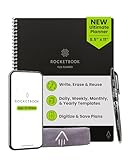
- All-in-One Planning: 48 reusable pages include daily, weekly, monthly, and annual templates, plus lined and dotted pages for flexible organization, goal tracking, and capturing ideas whenever inspiration strikes.
- Plan, Digitize, Erase, Reuse: Track to-dos & manage schedules with the included Pilot Frixion Pen, digitize effortlessly using the Rocketbook app, store in your preferred cloud destination. When done, simply wipe the pages clean with a towel & water.
- New Features: Enhanced reusable paper with improved pen to paper feel. Smart Title Bars & Tags to name and organize files. QuickTracking Key to log recurring events each month without rewriting. Keep your schedule organized as priorities shift.
- App-Enabled for Digital Organization: Scan and save your plans directly to cloud platforms like Google Drive, Dropbox, OneNote, etc. and access tasks & reminders from anywhere. Use Smart Titles & Smart Tags to name and organize files efficiently.
- Professional & Durable: Available in Executive (6 × 8.8 in) or Letter (8.5 × 11 in) sizes and Black, Navy Blue, Teal, or Green. Sleek cover and strong coil binding protect your notes & plans wherever you go.
Keep separate backups even if you use synchronization. A sync service mirrors changes; it is not necessarily a historical backup or a disaster-recovery plan.
Verdict: Choose Obsidian when you want to own a durable, linked knowledge base. Do not choose it solely because it sounds like an easier Evernote migration.
Is Joplin the best open-source Evernote alternative?
Joplin is the strongest open-source Evernote alternative for readers who want offline-first notes, Markdown, ENEX import, multiple sync choices, and encryption options. The Joplin project site documents the application and its capabilities, while Joplin’s import and export documentation covers ENEX migration.
Joplin is attractive because the application is open source and the note format is more portable than a proprietary archive. Joplin supports cloud and self-hosted synchronization approaches, and its end-to-end encryption documentation explains the configuration required for encrypted synchronization.
Privacy claims need precision. Open-source client software does not automatically make a hosted service private, and encryption only protects content as configured. Every device must be set up correctly, encryption keys must be recoverable, and backups remain your responsibility.
Self-hosting also has a real operational cost: updates, storage, authentication, TLS, backups, disaster recovery, and device configuration. Joplin is a strong fit for a technically comfortable user who values control, but it may be less suitable for a reader who expects polished collaboration with no maintenance.
Verdict: Choose Joplin when control and portability matter more than the most polished commercial experience.
Is OneNote the best free-form Evernote alternative?
OneNote is the best free-form Evernote alternative for handwriting, diagrams, visual layouts, and Microsoft 365 integration. OneNote organizes information as notebooks, sections, and pages, but pages provide a more flexible canvas than the dense document model many Evernote users expect.
Recommended Free Tools
The OneNote website and Microsoft product information describe its availability and Microsoft ecosystem integration. OneNote fits especially well with Microsoft 365, OneDrive, Outlook, and Teams. Students and office users can use handwriting, meeting notes, mixed media, and diagrams without building a database system.
OneNote is not simply “Evernote for free.” Its notebook-and-section model is different, migration from ENEX may be less straightforward than with apps built around Evernote import, and Microsoft account and OneDrive dependencies matter. Verify attachment handling, OCR, offline storage, and export behavior for the specific OneNote version and devices you use.
Verdict: Choose OneNote if you already use Microsoft 365 or want a free-form digital binder, particularly for handwritten and visual notes.
What are the best Apple alternatives to Evernote?
Apple Notes is the best low-friction choice for people who use only Apple devices, while Bear is the better choice for Apple users who want a polished writing environment and Markdown-oriented organization.
The Tool Desk
Outbyte Driver Updater FREEScan for outdated or missing drivers - takes under a minuteDriver Scan →Outbyte PC Repair FREEClear out junk files and repair common Windows errorsFree Scan →Apple Notes is built into Apple devices and supports fast capture, sharing, scanning, handwriting, and Apple Pencil workflows. The Apple Notes product page documents the native feature set. Apple Notes is a poor neutral choice for households using Windows, Android, or Linux, and iCloud storage and export considerations matter for large archives.
Bear is a focused Apple writing app with Markdown support and tag-driven organization. Bear’s official site and pricing page should be checked for current import, synchronization, and plan details. Bear is less suitable for teams, databases, or users who need broad platform coverage; paid synchronization is relevant for a complete multi-device workflow.
Verdict: Pick Apple Notes for native convenience and Bear for a more deliberate Apple writing experience. Neither is a universal replacement for a mixed-platform Evernote archive.
Rank #3

- All-in-One Planning: 48 reusable pages include daily, weekly, monthly, and annual templates, plus lined and dotted pages for flexible organization, goal tracking, and capturing ideas whenever inspiration strikes.
- Plan, Digitize, Erase, Reuse: Track to-dos & manage schedules with the included Pilot Frixion Pen, digitize effortlessly using the Rocketbook app, store in your preferred cloud destination. When done, simply wipe the pages clean with a towel & water.
- New Features: Enhanced reusable paper with improved pen to paper feel. Smart Title Bars & Tags to name and organize files. QuickTracking Key to log recurring events each month without rewriting. Keep your schedule organized as priorities shift.
- App-Enabled for Digital Organization: Scan and save your plans directly to cloud platforms like Google Drive, Dropbox, OneNote, etc. and access tasks & reminders from anywhere. Use Smart Titles & Smart Tags to name and organize files efficiently.
- Professional & Durable: Available in Executive (6 × 8.8 in) or Letter (8.5 × 11 in) sizes and Black, Navy Blue, Teal, or Green. Sleek cover and strong coil binding protect your notes & plans wherever you go.
Which app is best for quick capture or task management?
Google Keep is best for quick capture, while Amplenote is better when notes need to become tasks, calendar entries, and priorities.
What’s actually slowing this PC down?
Pick the symptom - the matching free tool is one click away.
Google Keep is fast for short notes, checklists, shopping lists, reminders, voice capture, and images. The Google Keep web app is useful for lightweight personal organization, but Google Keep lacks the hierarchy and document-oriented structure needed for a large research archive.
Amplenote is a more specialized option for people who used Evernote as a personal productivity system. The Amplenote product page presents notes, tasks, calendars, and prioritization as one workflow. Verify current migration support, platform coverage, collaboration, and plan limits before committing to a large archive.
Verdict: Use Google Keep as a capture inbox, not as an Evernote archive. Use Amplenote when task follow-through is more important than conventional notebook storage.
What should you compare before choosing an Evernote alternative?
Compare migration fidelity, platform coverage, offline behavior, search, organization, capture, portability, collaboration, privacy, and total cost. A feature checklist is useful only when each feature is tested against the way you actually use Evernote.
Windows Errors? Fix Them Before They Spread
Repair common Windows errors and clear accumulated junk for a smoother, more stable PC - no reinstall needed.Free scan · no reinstallOutdated Drivers Are Slowing You Down
One free scan finds every outdated or missing driver and matches the right update for your exact hardware.Free scan · exact hardware matchMigration fidelity
Check ENEX import, note titles, timestamps, tags, notebook hierarchy, attachments, images, PDFs, tables, checklists, internal links, web clips, handwriting, scanned documents, OCR text, encrypted notes, large exports, and duplicate handling. “Supports Evernote import” means only that an importer accepts the format; it does not guarantee perfect reproduction.
Platform coverage
List the actual platforms you need: Windows, macOS, Linux, iPhone and iPad, Android, web, and Chromebook. “Cross-platform” may mean a full native application on every platform or only a browser interface on some devices.
Offline behavior
Distinguish local notes, cached cloud notes, offline editing with later synchronization, read-only offline access, plan-limited offline use, and attachments that must be downloaded first. This distinction is especially important when comparing Evernote, Notion, Obsidian, and Joplin.
Search and retrieval
Check full-text search, PDF search, OCR for images and scans, tag filters, Boolean operators, saved searches, search speed in a large archive, attachment search, and semantic or AI-assisted search. Backlinks and graph views help discover relationships; they do not automatically improve arbitrary document retrieval.
Organization model
Evernote, UpNote, and Joplin are closer to document repositories. Obsidian is closer to a local linked-file system. Notion is closer to a flexible workspace database. Google Keep is closer to a capture inbox. OneNote is closer to a free-form digital binder.
Web clipping and capture
Check browser extensions, full-page clipping, simplified article clipping, selection clipping, screenshots, bookmark-only capture, email-to-note, mobile share-sheet capture, scanning, voice recording, and automatic metadata. Web clipping is a frequent reason that a seemingly good alternative fails in practice.
Portability and ownership
Compare Markdown, HTML, PDF, plain-text, and ENEX export; separate attachment storage; open file formats; APIs; self-hosting; and backup restoration. Local files improve portability, but local files without a backup strategy remain vulnerable to device loss or corruption.
Collaboration
For a team, evaluate real-time editing, comments, mentions, permissions, shared notebooks or folders, version history, guest access, administration, external sharing, and account ownership. Notion and Microsoft 365 are generally stronger team candidates than personal-first tools such as Bear or UpNote.
What’s actually slowing this PC down?
Pick the symptom - the matching free tool is one click away.
Privacy and security
Ask whether content is encrypted in transit, encrypted at rest, end-to-end encrypted, or stored only locally. Also consider account recovery, self-hosting obligations, data residency where relevant, and team administration. Calling an app “private” without identifying whether the vendor can technically access synchronized content is misleading.
Total cost
Include the app subscription, required sync, cloud storage, team seats, AI add-ons, publishing, self-hosting, backup software, migration tools, and subscriptions you already own. A free note app can become costly when reliable synchronization, collaboration, or storage is added.
Rank #4

- ENDLESSLY REUSABLE - Rocketbook Everyday Planner has 8 unique page templates including Daily, Weekly, Monthly, and Annual Planning, as well as journal and notebook pages. Just Plan, Scan, Erase and Reuse again and again.
- VERSATILE - Undated template pages and journal note pages adapt to your planning style and reduce planner guilt. Easily change plans, goals, schedules, and notes by simply wiping clear and writing again.
- CLASSIC PEN & PAPER FEEL - experience the timeless feel of pen to paper with our patented paper technology that allows for smooth writing. Effortlessly connect your handwritten plans to the digital world through the Rocketbook App.
- UNLOCK PRODUCTIVITY - Handwritten plans and notes can be digitized and scanned with the free Rocketbook app, allowing seamless uploads to the cloud service of choice including Google Drive, Dropbox, Evernote, OneNote, Slack, iCloud, and more.
- PACKAGING INCLUDES - 1 Rocketbook Executive Size Everyday Planner (6" x 8.8"), 1 Pilot Frixion Pen, and 1 Microfiber Cloth
How do you migrate from Evernote safely?
The safest Evernote migration is export first, sample import second, validation third, and deletion last. Keep the original Evernote library untouched until the new system works across every required device.
- Audit the library. Record the number of notes, notebooks, tags, attachment-heavy notebooks, scanned documents, shared notebooks, complex tables, sensitive notes, and notes that must remain searchable.
- Export the archive. In Evernote, select the notes or notebooks, then use File → Export. Prefer ENEX for compatible note applications and create HTML or PDF exports as secondary visual archives. Evernote’s export documentation explains the available formats and ENEX use.
- Keep multiple copies. Store the original export in at least two locations. Do not rely on the new app as the only copy of the archive.
- Test a representative sample. Import one ordinary text note, one tagged note, one image-heavy note, one PDF or scanned document, one table, one checklist, one long web clip, and one note containing internal links.
- Compare the result. Look for missing attachments, broken formatting, duplicate notes, lost tags, changed dates, empty notes, unsearchable scans, wrong notebook placement, broken links, and encoding errors.
- Repeat on every device. Confirm that notes sync, attachments open, offline editing behaves as expected, and search returns important PDFs and scans.
- Clean up after validation. Archive obsolete material, merge redundant notebooks, remove unnecessary tags, separate reference material from active projects, and create an inbox for future captures.
- Retain the original export. Keep the ENEX and secondary HTML or PDF archives even after the new app becomes your daily tool.
ENEX is the key migration format because compatible applications can preserve notes, tags, and other metadata, but complex web clips, drawings, PDF annotations, OCR indexes, note history, shared permissions, proprietary formatting, and encrypted sections may not reproduce perfectly.
Do these 3 things before closing this tab:
1Scan for outdated or missing drivers - takes under a minute2Repair Windows errors before they cause bigger problems3Fix the driver behind crashes, sound loss and screen glitchesWhat can go wrong when leaving Evernote?
The closest app may not be the best app. UpNote can reduce transition friction, but Notion or Obsidian may be better if the actual requirement is databases or linked knowledge. Conversely, redesigning a mature archive can cost more time than the subscription savings justify.
“Free” often excludes the part you need: multi-device sync, unlimited notes, attachments, OCR, version history, team sharing, large file uploads, offline editing, or export. Evernote’s current Free plan illustrates the issue with its 50-note, one-notebook, one-device, 20-tag, and 1 GB limits.
Local-first does not mean automatically synchronized. Obsidian users must choose a synchronization method and understand conflict handling. Self-hosted Joplin synchronization can reduce vendor dependence but transfers responsibility for server updates, backups, TLS, authentication, storage, disaster recovery, and encryption-key recovery to the user.
Apple Notes is a platform decision, not a universal replacement. Notion can be overkill for fast capture. Obsidian can become a customization hobby. OneNote’s free-form canvas can be excellent for handwriting but less natural for dense document retrieval. AI search, transcription, summarization, and writing features also vary by plan, region, rollout, and privacy terms, so verify the exact feature before treating it as Evernote parity.
Free tools Windows power users keep installed
One-click scans. No signup required.
Should you stay with Evernote?
Staying with Evernote is rational when your archive depends on its existing OCR and search behavior, web clipping, offline access, calendar and task integration, cross-platform availability, or mature notebook structure. Migration has a cost even when the new application is nominally cheaper.
Leaving is more compelling when the current plan limits are unacceptable, the subscription cost no longer fits, the team needs real-time collaboration, local or open files matter, backlinks and databases are central, or Evernote’s expanding feature set feels unnecessarily complex.
Make the decision after comparing the complete workflow rather than the monthly headline: capture a note, attach a PDF, search a scan, edit offline, share a page, export the result, and restore a backup. The app that completes those jobs reliably is a better choice than the app with the longest feature list.
Frequently Asked Questions
What is the closest alternative to Evernote?
UpNote is the closest conventional alternative to Evernote because it uses a familiar notes-and-tags model with rich notes and attachments. Test ENEX import, OCR, search, web clipping, and attachment handling with your own notes before moving a large archive.
Outdated Drivers Are Slowing You Down
One free scan finds every outdated or missing driver and matches the right update for your exact hardware.Free scan · exact hardware matchPC Slower Than It Used to Be?
A free scan shows the junk files, broken settings and background clutter dragging Windows down - then fixes them in one click.Free scan · Windows 10 & 11What is the best free alternative to Evernote?
Microsoft OneNote is the strongest broadly available free-form alternative, especially for Microsoft 365 users, handwriting, and visual pages. Google Keep is better for quick capture but is not a suitable replacement for a large Evernote research archive.
Can Evernote notes be transferred to another app?
Yes. Evernote supports exports including ENEX, HTML, and PDF through File → Export. ENEX is the preferred migration format for compatible applications, but complex web clips, scans, tables, annotations, OCR indexes, and encrypted content may require manual checking.
Is Obsidian better than Evernote?
Obsidian is better than Evernote for users who want local Markdown files, backlinks, plugins, and long-term portability. Evernote is generally the more conventional choice for integrated web clipping, document archiving, OCR-oriented retrieval, and a ready-made notebook workflow.
Is Notion better than Evernote for teams?
Notion is generally better for teams that need shared databases, wikis, project records, permissions, and collaborative workspaces. Evernote may remain better for an individual archive centered on clipping, attachments, search, and minimal restructuring.
Which Evernote alternatives work offline?
Obsidian uses local vaults, and Joplin uses an offline-first model. Evernote and OneNote also provide offline behavior, while cloud-first tools such as Notion require closer checking of device, plan, and attachment behavior.
The Bottom Line
Bottom line: Choose UpNote for the closest Evernote replacement, Notion for teams and structured work, Obsidian for local linked files, Joplin for open source and privacy, OneNote for handwriting and Microsoft integration, Apple Notes or Bear for Apple-only users, Google Keep for quick capture, and Amplenote for notes-driven task management. Export Evernote first, test-import representative notes, validate search and attachments, and keep the original archive until the new system is proven.
Quick Recap
Product prices and availability are accurate as of the date/time indicated and are subject to change. Any price and availability information displayed on Amazon at the time of purchase will apply.

