
iTechGuides is reader-supported. When you buy through links on our site, we may earn an affiliate commission. As an Amazon Associate I earn from qualifying purchases. Learn more
If your TCL TV won’t turn on, first check whether it is actually losing power or is on with a black screen. Test the outlet and power connection, try the TV’s physical power button, and disconnect attached devices before assuming the TV needs repair. The standby light can help, but its meaning depends on the TV model and operating system.
What the standby light can—and can’t—tell you
There is no universal TCL standby-light code. Indicator behavior differs by model and software, so a dark or blinking light alone does not prove that the power supply has failed.

For TCL Roku TVs, the light is off when the screen is active and also when the TV is off with no power. It is on when the TV is off in standby. A slow pulse can occur during startup or a USB update; the light may also pulse as the TV enters standby. A remote command can make it dim once. These states are specific to Roku TVs, not a code chart for every TCL model. TCL’s Roku TV status-light guide describes the variations.
TCL says Android TV indicator settings and behavior also vary by model, and some models do not let you disable the status light. See TCL’s Android TV LED guidance for that platform. If the light repeatedly blinks and the TV never starts, continue with the checks below rather than treating the blink as a diagnosis.
#1 Best Overall
Try these six checks in order
1. Confirm the TV is getting power
- If the power cord is removable, reseat it firmly at the TV and at the outlet.
- Test the outlet with another device, or try a known-working outlet.
- Temporarily connect the TV directly to the wall, bypassing a power strip, surge protector, extension cord, or smart plug.
- Do not use a cord that is visibly damaged.
TCL’s no-power troubleshooting guide recommends checking the power connection and outlet. If another device works in the outlet but the TV remains unresponsive, continue through the reversible checks.
2. Perform a full power cycle
- Unplug the TV from power and wait at least 60 seconds. Quickly unplugging and reconnecting may not give the system enough time to reset.
- If the TV has a physical power button, hold it for about 15 seconds while the TV is unplugged.
- Reconnect the TV directly to the wall outlet and try to turn it on.
Use this timing for the general no-power procedure. TCL’s separate Android TV button guidance describes a 30-second restart instruction; that is a distinct, platform-specific procedure, not a replacement for the 60-second unplug interval. Follow the instructions for your model in TCL’s Android TV guidance.
Rank #2
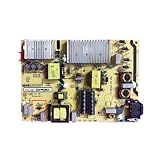
- Restore the normal operation of the TV: Solve the problems caused by the failure of the power strip to turn on the TV, black screen, blurred screen, etc., so that the TV can be used normally.
- Improve the viewing experience: Ensure a stable power supply, reduce screen flicker, unstable brightness and other phenomena, and improve viewing comfort and visual effects.
- Extend the life of the TV: The power strip can provide stable power for all parts of the TV, avoiding damage to other parts caused by power supply problems, thereby extending the overall service life of the TV.
- Ease of Use:Designed for simplicity, this motherboard is user-friendly, making installation a breeze.
- TV Power Supply Board,Compatible For TCL, 55C5 65P5 65F6 55U7700C Power Board 40-L141W4-PWC1CG/PWB1CG
3. Try the TV’s physical power button
Button placement varies: it may be underneath the TV, on the back, or along a side. Check your model’s quick-start guide or manual if you cannot find it. If the TV turns on with its physical button, the TV is receiving power; focus on the remote in the next step rather than concluding that the TV hardware has failed.
4. Check the remote
- Replace the batteries and confirm they are oriented correctly.
- Move closer to the TV and remove anything blocking the signal path.
- If the TV starts but remote functions remain unreliable, check whether your model requires the remote to be paired and follow the model-specific instructions.
Battery size and pairing steps depend on the remote and TV model; check their labels or manuals instead of guessing.
Rank #3

- TV Boards Parts & Components
5. Disconnect attached devices
- Turn the TV off if possible, then disconnect its power cord.
- Remove HDMI and USB connections, including consoles, soundbars, streaming boxes, and other equipment.
- Reconnect only the TV’s power cord and try starting it.
- If it starts, reconnect devices one at a time and test after each connection to identify whether an attached device is interrupting startup.
6. Decide whether it is no power or no picture
A black screen is not the same as no power. Press a remote button and watch whether the indicator changes. Listen for sound, look for a brief screen glow or startup logo, and try Home to see whether the TV responds. If you get signs of activity, check that the TV is on the correct input and inspect the connected device and cables.
TCL’s separate no-picture-or-sound guidance for Canada covers checking the indicator and cables, restarting, and further steps for that symptom. A factory reset can erase settings and accounts, so do not use it as an initial no-power fix; consider it only if the TV is accessible and the applicable no-video instructions call for it.
Rank #4

- Picture Quality Presentation: Thanks to the image optimization function, the TV displays sharp, vivid and lifelike images to enhance the viewing experience.
- Audio Output: Good audio processing capability provides users with excellent sound experience and enhances the audio-visual effect of the TV.
- Stable operation: Stability ensures that the TV runs stably for a long time and reduces image problems caused by driver card failure.
- Small size and light weight: compact design, small size and light weight, easy to install even in the narrow space inside the TV.
- Motherboard inverter, Compatible for TCL, 65R625 65U6900C TV power board 40-P301HL-PWA1CG Logic board Suitable for TV repairs Accessories.
When to stop troubleshooting and contact support
Stop using and unplug the TV if you notice smoke, sparks, a burning smell, liquid ingress, or visible damage. Do not open the chassis or attempt to replace internal power components.
Contact TCL support if the TV remains unresponsive after the checks, shuts down immediately each time, or continuously blinks without starting. Before contacting support, note the model and serial numbers, when you bought the TV, what the indicator does, whether you hear sound or see screen activity, and which steps you tried. The official TCL no-power guide is the starting point for unresolved power symptoms.
Quick Recap
Best Value
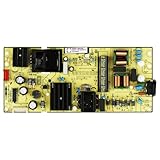
- High resolution support: It can support ultra high definition resolution, allowing the TV to present clearer and more delicate images, showcasing rich details.
- Image processing chip: Equipped with powerful image processing chips, it has functions such as noise reduction, sharpening, and color correction.
- High reliability: stable operation, reduced probability of failure, ensuring long-term reliable operation.
- Good heat dissipation performance: Reasonable heat dissipation design reduces the operating temperature of the motherboard, improves its stability and service life.
- TV 65S455 65S41 65S450G Supply Is For 30805-000190 40-L17CW2-PWC1ZG 11601-500073 Power Board
Product prices and availability are accurate as of the date/time indicated and are subject to change. Any price and availability information displayed on Amazon at the time of purchase will apply.

