
iTechGuides is reader-supported. When you buy through links on our site, we may earn an affiliate commission. As an Amazon Associate I earn from qualifying purchases. Learn more
The Simple Network Management Protocol (SNMP) is a standards-based way for management software to monitor and control networked devices. A manager exchanges requests and notifications with an agent on a managed device, using managed objects defined through a Management Information Base (MIB). SNMP can retrieve information, attempt to change it, return responses, and send notifications.
What does SNMP stand for?
SNMP stands for Simple Network Management Protocol. It is a protocol for carrying management information and operations between network-management applications and managed devices. RFC 3416, Section 2, describes its purpose as “the transport of management information and operations.” RFC 3416 was published by the IETF in December 2002.

How does SNMP work?
SNMP uses a manager-and-agent arrangement. The manager is part of a management system; the agent runs on, or serves, a managed node and has access to management instrumentation. A managed node can be a host, router, terminal server, or another device whose management information is monitored or controlled.
PC Slower Than It Used to Be?
A free scan shows the junk files, broken settings and background clutter dragging Windows down - then fixes them in one click.Free scan · Windows 10 & 11Outdated Drivers Are Slowing You Down
One free scan finds every outdated or missing driver and matches the right update for your exact hardware.Free scan · exact hardware match- The manager requests information or an action. It sends an SNMP message containing a protocol data unit (PDU) that identifies the operation and the managed objects involved.
- The agent processes the operation. The PDU indicates what the receiving SNMP engine should do. The agent can retrieve values, attempt a permitted change, or handle another defined operation.
- The agent returns a response or sends a notification. A response answers a request; a notification can report an event without a manager first asking to read that value.
This is the architecture described in the IETF’s RFC 3411. The exact access and security behavior depends on the framework and its configuration.
#1 Best Overall

- Hardware Controller with Professional Network Management-Centralized management for up to 100 Omada devices including Omada access points, Omada Security Gateways and Jetstream switches.
- Premium Hardware Design-Industry-leading flexible Rackmount/Desktop design with a powerful chipset, durable metal casing, 2 fast ethernet ports and 1 USB 2.0 port for auto backup.
- Dual power selection-Support PoE (802.3af/802.3at) and micro USB for flexible installations.
- Easy Network Monitor & Maintenance-The easy-to-use dashboard makes it simple to see your real-time network status and improve network maintenance for peace of mind.
- Cloud Access with No License Fee-Enjoy cloud service with no license fee with the use of OC200. Remote Cloud access and Omada app brings centralized cloud management of the whole network from different sites—all controlled from a single interface anywhere, anytime.
What are an SNMP manager and agent?
Manager
A manager is the SNMP entity that runs applications to generate commands and/or receive notifications. Management software commonly uses it to monitor devices and, where permitted, control their managed information.
Agent
An agent is the SNMP entity associated with a managed node. It responds to management commands and/or originates notifications, using the device’s management instrumentation to access information.
Rank #2

- EVENT ACTION SETTINGS allows administrators to customize UPS actions in response to power and system event; Automatic Event Notifications can be sent via email, SMS, SNMP Traps, and Syslog
- BUILT-IN AUTOMATIC SHUTDOWN in conjunction with PowerPanel Business Edition Client, allows you to protect servers and workstations from data loss due to power failure
- OPTIONAL ENVIROSENSOR: connects to the Universal port on the RMCARD205TAA to monitor temperature and humidity; Notifications are enabled by default and alert thresholds can be easily customized to fit environmental control requirements
- HOT SWAPPABLE; 10/100 Mbps Ethernet port; Quick installation and user friendly interface
Managed device
The managed device, also called a managed element or node, is the host or network equipment whose management information is exposed to SNMP. The manager and agent are roles in the SNMP framework, not names for particular hardware products.
What are the MIB and SMI?
The Management Information Base (MIB) is a virtual store of managed objects that can be accessed through SNMP. It is the information model—not the protocol itself. The Structure of Management Information (SMI) defines the notation and mechanisms used to describe those objects; related objects are organized into MIB modules. An SNMP operation refers to managed objects so the manager and agent can identify the information or setting involved.
What operations can SNMP perform?
SNMP is not read-only by definition. Its operations include reads, a write operation that attempts to modify management information, responses, and notifications. RFC 3411 classifies operations into read, write, response, notification, and internal categories; RFC 3416 defines the protocol operations, including these examples:
| Purpose | Examples | What they do |
|---|---|---|
| Read | GetRequest, GetNextRequest, GetBulkRequest | Request managed-object information. |
| Write | SetRequest | Attempt to change management information. |
| Response | Response | Return a response to an operation. |
| Notification | Trapv2, InformRequest | Send notification information; Trapv2 is unconfirmed, while InformRequest is confirmed. |
| Internal | Report | Support an internal protocol function. |
The operation names and classifications are specified in RFC 3416 and RFC 3411. A SetRequest is an attempt to change information, not a guarantee that the change will be allowed or succeed.
Does SNMP provide security?
Security is determined by the framework’s security model and access-control configuration; it is not accurate to assume that every SNMP version or setup protects traffic in the same way. RFC 3411 describes security and access-control subsystems: a security model specifies threats and security services, while access control determines whether an operation may access particular managed objects. Administrators should assess the capabilities and configuration of the specific SNMP implementation they use.
Free tools Windows power users keep installed
One-click scans. No signup required.
Which standards define SNMP?
The foundational architecture and protocol-operations documents cited here are IETF RFC 3411 and RFC 3416, both published in December 2002. RFC Editor records identify RFC 3411 as Internet Standard STD 62 and list RFC 5343 and RFC 5590 as updates. Those publication details identify the cited standards; they do not, by themselves, describe the capabilities or security settings of a particular device or implementation.
Quick Recap
Best Value
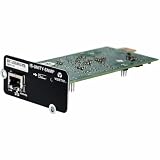
- Web Connectivity: Get web access to the installed device via popular web browsers
- Run Software: It enables Vertiv software tools and services such as Trellis Enterprise, Trellis Power Insight, LIFE Services and Liebert Nform
- Update Remotely: Have remote firmware updates via a web browser
- Get Alerts: It sends alarm notifications via email and text messaging
- 3rd Party Protocols: It supports 3rd party protocols for building and network management applications for status and alarms (SNMP only)
Product prices and availability are accurate as of the date/time indicated and are subject to change. Any price and availability information displayed on Amazon at the time of purchase will apply.

