
Recommended Free Tools
iTechGuides is reader-supported. When you buy through links on our site, we may earn an affiliate commission. As an Amazon Associate I earn from qualifying purchases. Learn more
Smart glasses are not necessarily more capable than a phone camera, but they can be harder to notice. A phone gives bystanders a familiar cue: someone lifts it and points it at you. Glasses let the wearer simply look at a scene. The Australian eSafety Commissioner says smart glasses “remove visible cues that someone is recording, such as holding up a phone,” and warns that small recording lights can be missed, covered or disabled.
So the practical answer to “how can I tell if someone is recording me with smart glasses?” is this: look for the outward-facing LED where the product has one, but do not treat the absence of a noticed light as proof that nothing is being captured. Signals vary by product and by activity.
Are smart glasses more invasive than phone cameras?
The hardware question matters less than the social one. Both can take photos and video. The difference lies in what the people around the camera can perceive.
| Factor | Phone camera | Smart glasses |
|---|---|---|
| Visible recording action | Usually a raised, aimed device, though phones can also be held low or angled discreetly | The wearer looks at the subject and captures hands-free, per the eSafety Commissioner |
| Outward indicator | No standard dedicated indicator on most phones; the cue is the posture and the screen | Product-specific; Meta’s AI glasses use a white front capture LED |
| Ease of missing the signal | Depends on the setting | Small lights can be missed, covered or disabled (eSafety Commissioner); the Texas Attorney General also calls Meta’s LED small and hideable |
| Where files go | Stored on the phone | Meta says gallery captures stay on the glasses until the wearer imports them to a phone |
This comparison does not show that all phone recording is conspicuous, or that all glasses behave alike. Nor is there a defensible current statistic on how often people notice phone recording versus glasses recording.
#1 Best Overall
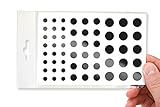
- No White Edges! Solid Color High-Quality Vinyl Webcam Covers - No Inks
- Removing and Replacing Often? Stack for a Thicker Sticker! Includes 57 Webcam Covers in 3 Sizes - 1/2" x 15, 3/8" x 18, 1/4" x 24
- No Sticky Adhesive Residue | Water Resistant
- Thin + Restickable + Long Lasting | Won't Scratch Your Laptop & Shuts Easily
- Perfect for Computers, Smart Phones, Tablets, Smart Home devices, Smart TVs, & Game Consoles
What recording signals do smart glasses actually give?
Meta’s capture LED
Meta’s July 2026 FAQ, “Meta’s AI Glasses: Your Questions Answered,” says: “Whenever content is being captured for your gallery, this white light blinks to let people know you’re capturing content.” For a photo, the light blinks briefly. For video, it keeps blinking for the duration of the recording. Meta states that the capture LED has no off switch. The Ray-Ban Meta FAQ on Ray-Ban’s India site also describes an outward-facing capture LED.
These are Meta’s descriptions of its own products. Other brands may use different indicators or none you would recognise, so check the specific model if you need to know.
Rank #2

- 【4K Hands-Free Camera with EIS Stabilization】Capture ultra-HD 4K videos and 32MP photos using the 8MP lens with IMX219 sensor and Electronic Image Stabilization, ensuring smooth, shake-free first-person footage for vlogging, driving, hiking, cycling, cooking, or outdoor adventures – simply use voice command ("Hey star, take a photo") or tap the shutter button while keeping your hands completely free.
- 【Smart Bluetooth Calling】Enjoy high-fidelity stereo sound with four advanced speakers embedded in the eyeglass arms. The open-ear design allows you to listen to music or podcasts while remaining completely aware of your environment—ideal for safe commuting or jogging. With seamless Bluetooth connectivity and dual-mic ENC (Environmental Noise Cancellation), background noise is effectively filtered out, giving you crystal-clear, hands-free calls no matter where you are.
- 【Dual-Lens Protection for Smart Eyewear】Adaptive visual technology for your modern lifestyle. Our sunglass lenses block harsh light outdoors, and we've also included a dedicated anti-blue light lens featuring no-blue-reflection technology, ensuring zero color distortion while you use the device. One smart frame, two pro lenses — designed for all-day wear.
- 【Built-in AI Assistant】Discover AI-powered smart glasses featuring a built-in intelligent assistant. Simply say "Hey Star" to activate it hands-free — get real-time answers, current weather, and tailored help whenever you need it. Just aim the camera at landmarks, menus, or objects for on-the-spot recognition. Your own personal AI guide, always by your side
- 【REAL-TIME AI TRANSLATOR & No Additional Fees】Supporting over 165 languages. iONCT Smart Glasses offers a comprehensive translation matrix for various scenarios: includes real-time translation mode, glasses-to-phone mode, Photo translation via the app, and seamless video call translation for remote clients. Whether during travel or international business, it instantly breaks down language barriers.
The anti-blocking feature and its limits
Meta says that from its second generation of glasses onward, camera capture is disabled if the system detects the LED is blocked. Its responsible-innovation page adds that a photo or video cannot be taken if the light is covered, and that deliberately covering it goes against its guidelines. This claim is limited to Meta’s newer models. It does not apply to older Meta glasses or other brands, and the sources reviewed do not independently test how well it works in every condition.
Why a light is not a guarantee
A brief blink for a photo in daylight, at a distance or from the side is easy to miss. The eSafety Commissioner’s caution is the key limit: if you did not notice a light, you cannot conclude nothing was captured. Treat a visible light as useful evidence of capture, never an absent one as evidence of the opposite.
Rank #3

- MADE IN THE USA! | No White Edges | Solid Color High-Quality Vinyl Webcam Privacy Covers - No Inks
- Stackable! Make a Thicker Sticker for Easier Removal and Reuse | Includes 57 Tabbed Webcam Covers in 3 Sizes - 1/2" (15), 3/8" (18), 1/4" (24)
- No Sticky Adhesive Residue | Water Resistant
- Thin + Restickable + Long Lasting | Won't Scratch Laptop Keyboard/Touch Pads & Shuts Easily
- Perfect for Computers, Smart Phones, Smart Glasses, Tablets, Smart Home devices, Smart TVs, & Game Consoles
Recording is not the only privacy question
Meta describes camera-based AI prompts, such as asking the glasses what landmark or plant they are looking at. That is a separate function from capturing a photo or video for the gallery. Which one is happening affects what the bystander should worry about: a stored image, or a camera view sent for AI processing. This is Meta’s own account of its product; it is not an independent audit of every kind of processing.
The Texas Attorney General’s office has announced an investigation into Meta’s glasses. It cited concerns about facial-data collection and an “always enabled” mode, described in Meta’s privacy policy, that it says allows video processing for Meta AI products. The office also said the recording LED is small and can be hidden. This is an investigation and a statement of the agency’s concerns, not a ruling or a finding of violations.
What wearers say about the problem
A 2024 CHI paper, In Focus, Out of Privacy: The Wearer’s Perspective on the Privacy Dilemma of Camera Glasses, found that wearers felt a burden to protect bystanders’ privacy and wanted better indicators. The study centred on Ray-Ban Stories, a previous-generation product sold from 2021, so it describes the wearer-bystander tension rather than testing today’s Meta glasses.
Quick Recap
What to do as a bystander or a wearer
If you are the person being filmed
- Look for a small light on the front of the frames, especially a blinking white one on Meta glasses.
- Notice cues beyond the light: the wearer facing you for a long time, or lingering on you.
- If you are uncomfortable, ask the wearer directly whether they are recording. In a venue such as a gym, changing area or workplace, raise it with staff, since many venues set their own rules.
- Where the law matters, such as secret recording of someone, consult local official guidance. The sources here do not give a jurisdiction-by-jurisdiction comparison.
If you are the wearer
- Follow Meta’s own guidance: “It’s important to respect the comfort and privacy of other people when using AI glasses,” and “If you want to capture a photo or video, make sure that you ask for permission from those around you.”
- Do not cover the LED. Meta says this goes against its guidelines.
- Take the glasses off or put them away in sensitive places, where a phone would also draw objections.
- Remember that gallery captures sit on the glasses until you import them, so review and delete before sharing.
Product prices and availability are accurate as of the date/time indicated and are subject to change. Any price and availability information displayed on Amazon at the time of purchase will apply.

