
PC Slower Than It Used to Be?
A free scan shows the junk files, broken settings and background clutter dragging Windows down - then fixes them in one click.Free scan · Windows 10 & 11Outdated Drivers Are Slowing You Down
One free scan finds every outdated or missing driver and matches the right update for your exact hardware.Free scan · exact hardware matchiTechGuides is reader-supported. When you buy through links on our site, we may earn an affiliate commission. As an Amazon Associate I earn from qualifying purchases. Learn more
Seasonic’s calculator reportedly showed estimated power figures for Nvidia’s RTX 50-series cards in July 2024, but those leaked numbers were not confirmed specifications—and they are not PSU recommendations. For a build today, use the guidance for your exact graphics card and check the power supply maker’s advice against your full system.
What did Seasonic’s calculator reportedly show?
On July 14, 2024, Tom’s Hardware reported that Seasonic’s PSU wattage calculator had displayed estimated TDP values for upcoming RTX 50-series cards. The report attributed the discovery to X user Everest and cautioned that Seasonic’s data “may or may not be accurate.” These figures are a historical leak, not confirmed Nvidia specifications or recommended PSU capacities. Tom’s Hardware’s report listed:
| GPU model | Reported estimated TDP |
|---|---|
| RTX 5090 | 500 W |
| RTX 5080 | 350 W |
| RTX 5070 | 220 W |
| RTX 5060 | 170 W |
| RTX 5050 | 100 W |
A GPU’s estimated TDP is not the same thing as the wattage rating needed for a complete PC power supply. Do not use the leaked 500 W figure, for example, as a recommendation to buy a 500 W PSU for an RTX 5090 system.
Recommended Free Tools
What PSU wattage do manufacturers recommend?
Seasonic’s current recommendations vary by GPU and are intended to account for the rest of the computer as well as the graphics card. Seasonic specifically advises considering the processor, storage drives, and peripherals. Its current GPU guidance lists:
#1 Best Overall
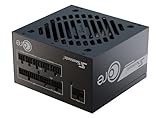
- ATX 3.1 / PCIE 5.1 ready. Native 12V-2x6 connector
- 80 PLUS Gold and Cybenetics Platinum certified
- OptiSink Design
- NVIDIA RTX 5080 AMD RX 9000 ready
- 12V-2x6 to dual 8-pin PCIe cable included
| Nvidia GPU | Seasonic recommended PSU capacity |
|---|---|
| RTX 5090 | 1000 W |
| RTX 5080 | 850 W |
| RTX 5070 Ti | 750 W |
| RTX 5070 | 650 W |
| RTX 5060 Ti | 600 W |
| RTX 5060 | 550 W |
These are Seasonic recommendations, not a universal minimum for every PC or board-partner version of a GPU. For the RTX 5080, Nvidia’s Rev. 1 user guide also lists an 850 W minimum, matching Seasonic’s recommendation. Nvidia RTX 5080 Rev. 1 user guide
Why do Nvidia’s RTX 5090 PSU figures differ?
Nvidia’s RTX 5090 setup page states “850W Minimum,” notes that a higher rating may be required depending on system configuration, and advises checking with the PSU vendor. Nvidia RTX 5090 setup guidance By contrast, Nvidia’s Rev. 1 Founders Edition guide lists a 1000 W minimum. Nvidia RTX 5090 Rev. 1 user guide
Rank #2
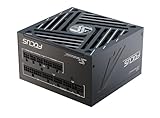
- ATX 3.1 / PCIE 5.1 ready. Native 12V-2x6 connector
- 80 PLUS Gold and Cybenetics Platinum certified
- OptiSink Design
- NVIDIA RTX 5070 Ti AMD RX 9000 ready
- Hybrid fan control with 135 mm FDB fan
Those are different values in different Nvidia documents, so they should not be collapsed into one figure or treated as if the documents agree. Check the guide supplied for your exact card, including whether it is a Founders Edition or a board-partner model, and follow the PSU vendor’s guidance for your complete build.
Quick wins for a faster PC:
Clear out junk files and repair common Windows errorsFree Scan →Scan for outdated or missing drivers - takes under a minuteDriver Scan →Which cables and connectors does an RTX 5090 need?
Nvidia’s RTX 5090 product page describes connecting three PCIe 8-pin cables to the included adapter, or using one 450 W-or-greater PCIe Gen 5 16-pin cable. The Rev. 1 user guide gives different instructions: at least four independent PCIe 8-pin cables with its adapter, or one 600 W-or-greater 16-pin PCIe Gen 5 cable. Use the instructions for your specific card and verify compatibility with your PSU maker rather than choosing between these documents by guesswork.
Rank #3

- ATX 3.1 / PCIE 5.1 ready. Native 12V-2x6 connector
- 80 PLUS Gold and Cybenetics Platinum certified
- OptiSink Design
- NVIDIA RTX 5080 AMD RX 9000 ready
- Hybrid fan control with 135 mm FDB fan
For the RTX 5080, Nvidia’s Rev. 1 guide specifies at least three PCIe 8-pin cables with the included adapter, or one 450 W-or-greater PCIe Gen 5 16-pin cable. The guide’s minimum PSU rating is 850 W.
Quick Recap
Rank #4
- ATX 3.1 / PCIE 5.1 ready. Native 12V-2x6 connector
- 80 PLUS and Cybenetics Gold certified
- OptiSink Design
- NVIDIA RTX 5090 AMD RX 9000 ready
- Hybrid fan control with 135 mm FDB fan
What should you check before choosing a PSU?
- Exact GPU: Confirm the model and board-partner variant; recommendations can differ by card.
- Whole-system demand: Account for the processor, drives, peripherals, and expected workload, not just the GPU.
- Wattage guidance: Compare the applicable graphics-card documentation with PSU-vendor guidance. Treat the listed capacities as recommendations or minimums only as their source describes them.
- Cables: Verify the required number and type of cables, whether cables must be independent, and that the PSU supports the card’s adapter or native connector.
- PSU generation and native connector: Seasonic advises considering ATX 3.1 / PCIe 5.1 supplies with native 12V-2×6 output for modern RTX 50-series builds. Its named products are recommendations from Seasonic, not independent test results. Seasonic ATX 3.1 PSU guidance
Product prices and availability are accurate as of the date/time indicated and are subject to change. Any price and availability information displayed on Amazon at the time of purchase will apply.

