
iTechGuides is reader-supported. When you buy through links on our site, we may earn an affiliate commission. As an Amazon Associate I earn from qualifying purchases. Learn more
The Samsung 980 PRO remains a capable PCIe 4.0 SSD, but it makes sense to buy only when its price is clearly below newer drives and you can verify its firmware. It works in PCIe 3.0 systems, though those systems cannot deliver its Gen4 peak speeds. For a PS5 or an M.2 slot without suitable cooling, choose the Heatsink model; otherwise, the bare drive is the better fit when your motherboard heatsink makes proper contact.
What the Samsung 980 PRO offers
The 980 PRO is an M.2 2280 NVMe SSD using a PCIe Gen 4.0 x4 interface and NVMe 1.3c. Samsung lists capacities of 250GB, 500GB, 1TB, and 2TB, and specifies backward compatibility with PCIe 3.0. Samsung’s 2023 datasheet rates the 2TB model for up to 7,000MB/s sequential reads and 5,100MB/s sequential writes. These are peak sequential figures, not a promise that every application or transfer will run at those rates; Samsung notes that results vary with firmware, hardware, and system configuration.
The 2TB model carries a five-year warranty or a 1,200 TBW endurance limit, whichever comes first. TBW means terabytes written over the drive’s rated service life; it is not a prediction that the drive will fail as soon as that amount is reached. The supplied Samsung specifications do not establish corresponding speed or TBW figures for every smaller capacity, so do not assume the 2TB ratings apply unchanged across the range.
The Tool Desk
Outbyte PC Repair FREERepair Windows errors before they cause bigger problemsFix Now →Outbyte Driver Updater FREEScan for outdated or missing drivers - takes under a minuteDriver Scan →Capacity and published 2TB ratings
| Capacity | Sequential read/write rating | Endurance and warranty |
|---|---|---|
| 250GB | Not stated (Samsung Semiconductor, 2023 datasheet) | Not stated (Samsung Semiconductor, 2023 datasheet) |
| 500GB | Not stated (Samsung Semiconductor, 2023 datasheet) | Not stated (Samsung Semiconductor, 2023 datasheet) |
| 1TB | Not stated (Samsung Semiconductor, 2023 datasheet) | Not stated (Samsung Semiconductor, 2023 datasheet) |
| 2TB | Up to 7,000MB/s read and 5,100MB/s write | Five years or 1,200 TBW |
The specifications in the 2TB row are Samsung’s ratings for that model; performance can vary with firmware, system hardware, and configuration.
#1 Best Overall

- MEET THE NEXT GEN: Consider this a cheat code; Our Samsung 990 PRO Gen4 SSD helps you reach near max performance with lightning-fast speeds; Whether you’re a hardcore gamer or a tech guru, you’ll get power efficiency built for the final boss
- REACH THE NEXT LEVEL: Gen4 steps up with faster transfer speeds and high-performance bandwidth; With a more than 55% improvement in random performance compared to 980 PRO, it’s here for heavy computing and faster loading
- THE FASTEST SSD FROM THE WORLD'S FLASH MEMORY BRAND: The speed you need for any occasion; With read and write speeds up to 7450/6900 MB/s you’ll reach near max performance of PCIe 4.0 powering through for any use
- PLAY WITHOUT LIMITS: Give yourself some space with storage capacities from 1TB to 4TB; Sync all your saves and reign supreme in gaming, video editing, data analysis and more
- IT’S A POWER MOVE: Save the power for your performance; Get power efficiency all while experiencing up to 50% improved performance per watt over the 980 PRO; It makes every move more effective with less consumption
How fast is it in real use?
At launch, independent testing put the 980 PRO among the leading consumer Gen4 SSDs. AnandTech’s review describes it as Samsung’s first consumer PCIe 4.0 x4 SSD family and discusses its Samsung Elpis controller alongside benchmark results. Tom’s Hardware likewise found the 2TB model to be one of the fastest Gen4 drives it had tested.
Peak sequential speed is only part of the story for large writes. In Tom’s Hardware’s 2020 test of a 2TB sample, the drive wrote to an SLC cache of about 238GB at roughly 5.1GB/s; after that cache filled, a longer write could proceed more slowly. That result describes the tested sample and workload, not a guaranteed cache size or sustained rate for every capacity, firmware version, or system. For ordinary booting, game loading, and mixed desktop activity, short peak benchmarks also do not tell you exactly how much faster the drive will feel than another SSD.
Rank #2

- HUGE SPEED BOOST: Get random read/write speeds that are 40%/55% faster than 980 PRO; Experience up to 1400K/1550K IOPS, while sequential read/write speeds up to 7,450/6,900 MB/s reach near the max performance of PCIe 4.0*
- BREAKTHROUGH POWER EFFICIENCY: Use less power and get more performance; Enjoy up to 50% improved performance per watt over 980 PRO, plus optimal power efficiency with max PCIe 4.0 performance**
- SMART THERMAL CONTROL: Samsung's own nickel-coated controller delivers effective thermal control; With its slim size, 990 PRO is a perfect fit for desktops and laptops that meet the PCI-SIG D8 standard***
- THE CHAMPION MAKER: Up to 65% improvement in random performance enables faster loads for an ultimate gaming experience on PS5 and DirectStorage PC games****
- SAMSUNG MAGICIAN SOFTWARE: Get the most out of your SSD with Samsung Magician's advanced yet intuitive optimization tools; Monitor drive health, protect valuable data, and receive important updates for your 990 PRO
Does it work in a PCIe 3.0 slot?
Yes. Samsung specifies PCIe 3.0 backward compatibility, so the 980 PRO can operate in a compatible PCIe 3.0 M.2 NVMe slot. The host link is the limit: a Gen3 system cannot provide the headline Gen4 peak rates. Check that the motherboard’s M.2 socket supports NVMe drives and the drive’s 2280 form factor; a physical M.2 socket alone does not establish compatibility with every M.2 protocol.
Free tools Windows power users keep installed
One-click scans. No signup required.
Which version should you choose for cooling or PS5?
Choose the Heatsink version for PS5 or an uncooled M.2 slot
Samsung sells a 980 PRO with Heatsink variant. It is the practical option for a PS5 installation or a PC whose M.2 slot does not have a suitable heatsink. TechRadar’s PS5 guide lists the heatsink model with the same quoted 7,000/5,100MB/s figures and a five-year warranty, and describes it as a strong endurance/value option while noting that the newer 990 PRO is faster. Confirm the drive’s physical fit and console requirements before purchase.
Rank #3

- Next-level SSD performance: Unleash the power of the Samsung 980 PRO PCIe 4.0 NVMe SSD for next-level computing. 980 PRO delivers 2x the data transfer rate of PCIe 3.0, while maintaining compatibility with PCIe 3.0.
- Maximum Speed: Get read speeds up to 7,000 MB s with 980 PRO and push the limits of what SSDs can do. Powered by a new Elpsis controller designed to harmonize the flash memory components and the interface for superior speed – with a PCIe 4.0 interface that’s 2x faster than PCIe 3.0 SSDs and 12x faster than Samsung SATA SSDs – every component of this NVMe SSD is manufactured by Samsung for performance that lasts.
- A winning combination: Designed for hardcore gamers and tech-savvy users, the 980 PRO offers high-performance bandwidth and throughput for heavy-duty applications in gaming, graphics, data analytics, and more. It's fast at loading games, so you can play more and wait less.
- Efficient M.2 SSD: The 980 PRO comes in a compact M.2 2280 form factor, which can be easily plugged into desktops and laptops. Due to its size and thus optimized power efficiency, it’s ideal for building high-performance computing systems.
- Reliable thermal control: High-performance SSDs usually require high-performance thermal control. To ensure stable performance, the 980 PRO uses nickel coating to help manage the controller's heat level and a heat spreader label to deliver effective thermal control of the NAND chip.
Choose the bare drive when your motherboard heatsink fits correctly
If your motherboard includes an M.2 heatsink that makes proper contact with the installed drive, the bare 980 PRO avoids paying for a second heatsink. Follow the motherboard’s installation guidance and make sure any protective film is removed from its thermal pad before reinstalling the cover. Samsung documents thermal-control hardware for the drive, but that does not remove the need for adequate cooling in a demanding system.
Check the firmware before trusting an existing or used drive
A specific older firmware revision deserves attention. Tom’s Hardware reported failures associated with firmware 3B2QGXA7, primarily on 2TB drives, while noting that smaller capacities were not entirely immune. It reported that drives already on 4B2QGXA7 or 5B2QGXA7 were not affected by that issue. In 2023, Puget Systems relayed Samsung’s recommendation that users update 980 PRO drives from 3B2QGXA7 to the latest version, 5B2QGXA7, to prevent the issue.
Rank #4
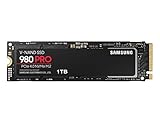
- Designed for hardcore gamers and tech-savvy users
- Offers high-performance bandwidth and throughput for heavy-duty applications in gaming, graphics, data analytics, and more
- NVMe SSD powered by V-NAND technology
- Designed with hardcore gamers and tech-savvy users in mind
- Back up important files before checking or changing firmware. If the drive is already behaving abnormally, prioritize preserving data and seeking recovery or support rather than treating a firmware update as a repair.
- Open Samsung Magician and inspect the drive’s firmware revision and health status. Compare the displayed revision with the versions above; take particular care with a 2TB drive showing 3B2QGXA7.
- If the drive is functioning and shows 3B2QGXA7, use Samsung Magician’s firmware update facility or Samsung’s official bootable 5B2QGXA7 ISO, following Samsung’s instructions for the chosen method.
- After the update, verify the reported firmware revision in Samsung Magician and keep the backup until you are confident the drive and its data are accessible.
A read-only state or abnormal SMART condition is a data-recovery and support problem, not evidence that an update will reliably restore the drive. Avoid buying unverified old stock if the seller cannot establish the firmware state, especially for the 2TB capacity.
Quick wins for a faster PC:
Repair Windows errors before they cause bigger problemsFix Now →Scan for outdated or missing drivers - takes under a minuteDriver Scan →Clear out junk files and repair common Windows errorsFree Scan →Is the 980 PRO still worth buying?
Use delivered price, firmware confidence, cooling needs, and your system’s PCIe generation to decide. The newer Samsung 990 PRO is faster, so a small price gap weakens the case for the older drive. Conversely, a well-priced 980 PRO with verified firmware remains a reasonable Gen4 boot or game drive, and the Heatsink version can make sense for PS5.
Quick Recap
Best Value

- BREAKTHROUGH PCIe 5.0 PERFORMANCE: Supercharge your workflow and gaming with PCIe 5.0, boasting up to 14,700/13,400 MB/s* sequential read/write speeds. Tackle massive files and power up your gaming with Gen5—twice as fast as the 990 PRO SSD.
- EVERY TASK, TURBOCHARGED: Speed past productivity limits. With random read/write speeds up to 1,850K/2,600K IOPS*, enjoy fast game loads, seamless AI apps, and efficient multitasking. Virtually no lag, no limits—just nonstop performance.
- THINK FAST, CREATE FASTER: With random read/write speeds of up to 1,850K/2,600K IOPS*, the 9100 PRO SSD fuels seamless AI content creation, swift loads, and smooth gameplay. Work, play, and create at lightning speed.
- SPEED, WHENEVER YOU NEED: From laptops to desktop PCs, experience blazing PCIe 5.0 speeds and up to 8TB of storage. Perfect for video editing, gaming, and creative tasks, with the compatibility to match your device.
- STAY COOL, RUN FAST: Push limits, not temperatures. A 5nm controller boosts power efficiency up to 49% over the 990 PRO SSD*, while advanced thermal control keeps performance smooth and reliable.
- Buy it: when its price is meaningfully below newer Gen4 drives, firmware is verified, and you want a proven high-performance drive or the PS5 heatsink version.
- Choose a newer Gen4 model: when prices are close and you care most about maximum sequential or random performance.
- Skip the premium: when your system is PCIe 3.0-only; the drive remains compatible, but you cannot use its Gen4 peak speeds.
- Be cautious: with old or used stock whose firmware is unknown, or with a drive showing 3B2QGXA7 and no clear path to update it while functioning.
Product prices and availability are accurate as of the date/time indicated and are subject to change. Any price and availability information displayed on Amazon at the time of purchase will apply.

