
The Tool Desk
Outbyte Driver Updater FREEScan for outdated or missing drivers - takes under a minuteDriver Scan →Outbyte PC Repair FREERepair Windows errors before they cause bigger problemsFix Now →iTechGuides is reader-supported. When you buy through links on our site, we may earn an affiliate commission. As an Amazon Associate I earn from qualifying purchases. Learn more
Choose the RX 480 8GB when the price difference is small. Its extra VRAM gives modern games more headroom at 1080p and reduces the chance of texture or stutter compromises. It does not make the GPU twice as fast, and neither version guarantees 144 frames per second. Buy the 4GB model when it is substantially cheaper and you mainly play lighter or older games at tuned settings.
What the 4GB and 8GB cards actually change
AMD released the Radeon RX 480 in both 4GB and 8GB configurations. Both use the same GPU architecture and 36 compute units; AMD lists boost clocks of up to 1,266MHz for the RX 480. The main specification difference is graphics-memory capacity.
More VRAM lets a game keep larger textures, higher-resolution assets and additional render data available without moving as much data through system memory. It does not add compute units or automatically raise the card’s frame rate.
Recommended Free Tools
AMD’s current RX 480 support page lists a 4GB maximum-memory configuration, while AMD’s original launch announcement separately confirms an 8GB model. That difference reflects the scope of the pages, not the nonexistence of 8GB retail boards.
#1 Best Overall
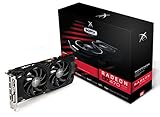
- Powerful Graphics Performance: Features the AMD Radeon RX 470 GPU with 4GB DDR5 memory, delivering smooth gaming experiences and excellent performance for modern titles at 1080p resolution with high graphics settings
- Enhanced Clock Speed: Operates at an impressive 1226MHz core clock speed, providing fast rendering capabilities and responsive gameplay for demanding applications and graphics-intensive tasks
- Triple X Cooling: Equipped with XFX's signature Triple X cooling system featuring a red fan design that efficiently dissipates heat while maintaining optimal operating temperatures during extended gaming sessions
- High-Speed Memory: Utilizes DDR5 video memory technology with 4GB capacity, ensuring rapid data transfer rates and seamless texture loading for enhanced visual quality and reduced stuttering
- Multiple Display Support: Supports multiple monitor configurations allowing you to expand your workspace or create immersive multi-screen gaming setups with ease
Performance at 1080p: what to expect
A 144Hz monitor can refresh up to 144 times per second, but the game must render up to 144 frames per second to use that ceiling fully. RX 480 performance changes with the game, graphics preset, resolution scale, CPU, drivers and the individual board’s clocks. No honest specification can promise 144fps across a modern game library.
Why the 8GB card is not automatically 5% faster
A Bit-tech comparison reported the Sapphire Nitro+ OC RX 480 8GB averaging 5% faster than its 4GB comparison at 1080p and 1440p. The 8GB board also ran higher core and memory clocks, so that result measures the tested board configurations rather than VRAM capacity alone. Treat it as evidence that a particular 8GB model was faster, not as a universal memory-capacity bonus.
Rank #2

- 🎮【New RNDA architecturearchitecture and Superior Gaminig Experience】 This RX 5500XT 8G Adopting a new RNDA architecture, which brings highly realistic gaming experience. RX 5500XT helps users to pursue the extreme picture and immersive fast game world.
- 🖥【Multiple Interfaces and High Defination】The 5500XT graphic card included 3X DisplayPort 1.4a. +1X HDMI 2.0b. RX 5500XT is connected to the rest of the system using a PCI-Express 3.0 x16 interface which has higher resolution,show more character action details and clearer image quality, delivers more higher definition pc gaming effect and experience.
- 🔌【Low Consumption and Independently Powered】Being a dual-slot card, the RX 5500XT draws power from 1x 8-pin power connector, with power draw rated at 130 W maximum.If you have any questions about the product, please contact seller support.
- 🔇【low noise and Durable】This rx 5500XT 8g pc gaming video card has semi-automatic intelligent fans system, which can automatically sense the GPU temperature. When the GPU temperature is low or under low load, the fans will automatically stop running, providing a comfortable office experience with zero noise and extended service life of this 8g graphic cards.
- 🆒【Outstanding Heat Dissipation】Composite heat pipes of this RX 5500XT can directly and greatly contact the GPU core in order to quickly export the core heat, avoiding the problems such as GPU full load frequency reduction and improving the stability and life of long-term use.
How each capacity fits common workloads
| Workload | RX 480 4GB | RX 480 8GB |
|---|---|---|
| Older esports and lighter games at 1080p | Often adequate with sensible settings; actual fps remains game- and CPU-dependent. | Usually similar GPU-limited performance, with more texture headroom. |
| Newer games using high-resolution textures | More likely to require reduced textures, effects or resolution scale to avoid memory pressure. | More room for higher textures and fewer VRAM-related compromises, although the RX 480 GPU may still be the limiting factor. |
| Targeting a locked 144fps | Possible in suitable games with tuned settings; not guaranteed. | Possible in the same suitable games; extra VRAM does not create a 144fps guarantee. |
| 1440p or unusually large texture packs | Greater likelihood of running into the 4GB limit. | Safer capacity margin, but the RX 480’s rendering performance may still be insufficient. |
How FreeSync affects the 144Hz experience
FreeSync is variable-refresh technology. AMD says it synchronizes the display’s refresh rate with the game’s frame rate for tear-free, smoother output; it does not increase the number of frames the RX 480 renders.
Do these 3 things before closing this tab:
1Clear out junk files and repair common Windows errors2Scan for outdated or missing drivers - takes under a minute3Repair Windows errors before they cause bigger problemsThe monitor has a supported FreeSync operating range. If the game’s frame rate moves within that range, the panel can refresh in step with those frames instead of showing a fixed 144Hz cadence. On supported displays, AMD’s Low Framerate Compensation can repeat frames when output falls below the monitor’s minimum range so refresh remains inside the supported window.
Rank #3

- Chipset: AMD RX 7600
- Memory: 8GB GDDR6
- XFX SWFT Dual Fan Cooling Solution
- Boost Clock: Up to 2655 MHz
Check the monitor’s stated FreeSync range and the input used. HDMI and DisplayPort can both carry FreeSync, but the specific monitor, cable mode and RX 480 board must support the desired resolution and refresh rate.
Set up 1080p FreeSync at 144Hz
- Confirm the hardware path. Check the exact RX 480 model’s outputs and the monitor’s HDMI or DisplayPort input. Do not assume every RX 480 has the same connectors.
- Install the appropriate AMD Software driver for the operating system and card.
- Enable FreeSync in the monitor’s on-screen menu. Some displays expose it under Gaming, Adaptive-Sync or a similarly named setting.
- Set the operating system and game to 1920×1080 at 144Hz. In Windows, open Settings > System > Display > Advanced display and select the 144Hz mode when it is available.
- Enable FreeSync in AMD Software. Open the Gaming or Display controls and turn on the FreeSync option for the connected display.
- Test a demanding game. Watch the frame-rate range and adjust the game’s preset, textures or resolution scale if the GPU cannot sustain your preferred target.
AMD’s RX 480 launch material describes HDMI 2.0b and DisplayPort 1.3/1.4 capabilities for high-refresh displays, but board partners can omit or rearrange those connectors.
Rank #4

- 【Ultimate Triple Display Connectivity】: Features a versatile output array including HDMI, DisplayPort (DP), and DVI. Whether you're connecting a high-refresh-rate gaming monitor via DP or a standard office screen via HDMI, this card supports triple-monitor setups for maximum productivity.
- 【Compact Size & Wide Compatibility】: Measuring 240x135x45mm (9.45x5.31x1.77 inches), this dual-fan RX 580 fits perfectly into standard ATX Mid-Towers, Micro-ATX (M-ATX), ideal for compact desktop PC upgrades and space-saving gaming builds.
- 【Optimized Gaming Performance】: With 2048 Stream Processors and a 1206 MHz core clock, this card delivers solid frame rates in popular titles like Fortnite, GTA V, Apex Legends, and Valorant. It’s the ideal budget-friendly GPU for entry-level to mid-range gaming rigs.
- 【Advanced Thermal Management】: Engineered with a dual-fan cooling system and high-efficiency heat pipes to ensure stable performance under heavy loads. The intelligent fan control keeps your system quiet during light office work and provides maximum airflow during intense gaming sessions.
- 【Ready for Content Creation】: Supports DirectX 12, Vulkan, and OpenGL 4.6, making it more than just a gaming card. It provides hardware acceleration for video editing in Premiere Pro, 3D rendering in Blender, and smooth streaming for aspiring creators.
Board differences matter more than the RX 480 label
Two cards sold as an RX 480 can differ in clock speeds, cooler size, noise, power connectors and outputs. MSI’s GAMING 4G listing, for example, shows two DisplayPort outputs, two HDMI outputs and DVI-D, while its 8G listing has a different output arrangement. Verify the exact product page or photograph before buying.
- Outputs: Confirm that the card has the connector required by your monitor and that it supports 1080p at 144Hz in that mode.
- Power: Check the card’s auxiliary power plug and your power supply’s available connector and capacity.
- Clearance: Measure card length, height and thickness against the case.
- Cooling and clocks: Factory-overclocked models can perform differently and may need more cooling or power.
- Condition: Used RX 480 cards can have worn fans, mining history or missing accessories.
How to choose between two actual listings
Compare the cards as complete products rather than choosing by memory number alone.
| Check | What to verify |
|---|---|
| Total cost | Compare the real current price, shipping and any required adapter. AMD’s original launch suggestions were $199 for 4GB and $239 for 8GB in 2016; those are historical figures, not current used-market values. |
| Exact model | Record the manufacturer, cooler, factory clock and memory type. A faster 8GB board may owe its result partly to clocks. |
| Game settings | Use benchmarks or reviews for your games and settings. Historical RX 480 tests do not represent every current title. |
| Display connection | Match the card’s actual ports to the monitor input and required 1080p/144Hz mode. |
| Power and fit | Confirm the auxiliary connector, PSU suitability and case clearance. |
| Risk | Check seller reputation, card condition, return terms and warranty, especially for used hardware. |
Decision guide
Pick the RX 480 8GB when
- The price premium is small after shipping and taxes.
- You play newer games or use high texture settings.
- You want more tolerance for future texture-memory requirements.
- The 8GB listing has equal or better cooling, clocks, ports and condition.
Pick the RX 480 4GB when
- It is substantially cheaper.
- Your games are mainly esports, older releases or other workloads that fit comfortably within 4GB.
- You are willing to lower textures or effects when a game approaches the memory limit.
- The 4GB board is in materially better condition or has the ports and cooler your system needs.
What the 8GB upgrade cannot solve
Extra VRAM cannot compensate for a weak CPU, a demanding game engine or settings that exceed the RX 480’s shader performance. It also cannot turn FreeSync into a frame-rate generator. If your goal is consistently near 144fps in demanding modern games at high settings, a newer GPU upgrade is more relevant than choosing between these two RX 480 capacities.
Current 8GB-versus-4GB evidence for the RX 480 is historical and specific to tested boards. A 2025 general comparison from Tom’s Hardware discusses 8GB as a possible compromise for modern 1080p gaming with tuned settings, but it did not test the RX 480, so it should not be treated as an RX 480 benchmark.
Quick Recap
Product prices and availability are accurate as of the date/time indicated and are subject to change. Any price and availability information displayed on Amazon at the time of purchase will apply.
Free tools Windows power users keep installed
One-click scans. No signup required.

