
What’s actually slowing this PC down?
Pick the symptom - the matching free tool is one click away.
iTechGuides is reader-supported. When you buy through links on our site, we may earn an affiliate commission. As an Amazon Associate I earn from qualifying purchases. Learn more
The QNAP TS-h1277AFX is a diskless, 12-bay SATA all-flash NAS built for teams that need fast shared storage for demanding media and business workloads. IT Pro’s 2025 tests show that it can make effective use of a 10GbE link with eight SATA SSDs, but whether it is worth buying depends on the cost of populating it, the network you already have, and whether your work needs an all-flash array.
What is the QNAP TS-h1277AFX?
It is a desktop NAS with 12 hot-plug SATA drive bays, intended for SATA SSD storage rather than an NVMe-only design. QNAP markets it for 4K and 8K video editing, visual effects, virtual desktop infrastructure, and other business uses. IT Pro likewise positions it as a potential fit for content creators and video editors who need shared files to be readily accessible. The cited listings describe diskless configurations: the NAS price does not include the SSDs you need to use its bays. QNAP product specifications | IT Pro review
| # | Preview | Product | Price | |
|---|---|---|---|---|
| 1 |

|
QNAP TS-h1277AFX-R7-32G | 12-Bay SATA All-Flash, AMD Ryzen™ 7 9000 8C/16T, 32GB RAM, 2X 10GBASE-T,... | $14,756.00 | Buy on Amazon |
| 2 |

|
QNAP TVS-h1277AX-R5-16G 12-Bay Desktop Hybrid NAS | $3,449.00 | Buy on Amazon |
| 3 |
|
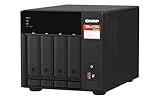
QNAP TS-473A-8G-US 4 Bay Desktop NAS | $879.00 | Buy on Amazon |
| 4 |
|
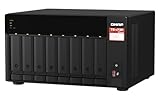
QNAP TS-873A-8G 8 Bay NAS | $1,419.99 | Buy on Amazon |
| 5 |
|
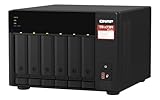
QNAP TS-673A-8G 6 Bay High-Performance NAS | $1,181.99 | Buy on Amazon |
This is best evaluated as a high-end storage system, not as a general-purpose home NAS. Start with the capacity and sustained network throughput your workload actually needs; 12 bays and flash storage do not automatically make the total cost worthwhile.
Recommended Free Tools
Hardware and connectivity
QNAP specifies an AMD Ryzen 7 9000-series processor with 8 cores and 16 threads, and support for up to 192GB of DDR5 ECC memory across four 48GB modules. The review unit tested by IT Pro had a Ryzen 7 9700X, described as an 8-core, 3.8GHz processor, and 32GB of DDR5 ECC UDIMM. Those are the review unit’s configuration details, not a claim that every listing ships with the same memory.
#1 Best Overall
For wired networking, QNAP lists two 2.5GbE ports and two 10GBASE-T ports. The system also has PCIe expansion options; IT Pro describes three PCIe Gen4 slots, while QNAP advertises expansion including network upgrades. To get beyond the throughput of a single 10GbE connection, the rest of the setup matters: clients need compatible network interfaces, and the switch and cabling must support the intended link speeds and configuration. A faster NAS port alone does not upgrade a studio network. QNAP product specifications | IT Pro review
QNAP lists maximum raw capacity of 184TB. That is a vendor capacity figure, not the usable capacity after RAID protection and formatting. The manufacturer also says the unit can connect to as many as eight QNAP TL-R1620Sep-RP 16-bay JBOD expansion units, for up to 128 drives in total; buyers should confirm current compatibility and the capacity of their intended configuration with QNAP. QNAP product specifications
Rank #2
- Serious Power, Compact Footprint: AMD Ryzen 5 7000-series 6-core/12-thread CPU (bursts to 5.1 GHz) with DDR5 handles databases, multitasking, and busy teams with ease
- Virtualize Without Limits: GPU pass-through and up to 192 GB DDR5 (optional ECC) run multiple VMs and containers, perfect for dev/test labs and app hosting
- Editor-Grade Speed: 4 U.2 NVMe Gen4 flash bays and dual 10GbE let you edit and stream 4K/8K footage directly from the NAS, no copying to local drives
- Smart Hybrid Storage: 8 x 3.5 SATA bays for capacity plus 4 x 2.5 U.2 NVMe slots for speed, balancing big archives with instant-access projects
- Expand & Protect: 3 PCIe Gen4 slots add 25GbE or graphics cards, while QuTS hero ZFS snapshots keep your data safe from ransomware and accidental loss
How fast is the TS-h1277AFX?
The clearest independent performance evidence in the cited material is IT Pro’s lab test, on a page updated 9 September 2025. IT Pro installed eight 1TB Western Digital Red SA500 SATA SSDs in a single RAID5 array. For its NAS-share test, it mapped a share to a Dell PowerEdge R760xs running Windows Server 2022 and used Iometer. The publication reported sequential throughput of 9.2Gbits/sec read and 9.3Gbits/sec write over 10GbE, and said it achieved the same rates for random operations.
Do these 3 things before closing this tab:
1Scan for outdated or missing drivers - takes under a minute2Repair Windows errors before they cause bigger problems3Fix the driver behind crashes, sound loss and screen glitchesIT Pro reported the same sequential read and write rates for a 1TB iSCSI target in its test. On a dual-10GbE MPIO iSCSI connection, it recorded sequential results of 18Gbits/sec read and 18.3Gbits/sec write; the reported random results were 18Gbits/sec read and 17.8Gbits/sec write. These figures belong to IT Pro’s stated SSD array, client, protocols, and network setup. They are test results, not guaranteed speeds for another drive model, workload, client, configuration, or firmware. IT Pro review and test details
Rank #3
- Quad-core AMD Ryzen V1000 series V1500B 2.2 GHz processor and 8GB DDR4 RAM (up to 64GB)
- Dual M.2 PCIe Gen 3 NVMe SSD slots enable cache acceleration or SSD storage pools for improved performance.
- Dual 2.5GbE (2.5G/1G/100M) ports accelerates file sharing across teams and devices or gaming storage applications
- Multiple USB 3.2 Gen 2 ports (type-A & type-C) with up to 10Gb/s transfer speeds, allowing compatibility with newer, faster USB drives/expansion enclosures for transferring large media files
- Backup Google Workspace & Microsoft 365 accounts and files to NAS with Boxafe
QNAP also publishes higher results from its own multi-25GbE testing, including SMB and iSCSI figures, and says results may vary by environment. Those are manufacturer lab numbers from a different network setup, so they should not be directly compared with IT Pro’s 10GbE results as though they came from the same test. QNAP product specifications and performance figures
QuTS hero and data protection
The TS-h1277AFX runs QuTS hero, which QNAP describes as based on ZFS. QNAP lists features including data self-healing, WORM folders, immutable backups, ZIL power-failure protection, and inline deduplication. These are manufacturer-described capabilities; IT Pro praises the operating system’s business features but does not independently test each of these protections in the cited review. Check which features suit your deployment and how they are configured before relying on them. QNAP product specifications | IT Pro review
Rank #4
- AMD Ryzen Embedded V1500B quad-core 2.2 GHz processor
- 8GB DDR4 RAM (Max 64GB)
- 2 x 2.5 Gigabit Ethernet Port (2.5G/1G/100M)
- 3 x Type-A USB 3.2 Gen 2 10Gbps
- 1 x Type-C USB 3.2 Gen 1 5Gbps
RAID can keep an array available through certain drive failures, and snapshots or immutability can help with particular recovery scenarios. None is a substitute for a separate backup with a tested restore process. Plan where the backup will live, how it is protected from the same incidents as the NAS, and how often you will verify recovery.
The Tool Desk
Outbyte Driver Updater FREEScan for outdated or missing drivers - takes under a minuteDriver Scan →Outbyte PC Repair FREEClear out junk files and repair common Windows errorsFree Scan →Price, warranty, and total system cost
Prices vary by region, configuration, and date. IT Pro listed a UK diskless price of £3,083 excluding VAT on its review page, updated 9 September 2025. A QNAP US Store search result observed on 30 September 2026 listed the TS-h1277AFX-R7-32G-US at $4,499 and showed it in stock; verify the live listing and checkout configuration because stock and pricing can change. These are separate regional listings, not directly comparable quotes. QNAP’s product page states a five-year warranty; confirm the warranty terms applicable to the exact model and place of purchase. IT Pro review | QNAP US Store listing | QNAP product specifications
Best Value
- Both 2.5GbE ports are backwards compatible with 1GbE/ 100MbE speeds. Up to 5 Gbps transfer speeds can be achieved by using port trunking.
- Add extra functionality with PCIe cards, including 10GbE ports, SSD caching, extra USB 3.2 Gen 2 ports, wireless networking, or Fibre Channel.
- Supports entry-level NVIDIA graphics cards for video processing or GPU-passthrough to VMs.
- Features two M.2 PCIe NVMe SSD slots for Qtier Technology and SSD Caching enable constant storage optimization.
- 2 x 2.5 Gigabit Ethernet Port (2.5G/1G/100M); 3 x Type-A USB 3.2 Gen 2 10Gbps
Since the cited listings are diskless, calculate the populated cost rather than stopping at the enclosure price. Include 12 SATA SSDs if you intend to fill every bay, the network upgrades needed to make use of 10GbE or dual-link iSCSI, and any expansion hardware required by your capacity plan. IT Pro argues that SATA SSDs can cost less than drives for NVMe-only appliances, but your actual drive choices and capacity determine whether that advantage holds. Check QNAP’s live compatibility list for the exact SSD model, capacity, and firmware before buying; the drives in IT Pro’s test are an example test configuration, not a universal compatibility guarantee.
Independent reader supportYour contribution helps us test, update, and keep practical guides available for everyone.Who should consider it?
- Creative teams: Consider it if multiple users need shared, low-latency access to large media projects and the studio can support a 10GbE network. QNAP specifically targets 4K/8K editing and related creative workflows, but the real benefit depends on the editing software, client storage, network, and workload.
- Business teams: The ECC-memory support, expansion options, QuTS hero feature set, and tested 10GbE performance may fit business storage needs. Validate the specific availability, protection, and administration requirements with your own workload and configuration.
- Buyers with modest throughput needs: If a shared workload does not benefit from SSD latency or fast links, this all-flash system may be more capacity and expense than you need. Compare total populated cost and usable RAID capacity with less costly storage designs before deciding.
How to choose a NAS for video editing
Compare systems on the complete workflow rather than one headline throughput result. For the TS-h1277AFX, check the number and cost of SSDs required, usable capacity after your chosen RAID layout, independently measured performance for a similar protocol and client, built-in network ports, and the cost of upgrading switches and client adapters. Also weigh PCIe expansion, warranty, and the storage OS and security features you will actually configure. QNAP’s product page compares creator-oriented options that include Thunderbolt and U.2 systems; without comparable independent tests and like-for-like configurations, that comparison does not establish a universal winner. QNAP product information | IT Pro review
Quick Recap
Product prices and availability are accurate as of the date/time indicated and are subject to change. Any price and availability information displayed on Amazon at the time of purchase will apply.

