
ZBrush
ZBrush: A deep 3D sculpting suite for artists who need modeling, painting, rendering, and print tools. Ranked #16 of 147 in 3D Modeling Software by our editors (7.8/10); pricing: Free plan; best for high-detail digital sculpting.
At a glance
- Editor score7.8 / 10
- PricingFree plan
- Best forHigh-detail digital sculpting
- Free planYes
- Platform accessDesktop
- Founded1986 · Bad Homburg vor der Höhe, Germany
- Facts checked21 Sep 2026
Where it wins
- Multi-resolution sculpting with customizable brushes
- ZRemesher, ZModeler, Live Boolean, and print preparation
- GoZ links with Cinema 4D, Maya, 3ds Max, and Photoshop
Where it doesn't
- The free plan is limited to iPad access
- Free access includes only 28 brushes
- Some sculpting tools have limited features on the free plan
Our verdict on ZBrush
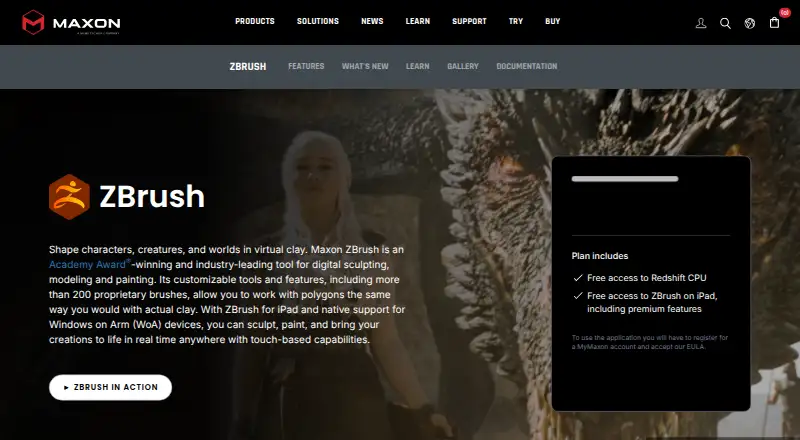
ZBrush is professional digital sculpting, painting, and modeling software from Maxon. It is aimed at character and creature artists, digital sculptors, concept artists, illustrators, toy and collectible makers, jewelry designers, and production teams. Its toolset spans high-resolution sculpting, base-mesh creation, polygon and hard-surface modeling, texturing, rendering, animation features, and 3D-print preparation. ZBrush runs on Windows, macOS, and iPadOS, with desktop and iPad access included in ZBrush subscriptions.
Its strongest case is depth across the sculpting and modeling workflow. Customizable brushes and multi-resolution mesh editing support detailed forms, while Dynamesh, ZSpheres, and ZRemesher cover base-mesh creation and automatic retopology. ZModeler and Live Boolean add polygon and hard-surface capabilities, and PolyPaint, UV Master, and Spotlight extend the workflow into painting and texturing. Built-in BPR and Redshift rendering, along with Timeline and Movie features, make the software broader than a sculpt-only tool.
ZBrush also fits production pipelines through GoZ interoperability with Cinema 4D, Maya, 3ds Max, and Photoshop, plus integrations with KeyShot. For physical output, it includes model hollowing, mesh optimization, and STL or VRML export. The published access options include a 14-day trial and a ZBrush for iPad Free Plan with 28 brushes, limited features for selected sculpting tools, and 3D Print Hub export settings. Choose ZBrush if high-detail sculpting and connected production tools matter most; consider another option if you need a fully featured free plan or an open-source workflow.
Your product? Our editors can test ZBrush in depth and publish a review, labelled as paid · from $149/mo →
ZBrush pricing
All 3 ZBrush plans and prices →
ZBrush fact sheet
| Free plan | Yes |
|---|---|
| Paid from | Not verified |
| Platform access | Desktop |
| Sculpting tools | Yes |
| Animation tools | Yes |
| Parametric modeling | Not verified |
| Render engine | Both |
| 3D print export | Yes |
| Deployment | Desktop, Mobile |
| Platforms | Windows, macOS, iOS |
| Support | Tickets, Community, Docs, Phone |
| Built for | Solo, Small business, Mid-market, Enterprise (editorial estimate) |
| Integrations | 6 integrations: Cinema 4D, Maya, 3ds Max, Photoshop, Houdini, Marvelous Designer See all → |
| Pricing | Free plan (source) |
| Website | maxon.net |
| Facts checked | 21 Sep 2026 |
ZBrush integrations
ZBrush lists 6 integrations on its own site.
- Cinema 4D
- Maya
- 3ds Max
- Photoshop
- Houdini
- Marvelous Designer
Alternatives to ZBrush
- BlenderA broad free 3D suite covering modeling, animation, rendering, scripting, and print export.9.3
- HoudiniA deep procedural 3D suite for VFX, animation, games, and technical art.9.1
- Autodesk MayaA mature desktop suite for studios handling modeling, animation, VFX, and rendering.9.0



Also Ranked In
ZBrush is ranked in 9 of our directories; the 6 strongest besides 3D Modeling Software.
Used ZBrush? Be the first to review it
The editor score above is our own research. What this page doesn't have yet is a reader's view — what you used ZBrush for, what worked and what didn't. No stars are seeded and no review is paid for; an editor reads every one before it appears.
Write a reviewTwo minutes · verified accounts only · read by an editor before it appears
Featured on iTechGuides

ZBrush is listed in our 3D Modeling Software directory. Add the badge to your site — it links back to this page.
<a href="https://www.itechguides.com/products/zbrush/"><img src="https://www.itechguides.com/best/badge/zbrush.svg" alt="Featured on iTechGuides" width="230" height="46"></a>
Reviewed by iTechGuides Editors · Editorial team · Updated Oct 2026
Advertiser disclosure: iTechGuides is reader-supported. Vendors can pay for top positions in our rankings and for a place on other products' pages, and we may earn a commission when you click some links. Bought places stand at the number bought; this page and our disclosure say so. Paying vendors may get a fuller, more detailed review from our editors, and that review can change their score. How we rank.
Last updated · How we research and update