
xtal2png
xtal2png: A focused Python tool for converting crystal structures to PNG and back. Ranked #36 of 36 in Image Converter Software by our editors (5.0/10); pricing: Free plan; best for researchers encoding crystal structures as PNG.
At a glance
- Editor score5.0 / 10
- PricingFree plan
- Best forResearchers encoding crystal structures as PNG
- Free planYes
- Paid fromFree
- Batch conversionYes
- Facts checked24 Sep 2026
Where it wins
- Encodes crystal structures into grayscale PNG and decodes them back
- Offers Python and command-line workflows, including directory batch processing
- Supports pymatgen and optional m3gnet relaxation during decoding
Where it doesn't
- Limited to crystal-structure representation rather than general image conversion
- No desktop or web app; deployment is self-hosted
- Does not provide color-mode conversion
Our verdict on xtal2png
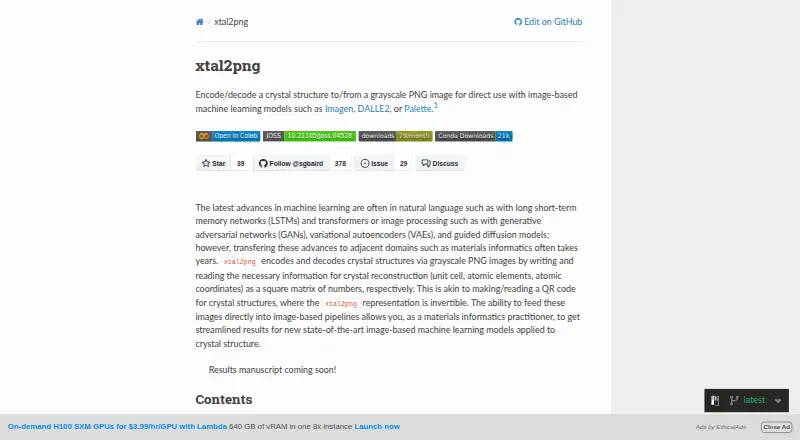
For materials-informatics researchers, xtal2png turns crystal-structure data into grayscale PNG representations and can decode those images back into structures or CIF files. It is an open-source Python package rather than a general image converter, so its audience is people working with crystallographic data and image-based machine-learning workflows. Its Python XtalConverter API and command-line interface offer two ways to run the conversion process.
The package’s defining capability is its structure-to-image mapping: the representation can include unit-cell, element, coordinate, volume, space-group, and distance-matrix information. Representations default to 64×64 pixels, with configurable dimensions and maximum sites. The reverse path decodes PNG representations into crystal structures, and an optional m3gnet integration can perform surrogate-DFT relaxation during decoding. This makes the tool relevant where a workflow needs more than a one-way export, but the specialized input and output make it unsuitable as a substitute for consumer image conversion or color-mode tools.
Workflow fit is centered on Python and self-hosted use. The command-line interface handles individual CIF and PNG files or batches in a directory, while the API supports integration into Python pipelines; pymatgen and m3gnet are named ecosystem connections. The package is open source with a free plan, and documentation and community are its stated support channels. Choose xtal2png if encoding and decoding crystal structures is the task; choose another tool if you need a desktop or web app, broad image formats, or general-purpose editing and conversion.
Your product? Our editors can test xtal2png in depth and publish a review, labelled as paid · from $149/mo →
xtal2png pricing
xtal2png fact sheet
| Free plan | Yes |
|---|---|
| Paid from | Free |
| Batch conversion | Yes |
| Image resizing | Yes |
| Color mode conversion | No |
| API access | Yes |
| Desktop application | No |
| Web application | No |
| Supported formats | Not verified |
| Deployment | Self-hosted |
| Support | Docs, Community |
| Built for | Solo, Small business (editorial estimate) |
| Integrations | 2 integrations: pymatgen, m3gnet |
| Pricing | Free plan |
| Website | xtal2png.readthedocs.io |
| Facts checked | 24 Sep 2026 |
xtal2png integrations
xtal2png lists 2 integrations on its own site.
- pymatgen
- m3gnet
Alternatives to xtal2png
- XnConvertA broad local converter for automated batch workflows, with free noncommercial use.9.4
- ImageMagickA highly capable command-line converter for developers building automated image pipelines.9.2
- GraphicsMagickA capable free converter for scripted, multi-file image workflows.8.9


See all xtal2png alternatives →
Used xtal2png? Be the first to review it
The editor score above is our own research. What this page doesn't have yet is a reader's view — what you used xtal2png for, what worked and what didn't. No stars are seeded and no review is paid for; an editor reads every one before it appears.
Write a reviewTwo minutes · verified accounts only · read by an editor before it appears
Featured on iTechGuides

xtal2png is listed in our Image Converter Software directory. Add the badge to your site — it links back to this page.
<a href="https://www.itechguides.com/products/xtal2png/"><img src="https://www.itechguides.com/best/badge/xtal2png.svg" alt="Featured on iTechGuides" width="230" height="46"></a>
Reviewed by iTechGuides Editors · Editorial team · Updated Oct 2026
Advertiser disclosure: iTechGuides is reader-supported. Vendors can pay for top positions in our rankings and for a place on other products' pages, and we may earn a commission when you click some links. Bought places stand at the number bought; this page and our disclosure say so. Paying vendors may get a fuller, more detailed review from our editors, and that review can change their score. How we rank.
Last updated · How we research and update