Xfinity Email
Xfinity Email: A free, practical mailbox for existing Xfinity customers who prefer desktop clients. Ranked #79 of 115 in Personal Email Services by our editors (6.0/10); pricing: Free plan; best for basic free email with desktop clients.
At a glance
- Editor score6.0 / 10
- PricingFree plan
- Best forBasic free email with desktop clients
- Free planYes
- Paid fromFree
- Mailbox storage10 GB
- Facts checked22 Sep 2026
Where it wins
- Free mailbox with 10 GB of email storage
- Custom filters, spam controls, folders, signatures, and auto-replies
- Works with Outlook, Apple Mail, Thunderbird, and other clients
Where it doesn't
- New Comcast.net email accounts cannot be created
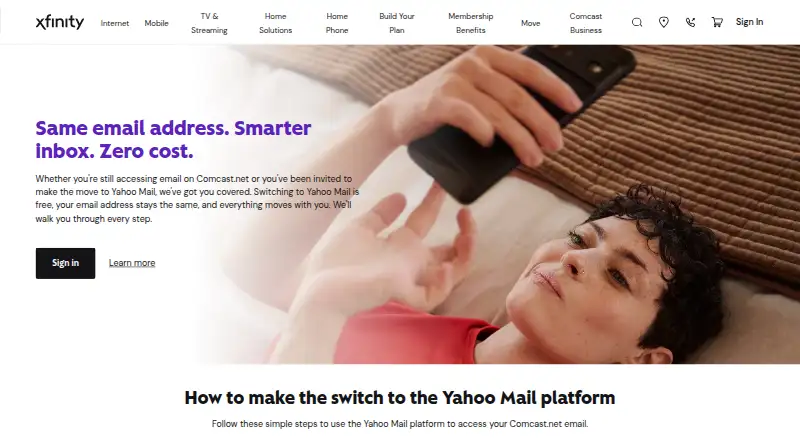
- Eligible accounts are being migrated to Yahoo Mail through 2026
- Messages, including attachments, are limited to 25 MB
Our verdict on Xfinity Email
Xfinity Email is Comcast’s legacy Comcast.net email service for existing Xfinity customers. It provides browser-based access alongside desktop and mobile platform access, with 10 GB of email storage and a 25 MB maximum message size, including attachments. The service suits people who already have an eligible Comcast.net address and want a straightforward personal mailbox with familiar organization and contact tools. It is not a new-mailbox option for people looking to create an account today.
For everyday organization, Xfinity Email includes personal folders, contacts, email signatures, auto-replies, spam filtering, safe-list controls, and custom mail filters with multiple conditions and actions. External account aggregation can bring other accounts into the same mailbox. Third-party client access is a notable fit for desktop-oriented workflows: the published compatibility includes Outlook, Apple Mail, Thunderbird, and other applications. That combination makes the service practical for users who prefer managing email through established desktop software rather than relying only on webmail.
The main consideration is account continuity. Comcast says new Xfinity Email accounts cannot be created as of June 2024, while existing accounts remain available. Eligible accounts are being migrated to Yahoo Mail, with invitations being sent through 2026. That makes Xfinity Email a sensible choice for existing users who want to continue using their Comcast.net address and client access during the transition, but a poor fit for anyone seeking a new standalone personal email account. Users should also account for the 25 MB message limit when sending larger attachments. Support channels include community resources and documentation, and the service is available through cloud, desktop, and mobile deployment options.
Your product? Our editors can test Xfinity Email in depth and publish a review, labelled as paid · from $149/mo →
Xfinity Email pricing
Xfinity Email fact sheet
| Free plan | Yes |
|---|---|
| Paid from | Free |
| Mailbox storage | 10 GB |
| Attachment limit | 25 MB |
| Custom domain | Not verified |
| Email aliases | Not verified |
| Ad-free inbox | Not verified |
| Platform access | Web_mobile_desktop |
| Deployment | Cloud, Desktop, Mobile |
| Platforms | Web, Windows, macOS, Linux, iOS, Android |
| Support | Community, Docs |
| Built for | Solo, Small business (editorial estimate) |
| Integrations | 4 integrations: Outlook, Google, Apple Mail, Thunderbird |
| Pricing | Free plan |
| Website | xfinity.com |
| Facts checked | 22 Sep 2026 |
Xfinity Email integrations
Xfinity Email lists 4 integrations on its own site.
- Outlook
- Apple Mail
- Thunderbird
Alternatives to Xfinity Email
- GmailA capable free inbox with shared Google storage and a paid path to more space.9.4
- Outlook.comA capable free email service with useful organization tools and Microsoft 365 upgrades.9.2
- Proton MailA privacy-focused email service with strong encryption, migration tools, and broad platform coverage.9.0



See all Xfinity Email alternatives →
Used Xfinity Email? Be the first to review it
The editor score above is our own research. What this page doesn't have yet is a reader's view — what you used Xfinity Email for, what worked and what didn't. No stars are seeded and no review is paid for; an editor reads every one before it appears.
Write a reviewTwo minutes · verified accounts only · read by an editor before it appears
Featured on iTechGuides

Xfinity Email is listed in our Personal Email Services directory. Add the badge to your site — it links back to this page.
<a href="https://www.itechguides.com/products/xfinity-email/"><img src="https://www.itechguides.com/best/badge/xfinity-email.svg" alt="Featured on iTechGuides" width="230" height="46"></a>
Reviewed by iTechGuides Editors · Editorial team · Updated Oct 2026
Advertiser disclosure: iTechGuides is reader-supported. Vendors can pay for top positions in our rankings and for a place on other products' pages, and we may earn a commission when you click some links. Bought places stand at the number bought; this page and our disclosure say so. Paying vendors may get a fuller, more detailed review from our editors, and that review can change their score. How we rank.
Last updated · How we research and update