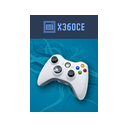
Xbox 360 Controller Emulator review
A focused, free Windows utility for turning DirectInput devices into XInput controllers.
Reviewed by iTechGuides Editors · Editorial team · Updated Oct 2026
Xbox 360 Controller Emulator is a Windows desktop utility for people who need DirectInput devices to work as Xbox 360 or XInput controllers. It supports gamepads, joysticks, steering wheels, pedals, and similar hardware, mapping their buttons and axes to virtual controller controls. The project is free and open source, and version 4.x is intended for modern games without requiring the executable to be placed in each game folder.
Its strongest area is controller configuration depth. ViGEmBus provides virtual controller output, while the utility supports DirectInput configuration and testing, saved mappings, controller presets, XInput device ordering, and combining multiple controllers. Force-feedback pass-through can send effects to a real controller, and mapping formulas support input transformations. These features make it suitable for users working with non-XInput hardware or more complex multi-device arrangements, particularly when standard controller recognition is the main requirement.
The trade-off is a narrow scope. Xbox 360 Controller Emulator is designed around controller-to-XInput translation rather than broader input automation: macro support is not included, and its positioning does not extend to keyboard or mouse remapping or profile switching. That makes it a sensible choice for Windows users who want a focused emulator with configurable virtual output, presets, and device handling. Users seeking a wider remapping suite with keyboard and mouse controls, macros, or profile management should choose a product built around those functions instead.
Xbox 360 Controller Emulator pros and cons
- Where it wins
- Free and open source with ViGEmBus virtual controller output
- Combines, reorders, and configures multiple controllers
- Supports presets, force-feedback pass-through, and input formulas
- Where it doesn't
- Windows-only availability
- No macro support
- Focused on controller mapping, not keyboard/mouse remapping
Xbox 360 Controller Emulator fact sheet, pricing and score →
Advertiser disclosure: iTechGuides is reader-supported. Vendors can pay for top positions in our rankings and for a place on other products' pages, and we may earn a commission when you click some links. Bought places stand at the number bought; this page and our disclosure say so. Paying vendors may get a fuller, more detailed review from our editors, and that review can change their score. How we rank.
Last updated · How we research and update