
Wrapshoot
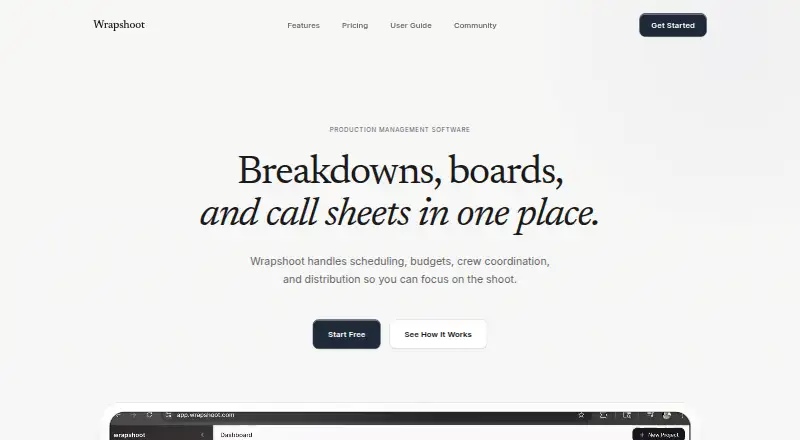
Wrapshoot: A web workspace that brings breakdowns, scheduling, budgets, and call sheets together. Ranked #5 of 29 in Video Production Management Software by our editors (9.0/10); pricing: Free plan; best for small teams needing AI-assisted production planning.
At a glance
- Editor score9.0 / 10
- PricingFree plan
- Best forSmall teams needing AI-assisted production planning
- Free planYes
- Paid from$49/mo
- Script breakdownsYes
- Facts checked20 Sep 2026
Where it wins
- AI analyzes PDF scripts and extracts scenes for faster breakdowns
- Combines scheduling, budgets, locations, call sheets, and collaboration
- Free plan supports one project and up to three team members
Where it doesn't
- The Free plan limits teams to one project and basic scene management
- The Pro plan starts at $49 per month when billed monthly
- The product is delivered through the web rather than mobile apps
Our verdict on Wrapshoot
Wrapshoot is a web-based film production management workspace for independent filmmakers, production managers, coordinators, line producers, UPMs, department heads, and larger production teams. It brings script analysis, scene breakdowns, cast and crew coordination, location tracking, stripboard scheduling, budgeting, call sheets, script revisions, collaboration, and PDF exports into one product. Its positioning is especially relevant to small teams that want AI-assisted planning without separating core production workflows across multiple tools.
The published plans use a freemium structure. The Free plan costs $0 forever and includes one project, basic scene management, up to three team members, and community support. Pro costs $49 per month with monthly billing and adds unlimited projects, full script analysis, unlimited team members, budget tracking, call-sheet generation, and priority support. Studio is designed for multi-production pipelines and adds custom integrations, advanced analytics, a dedicated account manager, and white-label options. The product’s AI PDF script analysis and scene extraction are a notable focus, while expense logging with receipt OCR, color-coded revision tracking, and production-element breakdowns extend the planning workflow beyond basic scheduling.
Wrapshoot’s broader production coverage is its main appeal. Teams can manage cast and crew roles and permissions, locations and permit status, shooting days, budgets, expenses, receipts, call sheets, and real-time collaboration in one web workspace. Call sheets can be exported as PDFs and distributed, while stripboard scheduling connects planning to daily production coordination. The Free plan suits a small team handling a single project; Pro is better for ongoing work that needs unlimited projects, deeper script analysis, and expanded collaboration. Teams that require multi-production workflows, custom integrations, or white-label options should consider Studio, while teams seeking a mobile-app workflow should look elsewhere.
Your product? Our editors can test Wrapshoot in depth and publish a review, labelled as paid · from $149/mo →
Wrapshoot pricing
All 3 Wrapshoot plans and prices →
Wrapshoot fact sheet
| Free plan | Yes |
|---|---|
| Paid from | $49/mo |
| Script breakdowns | Yes |
| Production scheduling | Yes |
| Call sheets | Yes |
| Budget tracking | Yes |
| Crew and cast management | Yes |
| Location management | Yes |
| Mobile app platforms | None |
| Deployment | Cloud |
| Platforms | Web |
| Support | Email, Community, Docs |
| Built for | Solo, Small business, Mid-market, Enterprise (editorial estimate) |
| Pricing | Free plan (source) |
| Website | wrapshoot.com |
| Facts checked | 20 Sep 2026 |
Alternatives to Wrapshoot
- YamduA broad production workspace covering planning, scheduling, budgeting, collaboration, and delivery.9.4
- InteSceneA broad, budget-friendly toolkit covering production from script to reports.9.3
- ScenePaperA free production workspace spanning scripts, schedules, budgets, crews, and department workflows.9.2



See all Wrapshoot alternatives →
Wrapshoot vs the competition
- Wrapshoot vs Yamdu
- Wrapshoot vs InteScene
- Wrapshoot vs ScenePaper
- Wrapshoot vs Production Slate
- Wrapshoot vs Celtx
- Wrapshoot vs StudioBinder



Compare Wrapshoot with any tool side by side →
Used Wrapshoot? Be the first to review it
The editor score above is our own research. What this page doesn't have yet is a reader's view — what you used Wrapshoot for, what worked and what didn't. No stars are seeded and no review is paid for; an editor reads every one before it appears.
Write a reviewTwo minutes · verified accounts only · read by an editor before it appears
Featured on iTechGuides

Wrapshoot is listed in our Video Production Management Software directory. Add the badge to your site — it links back to this page.
<a href="https://www.itechguides.com/products/wrapshoot/"><img src="https://www.itechguides.com/best/badge/wrapshoot.svg" alt="Featured on iTechGuides" width="230" height="46"></a>
Reviewed by iTechGuides Editors · Editorial team · Updated Oct 2026
Advertiser disclosure: iTechGuides is reader-supported. Vendors can pay for top positions in our rankings and for a place on other products' pages, and we may earn a commission when you click some links. Bought places stand at the number bought; this page and our disclosure say so. Paying vendors may get a fuller, more detailed review from our editors, and that review can change their score. How we rank.
Last updated · How we research and update