
Wizer
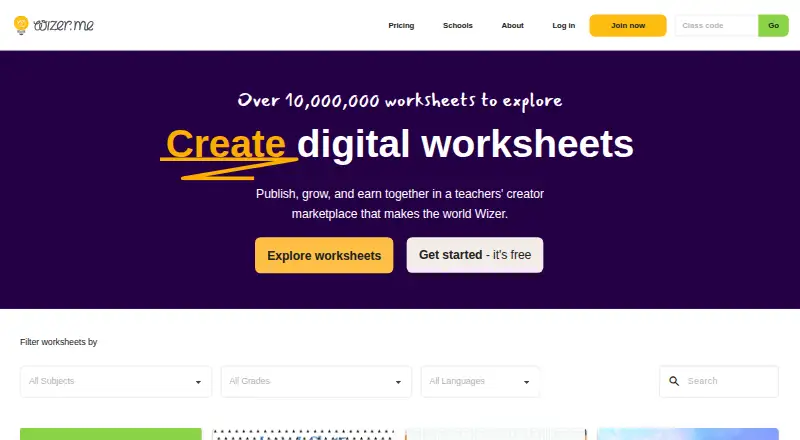
Wizer: A multimedia worksheet builder with grading, differentiation, monitoring, and Google workflows. Ranked #30 of 32 in Interactive Lesson Makers by our editors (6.4/10); pricing: Free plan; best for self-paced multimedia worksheets.
At a glance
- Editor score6.4 / 10
- PricingFree plan
- Best forSelf-paced multimedia worksheets
- Free planYes
- Paid from$5/user/mo
- Facts checked20 Sep 2026
Where it wins
- Free plan includes question types, audio answers, grading, and Classroom sharing
- Premium adds video, scheduling, real-time monitoring, and grade export
- Supports differentiation, analytics, Google Drive, and LMS workflows
Where it doesn't
- Branching is not part of the listed feature set
- SCORM export is not included in the listed positioning
- The platform is available on the web only
Our verdict on Wizer
Wizer is a web-based worksheet and digital learning platform for teachers, schools, and districts. Educators can create interactive worksheets and quizzes with multiple question types, images, audio, video, automatic grading, feedback, differentiated instructions, and student assignment controls. Its self-paced delivery model suits classrooms that need structured multimedia activities rather than a full authoring environment centered on branching scenarios or SCORM packages.
The Free plan costs $0 per user and includes unlimited question types, audio teaching instructions, audio student answers, automatic grading, and Google Classroom sharing. Premium is listed at $5 per user per month billed annually, with private worksheets, video instructions, student video answers, worksheet scheduling, real-time student work, and Google Classroom grade export. The pricing page also lists Premium at $60 per user per year billed annually. School and district pricing is quote-based, making the free tier a practical starting point for individual educators while larger deployments need a separate purchasing conversation.
Wizer fits classrooms already working with Google Classroom and Google Drive: it supports sharing, grade export, PDF transformation, and school or district analytics reports. Teachers can also set time caps, force submission, monitor work in real time, and use automatic student grouping for differentiated instruction. These controls give it useful breadth for self-paced assignments, but buyers seeking branching learning paths or SCORM export should choose an alternative. Wizer is the better fit for educators and institutions prioritizing multimedia worksheets, grading, scheduling, and classroom monitoring within a web workflow.
Your product? Our editors can test Wizer in depth and publish a review, labelled as paid · from $149/mo →
Wizer pricing
All 2 Wizer plans and prices →
Wizer fact sheet
| Free plan | Yes |
|---|---|
| Paid from | $5/user/mo |
| Multimedia content | Yes |
| Interactive activities | Yes |
| Branching paths | Not verified |
| Live lesson delivery | Not verified |
| Learner analytics | Yes |
| SCORM export | Not verified |
| Delivery mode | Self_paced |
| Deployment | Cloud |
| Platforms | Web |
| Support | Email, Live chat |
| Built for | Solo, Small business, Mid-market, Enterprise (editorial estimate) |
| Integrations | 3 integrations: Google Classroom, Google Drive, Learning management systems |
| Pricing | Free plan (source) |
| Website | wizer.me |
| Facts checked | 20 Sep 2026 |
Wizer integrations
Wizer lists 3 integrations on its own site.
- Google Classroom
- Google Drive
- Learning management systems
Alternatives to Wizer
- H5PA flexible interactive authoring tool with broad LMS support but no SCORM export.9.3
- Articulate Storyline 360A deep Windows authoring tool for custom interactions, simulations, assessments, and LMS delivery.9.1
- Articulate Rise 360A browser-based course builder for teams creating responsive training with LMS exports.9.0

Used Wizer? Be the first to review it
The editor score above is our own research. What this page doesn't have yet is a reader's view — what you used Wizer for, what worked and what didn't. No stars are seeded and no review is paid for; an editor reads every one before it appears.
Write a reviewTwo minutes · verified accounts only · read by an editor before it appears
Featured on iTechGuides

Wizer is listed in our Interactive Lesson Makers directory. Add the badge to your site — it links back to this page.
<a href="https://www.itechguides.com/products/wizer-interactive-lesson-maker/"><img src="https://www.itechguides.com/best/badge/wizer-interactive-lesson-maker.svg" alt="Featured on iTechGuides" width="230" height="46"></a>
Reviewed by iTechGuides Editors · Editorial team · Updated Oct 2026
Advertiser disclosure: iTechGuides is reader-supported. Vendors can pay for top positions in our rankings and for a place on other products' pages, and we may earn a commission when you click some links. Bought places stand at the number bought; this page and our disclosure say so. Paying vendors may get a fuller, more detailed review from our editors, and that review can change their score. How we rank.
Last updated · How we research and update