
WaveCut Audio Editor
WaveCut Audio Editor: A low-cost Windows editor for waveform cleanup, repair, and file conversion. Ranked #95 of 128 in Audio Editing Software by our editors (3.0/10); pricing: Paid; best for low-cost Windows waveform editing and repair.
At a glance
- Editor score3.0 / 10
- PricingPaid
- Best forLow-cost Windows waveform editing and repair
- Free planNo
- Paid from$14.95 one-time
- Founded2002
- Facts checked20 Sep 2026
Where it wins
- Non-destructive editing with multichannel channel control
- Noise-profile reduction plus built-in audio repair effects
- $14.95 one-time price with free lifetime upgrades
Where it doesn't
- Windows-only desktop application
- No free plan; access requires a paid license
- No plug-in, MIDI, video, or collaboration support
Our verdict on WaveCut Audio Editor
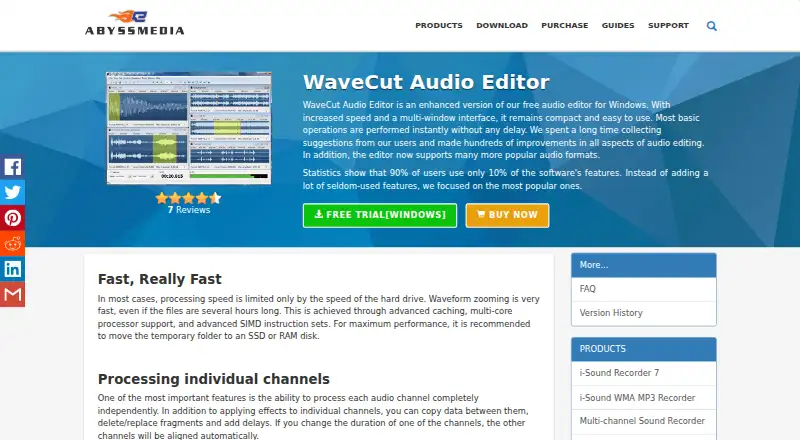
WaveCut Audio Editor is a Windows desktop application for users who need to edit, clean up, process, and convert audio files. Its workflow covers waveform operations such as cutting, copying, pasting, duplicating, deleting, mixing, muting, trimming, and splitting. Non-destructive editing with undo and redo history helps preserve the original working process, while independent channel editing supports multichannel material. It is suited to practical file manipulation rather than a broader production environment.
The feature set focuses on repair and processing. WaveCut includes filters, an equalizer, compressor, limiter, noise gate, and declicker, along with noise reduction based on a noise-profile workflow. It supports audio files larger than 4 GB and provides audio format import and export, with formats including MP3, WAV, FLAC, AAC, OGG, WMA, and AIFF. A multi-document interface allows multiple files to be open for editing. These capabilities make it a useful fit for waveform cleanup, format conversion, and focused audio correction on supported Windows versions.
According to the published plan, WaveCut Audio Editor costs $14.95 as a one-time purchase. The registration code removes trial limitations, and the license includes free lifetime upgrades and priority technical support. There is no free plan. WaveCut should appeal to Windows users who want a compact editor with repair effects, large-file support, and a low one-time cost. Users looking for plug-in, MIDI, video, or collaboration features should choose a different type of audio software.
Your product? Our editors can test WaveCut Audio Editor in depth and publish a review, labelled as paid · from $149/mo →
WaveCut Audio Editor pricing
All 1 WaveCut Audio Editor plans and prices →
WaveCut Audio Editor fact sheet
| Free plan | No |
|---|---|
| Paid from | $14.95 one-time |
| Supported platforms | Windows 7, Windows 8, Windows 8.1, Windows 10, Windows 11 |
| Multitrack editing | Yes |
| MIDI sequencing | Not verified |
| Third-party plugins | Not verified |
| Noise reduction | Yes |
| Video synchronization | Not verified |
| Cloud collaboration | Not verified |
| Deployment | Desktop |
| Platforms | Windows |
| Support | Email, Community, Docs |
| Built for | Solo, Small business (editorial estimate) |
| Pricing | Paid (source) |
| Website | abyssmedia.com |
| Facts checked | 20 Sep 2026 |
Alternatives to WaveCut Audio Editor
- Pro ToolsA broad workstation for studios spanning music production, audio post, and immersive mixing.9.4
- REAPERA flexible desktop DAW with broad audio and MIDI tools and a one-time license from $60.9.3
- Logic ProA broad audio and MIDI workstation for Apple-based producers and video composers.9.2


See all WaveCut Audio Editor alternatives →
Used WaveCut Audio Editor? Be the first to review it
The editor score above is our own research. What this page doesn't have yet is a reader's view — what you used WaveCut Audio Editor for, what worked and what didn't. No stars are seeded and no review is paid for; an editor reads every one before it appears.
Write a reviewTwo minutes · verified accounts only · read by an editor before it appears
Featured on iTechGuides

WaveCut Audio Editor is listed in our Audio Editing Software directory. Add the badge to your site — it links back to this page.
<a href="https://www.itechguides.com/products/wavecut-audio-editor/"><img src="https://www.itechguides.com/best/badge/wavecut-audio-editor.svg" alt="Featured on iTechGuides" width="230" height="46"></a>
Reviewed by iTechGuides Editors · Editorial team · Updated Oct 2026
Advertiser disclosure: iTechGuides is reader-supported. Vendors can pay for top positions in our rankings and for a place on other products' pages, and we may earn a commission when you click some links. Bought places stand at the number bought; this page and our disclosure say so. Paying vendors may get a fuller, more detailed review from our editors, and that review can change their score. How we rank.
Last updated · How we research and update