
Vovsoft Text Edit Plus
Vovsoft Text Edit Plus: A $19 lifetime Windows editor for structured text work and everyday file editing. Ranked #69 of 82 in Text Editors by our editors (3.0/10); pricing: Paid; best for low-cost Windows text editing.
At a glance
- Editor score3.0 / 10
- PricingPaid
- Best forLow-cost Windows text editing
- Free planNo
- Paid from$19 one-time
- Facts checked21 Sep 2026
Where it wins
- One-time $19 license includes lifetime updates and no subscription.
- Macros, regex, column selection, and text analysis support detailed editing.
- PDF and HTML export extend its plain-text workflow.
Where it doesn't
- Windows desktop support limits platform flexibility.
- There is no free plan for ongoing use.
- Refunds are generally not allowed under the stated policy.
Our verdict on Vovsoft Text Edit Plus
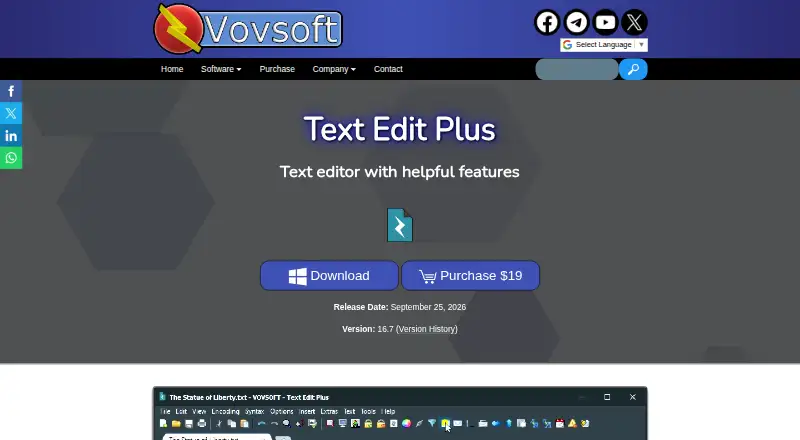
Vovsoft Text Edit Plus is a Windows desktop plain-text editor for creating, editing, searching, and transforming text documents. It is aimed at users who want more than basic text entry without moving to a subscription model. The editor supports multiple tabs, spell checking, syntax highlighting, regular expressions, macros, column selection, text statistics, encoding tools, and utilities for line manipulation and comparison. It can load TXT, CSV, and HTML files, and it is available in installer and portable editions.
Pricing is straightforward: the Text Edit Plus plan costs $19 as a one-time purchase. That plan includes a lifetime license, all future updates, and no subscriptions. The published plan structure suits buyers who prefer a fixed upfront cost over recurring billing. The product is also described as free to try, while its refund policy generally does not allow refunds, with discretionary exceptions. Buyers should review that policy before purchasing.
Its strongest area is the combination of focused editing tools in a single Windows application. Macro recording can support repeatable actions, while regular expressions, column or vertical text selection, and text statistics address more structured editing and analysis needs. The SynEdit engine is documented as supporting large text files, and users can choose between multiple text engines, including SynEdit and Classic. Export to PDF and HTML adds options beyond plain-text output. Choose Text Edit Plus if you want a low-cost Windows editor with advanced text operations and a lifetime license. Consider another tool if you need a broader platform choice or a free plan.
Your product? Our editors can test Vovsoft Text Edit Plus in depth and publish a review, labelled as paid · from $149/mo →
Vovsoft Text Edit Plus pricing
All 1 Vovsoft Text Edit Plus plans and prices →
Vovsoft Text Edit Plus fact sheet
| Free plan | No |
|---|---|
| Paid from | $19 one-time |
| Supported platforms | Windows 11, Windows 10, Windows 8/8.1, Windows 7, Windows Vista (32-bit and 64-bit) |
| Multi-cursor editing | Not verified |
| Macro recording | Yes |
| Column editing | Yes |
| Large-file handling | Yes |
| Extension support | Not verified |
| Deployment | Desktop |
| Platforms | Windows |
| Support | Docs |
| Built for | Solo, Small business (editorial estimate) |
| Pricing | Paid (source) |
| Website | vovsoft.com |
| Facts checked | 21 Sep 2026 |
Alternatives to Vovsoft Text Edit Plus
- Visual Studio CodeA free, open-source editor with broad development features across desktop and web.9.4
- NeovimA free, open-source editor for keyboard-driven workflows and deep customization.9.3
- GNU EmacsA mature, highly customizable editor for users who value breadth and control.9.2


See all Vovsoft Text Edit Plus alternatives →
Used Vovsoft Text Edit Plus? Be the first to review it
The editor score above is our own research. What this page doesn't have yet is a reader's view — what you used Vovsoft Text Edit Plus for, what worked and what didn't. No stars are seeded and no review is paid for; an editor reads every one before it appears.
Write a reviewTwo minutes · verified accounts only · read by an editor before it appears
Featured on iTechGuides

Vovsoft Text Edit Plus is listed in our Text Editors directory. Add the badge to your site — it links back to this page.
<a href="https://www.itechguides.com/products/vovsoft-text-edit-plus/"><img src="https://www.itechguides.com/best/badge/vovsoft-text-edit-plus.svg" alt="Featured on iTechGuides" width="230" height="46"></a>
Reviewed by iTechGuides Editors · Editorial team · Updated Oct 2026
Advertiser disclosure: iTechGuides is reader-supported. Vendors can pay for top positions in our rankings and for a place on other products' pages, and we may earn a commission when you click some links. Bought places stand at the number bought; this page and our disclosure say so. Paying vendors may get a fuller, more detailed review from our editors, and that review can change their score. How we rank.
Last updated · How we research and update