
Vivid.js
Vivid.js: A focused, flexible icon library for developers who need a small custom set. Ranked #42 of 46 in Icon Libraries by our editors (5.3/10); pricing: Free plan; best for tiny customizable icon bundles.
At a glance
- Editor score5.3 / 10
- PricingFree plan
- Best forTiny customizable icon bundles
- Free planYes
- Paid fromFree
- Facts checked22 Sep 2026
Where it wins
- 90+ SVG icons with customizable size and colors
- Custom bundles can add, replace, or remove icons
- npm, Yarn, Bower, jsDelivr, and UNPKG distribution
Where it doesn't
- The collection is limited to 90+ icons
- Designed for web projects rather than broader platforms
- Support is centered on documentation and community
Our verdict on Vivid.js
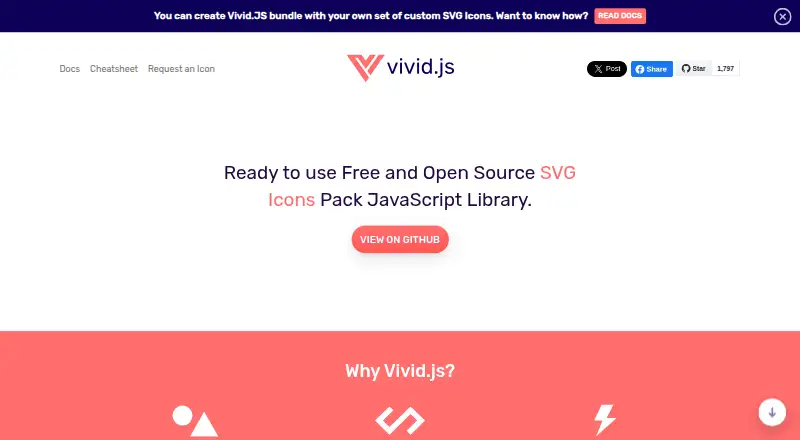
Vivid.js is an open-source JavaScript library for adding SVG icons to web pages through HTML data attributes. It is aimed at developers, solo users, and small teams that need a compact icon set with control over presentation. The library includes more than 90 ready-to-use icons, with customization for icon size and primary, accent, and prop colors. Its formats include SVG, JavaScript, Sketch, and Photoshop, giving both web developers and designers ways to work with the collection.
Customization is the main reason to choose Vivid.js. Icons can be adjusted directly for size and color, while custom bundle creation lets developers add, replace, or remove icons for a more focused package. A cheatsheet for icon names supports the workflow, and HTML data-attribute embedding keeps implementation tied to markup. Installation and distribution options cover npm, Yarn, Bower, jsDelivr, and UNPKG, which fits common web development workflows and supports package-based or CDN-based delivery.
Vivid.js is strongest when a project needs a small, visually adjustable collection rather than broad icon coverage. Its open-source model and free availability suit solo developers and small teams, while Sketch and Photoshop downloads extend the library into design work. The trade-off is scope: more than 90 icons is a narrow collection for projects that need extensive subject coverage. Teams seeking a larger library or support beyond web-focused use should consider a broader icon option. Vivid.js is a practical fit for compact bundles, custom colors, and straightforward web integration, but less suitable when breadth is the primary requirement.
Your product? Our editors can test Vivid.js in depth and publish a review, labelled as paid · from $149/mo →
Vivid.js pricing
Vivid.js fact sheet
| Free plan | Yes |
|---|---|
| Paid from | Free |
| Icons included | Not verified |
| Icon formats | SVG, JavaScript, Sketch, Photoshop |
| Style coverage | Customizable |
| Commercial use | Yes |
| Figma plugin | Not verified |
| API access | Not verified |
| Icon font | Not verified |
| Deployment | Cloud |
| Platforms | Web |
| Support | Docs, Community |
| Built for | Solo, Small business (editorial estimate) |
| Integrations | 7 integrations: npm, Yarn, Bower, jsDelivr, UNPKG, Sketch … |
| Pricing | Free plan |
| Website | webkul.github.io |
| Facts checked | 22 Sep 2026 |
Vivid.js integrations
Vivid.js lists 7 integrations on its own site.
- npm
- Yarn
- Bower
- jsDelivr
- UNPKG
- Sketch
- Photoshop
Alternatives to Vivid.js
- The Noun ProjectA broad icon library with strong editing, integration, and API options at a low entry price.9.4
- FlaticonA broad icon library with strong format support, editing tools, and workflow integrations.9.2
- IconifyA broad, open-source icon ecosystem with APIs, generation tools, and Figma support.9.0



See all Vivid.js alternatives →
Used Vivid.js? Be the first to review it
The editor score above is our own research. What this page doesn't have yet is a reader's view — what you used Vivid.js for, what worked and what didn't. No stars are seeded and no review is paid for; an editor reads every one before it appears.
Write a reviewTwo minutes · verified accounts only · read by an editor before it appears
Featured on iTechGuides

Vivid.js is listed in our Icon Libraries directory. Add the badge to your site — it links back to this page.
<a href="https://www.itechguides.com/products/vivid-js/"><img src="https://www.itechguides.com/best/badge/vivid-js.svg" alt="Featured on iTechGuides" width="230" height="46"></a>
Reviewed by iTechGuides Editors · Editorial team · Updated Oct 2026
Advertiser disclosure: iTechGuides is reader-supported. Vendors can pay for top positions in our rankings and for a place on other products' pages, and we may earn a commission when you click some links. Bought places stand at the number bought; this page and our disclosure say so. Paying vendors may get a fuller, more detailed review from our editors, and that review can change their score. How we rank.
Last updated · How we research and update