VivaCut
VivaCut: A capable mobile editor for creators who need layered timelines and advanced effects. Ranked #96 of 153 in Video Editing Software by our editors (3.0/10); pricing: Free plan; best for mobile creators needing multilayer editing.
At a glance
- Editor score3.0 / 10
- PricingFree plan
- Best forMobile creators needing multilayer editing
- Free planYes
- 4K exportYes
- Facts checked21 Sep 2026
Where it wins
- Multilayer timelines with keyframes, masking, and blending modes
- Chroma key, picture-in-picture, transitions, and audio tools
- Free plan supports exports up to 4K resolution
Where it doesn't
- Available only on iOS and Android
- No team collaboration or integrations
- Pro pricing fluctuates and refunds are not currently supported
Our verdict on VivaCut
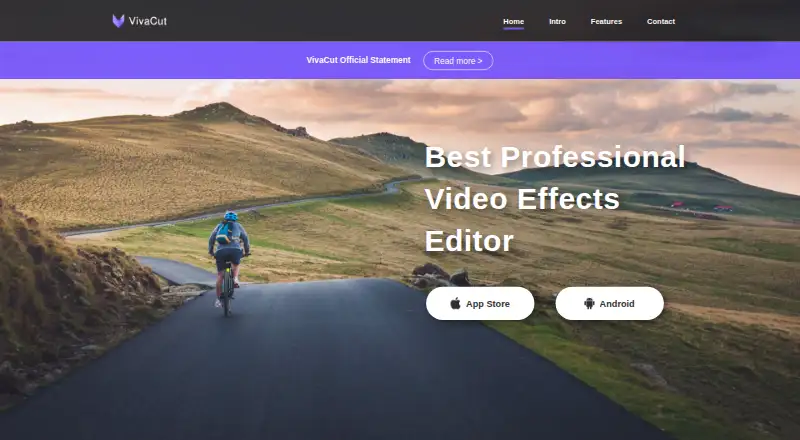
VivaCut is a freemium mobile video-editing application for creators, social-media users, and editing enthusiasts. Available on iOS and Android, it combines trimming, splitting, combining, speed controls, multilayer timelines, keyframe animation, chroma key, masking, blending, picture-in-picture, video collage, filters, transitions, music markers, and audio extraction. The free plan makes advanced mobile editing accessible, while in-app purchases provide additional Pro features through subscriptions.
Its strongest area is the breadth of editing tools available in a mobile app. Multilayer timeline editing supports more involved compositions than basic clip-cutting tools, while keyframes provide animation control and chroma key supports green-screen work. Masking and blending modes extend compositing options, and picture-in-picture enables layered video layouts. Export supports resolutions up to 4K, giving creators a higher-resolution delivery option. AI features are also included, although the product details do not specify their individual functions.
VivaCut is a focused choice for people who create and edit on a phone or tablet, particularly when layered editing, effects, and 4K export matter. Its scope is narrower for users who need desktop or browser editing, integrations with other services, or team collaboration. The app is free to download, with subscriptions adding Pro features; pricing fluctuates and is presented through the in-app purchase screen. Refunds are not currently supported, so buyers should review the available subscription terms before purchasing. Choose VivaCut for feature-rich mobile editing, but consider an alternative when cross-platform workflows, collaborative production, or broader ecosystem support are priorities.
Your product? Our editors can test VivaCut in depth and publish a review, labelled as paid · from $99/mo →
VivaCut pricing
VivaCut fact sheet
| Free plan | Yes |
|---|---|
| Paid from | Not verified |
| Desktop app | No |
| Web app | No |
| Mobile app | Yes |
| 4K export | Yes |
| Team collaboration | No |
| Included cloud storage | Not verified |
| Deployment | Mobile |
| Platforms | iOS, Android |
| Support | Email, Docs |
| Built for | Solo, Small business (editorial estimate) |
| Pricing | Free plan |
| Website | vivacut.com |
| Facts checked | 21 Sep 2026 |
Alternatives to VivaCut
- DaVinci ResolveA deep free editor with professional post-production tools across desktop and iPad.9.3
- Avid Media ComposerA deep editing suite with collaborative workflows, AI search, and a free entry option.9.2
- Final Cut ProA full-featured editor for Apple users who want desktop and iPad workflows.9.1


See all VivaCut alternatives →
Used VivaCut? Be the first to review it
The editor score above is our own research. What this page doesn't have yet is a reader's view — what you used VivaCut for, what worked and what didn't. No stars are seeded and no review is paid for; an editor reads every one before it appears.
Write a reviewTwo minutes · verified accounts only · read by an editor before it appears
Featured on iTechGuides

VivaCut is listed in our Video Editing Software directory. Add the badge to your site — it links back to this page.
<a href="https://www.itechguides.com/products/vivacut/"><img src="https://www.itechguides.com/best/badge/vivacut.svg" alt="Featured on iTechGuides" width="230" height="46"></a>
Guides on video editing software
- Best Free Video Editing Apps for iPhone and Android (2026)Oct 2026
- Best video editing software for beginners 2026: Easy-to-use apps comparedAug 2026
- Best Video Editing SoftwareAug 2026
Reviewed by iTechGuides Editors · Editorial team · Updated Oct 2026
Advertiser disclosure: iTechGuides is reader-supported. Vendors can pay for top positions in our rankings and for a place on other products' pages, and we may earn a commission when you click some links. Bought places stand at the number bought; this page and our disclosure say so. Paying vendors may get a fuller, more detailed review from our editors, and that review can change their score. How we rank.
Last updated · How we research and update