
VisualCV
VisualCV: A capable multi-version resume builder with useful AI and mobile access. Ranked #7 of 37 in Resume Builders by our editors (8.2/10); pricing: Free plan; best for multi-version resumes with mobile access.
At a glance
- Editor score8.2 / 10
- PricingFree plan
- Best forMulti-version resumes with mobile access
- Free planYes
- Paid from$16/mo
- AI writing toolsYes
- Founded2014 · Vancouver, Canada
- Facts checked21 Sep 2026
Where it wins
- AI-assisted writing, rewriting, and cover-letter generation
- ATS-oriented formatting and checking
- Word/PDF import, exports, sharing links, and analytics
Where it doesn't
- Free Account supports only one resume
- Pro Quarterly starts at $16 USD per month
- Advanced access requires the paid Pro Quarterly plan
Our verdict on VisualCV
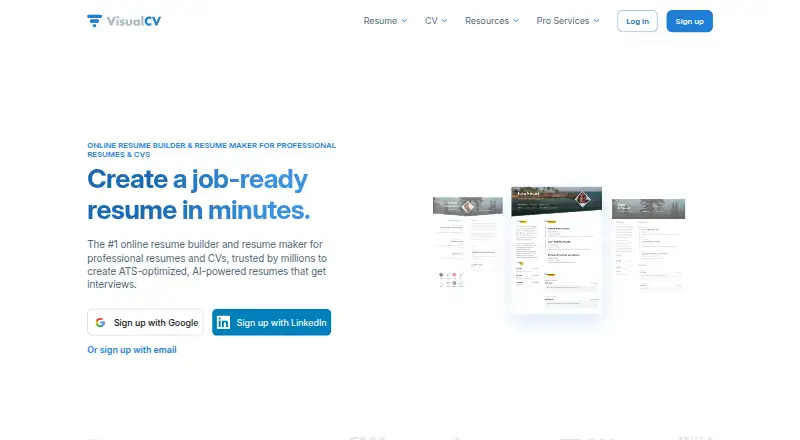
VisualCV is an online resume and CV builder for job seekers, students, and professionals who need to create, customize, and share application documents. It supports professional templates, AI-assisted writing and rewriting, ATS-oriented formatting and checking, cover-letter creation, and multiple tailored resume versions. Users can import existing Word and PDF resumes, export finished documents in PDF or Word formats, and publish shareable online resume links. Web, iOS, and Android access make it suitable for people who manage applications across devices.
The free option is a practical starting point: the Free Account allows one resume, resume formatting previews, and access to resume templates. Pro Quarterly costs $16 USD per month and includes 30+ professional resume templates, unlimited resumes, unlimited PDF downloads, and Career Journal Pro access. The paid plan is most relevant for applicants who need several targeted versions or frequent PDF exports; people creating a single basic resume may find the free account sufficient.
VisualCV’s strongest fit is a workflow that combines document creation with job-search presentation. AI writing tools, ATS-oriented checking, cover-letter generation, Word/PDF import, and Word/PDF export cover several steps in the application process, while online links and resume view and download analytics support shared resumes. The tradeoff is that users seeking only a simple one-time document may not need the broader feature set or the paid starting price. Choose VisualCV for multi-version applications, mobile access, and sharing tools; choose another option if your priority is a lower-cost paid plan or a narrowly focused resume editor.
Your product? Our editors can test VisualCV in depth and publish a review, labelled as paid · from $149/mo →
VisualCV pricing
All 3 VisualCV plans and prices →
VisualCV fact sheet
| Free plan | Yes |
|---|---|
| Paid from | $16/mo |
| AI writing tools | Yes |
| ATS optimization | Yes |
| Cover-letter builder | Yes |
| Resume templates | 30 |
| Mobile app | Not verified |
| Resume import | Yes |
| Money-back guarantee | 30 days |
| Deployment | Cloud |
| Platforms | Web |
| Support | |
| Built for | Solo, Small business (editorial estimate) |
| Pricing | Free plan (source) |
| Website | visualcv.com |
| Facts checked | 21 Sep 2026 |
Alternatives to VisualCV
- Resume GeniusA web-based resume builder that combines guided writing with ATS checks and human review.8.9
- MyPerfectResumeA guided resume builder with AI suggestions, ATS scoring, and job-focused tools.8.7
- KickresumeA mobile-friendly resume builder with a useful free plan and paid AI tools.8.6



See all VisualCV alternatives →
VisualCV vs the competition
- VisualCV vs Resume Genius
- VisualCV vs MyPerfectResume
- VisualCV vs Resume.io
- VisualCV vs Rezi
- VisualCV vs Novorésumé
- VisualCV vs ResumeBuilder.com




Compare VisualCV with any tool side by side →
Also Ranked In
VisualCV is ranked in 4 of our directories.
Used VisualCV? Be the first to review it
The editor score above is our own research. What this page doesn't have yet is a reader's view — what you used VisualCV for, what worked and what didn't. No stars are seeded and no review is paid for; an editor reads every one before it appears.
Write a reviewTwo minutes · verified accounts only · read by an editor before it appears
Featured on iTechGuides

VisualCV is listed in our Resume Builders directory. Add the badge to your site — it links back to this page.
<a href="https://www.itechguides.com/products/visualcv/"><img src="https://www.itechguides.com/best/badge/visualcv.svg" alt="Featured on iTechGuides" width="230" height="46"></a>
Reviewed by iTechGuides Editors · Editorial team · Updated Oct 2026
Advertiser disclosure: iTechGuides is reader-supported. Vendors can pay for top positions in our rankings and for a place on other products' pages, and we may earn a commission when you click some links. Bought places stand at the number bought; this page and our disclosure say so. Paying vendors may get a fuller, more detailed review from our editors, and that review can change their score. How we rank.
Last updated · How we research and update