
VisualCron
VisualCron: A capable Windows job automation suite with broad triggers, integrations, and tiered features. Ranked #19 of 24 in Workload Automation Software by our editors (7.6/10); pricing: 30-day trial; best for windows server job automation.
At a glance
- Editor score7.6 / 10
- Pricing30-day trial
- Best forWindows server job automation
- Free planNo
- Paid from$3,299/yr
- DeploymentSelf-hosted
- Founded2004
- Facts checked20 Sep 2026
Where it wins
- 132 to 359 task types across the three plans
- Event triggers, APIs, monitoring, logging, and failure alerts
- Managed file transfer and broad integration coverage
Where it doesn't
- Starts at $3,299 per server per year
- Annual subscriptions are priced per server
- Windows-centered deployment limits platform fit
Our verdict on VisualCron
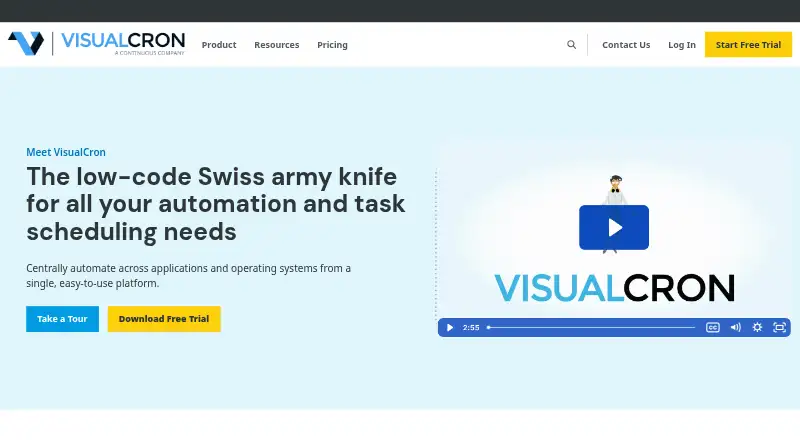
VisualCron is a Windows-based automation and task-scheduling platform for IT and operations teams. It supports time- and event-triggered jobs, script and process automation, file transfer and transformation, system integrations, monitoring, logging, notifications, and web-based job control. The product includes Windows client and server components, a Web Client, REST, Web Service, .NET, and command-line APIs, plus self-hosted deployment. It suits teams coordinating recurring server jobs, operational workflows, and file-based processes in Windows environments.
Pricing is organized into three annual, per-server subscriptions. Essentials costs $3,299 per server per year and includes business process automation, 132 task types, 20 trigger types, unlimited jobs, Web Client access, and the .NET API. Advanced costs $4,949 per server per year and adds managed file transfer, 355 task types, 36 trigger types, Server Monitor, and Task Repository. Pro costs $6,599 per server per year and adds robotic process automation, 359 task types, 37 trigger types, and a load balancing server. A 30-day trial is available, but there is no free plan.
VisualCron’s breadth is most relevant for teams that need scheduling alongside event handling, APIs, file movement, logging, alerts, and infrastructure connections. Integrations include SFTP, FTP, SCP, SSH, SQL, Amazon S3, Amazon EC2, Google Drive, OneDrive, Box, Dropbox, Slack, PeopleSoft, VMware, and Exchange. The higher tiers expand transfer, monitoring, repository, RPA, and load-balancing capabilities, making plan selection important. Organizations focused on Windows server automation should find the feature coverage closely aligned; teams seeking a different primary platform or a lower per-server annual commitment should compare alternatives.
Your product? Our editors can test VisualCron in depth and publish a review, labelled as paid · from $149/mo →
VisualCron pricing
All 3 VisualCron plans and prices →
VisualCron fact sheet
| Free plan | No |
|---|---|
| Paid from | $3,299/yr |
| Deployment | Self-hosted |
| Workflow dependencies | Not verified |
| Event triggers | Yes |
| Cross-platform execution | Yes |
| SLA monitoring | Not verified |
| Concurrent jobs | Not verified |
| Audit logs | Yes |
| Free trial | 30 days |
| Deployment | Self-hosted, Browser extension |
| Platforms | Windows, Web |
| Compliance & security | SOC 2 |
| Support | Email, Phone, Docs · 24/7 |
| Built for | Small business, Mid-market, Enterprise (editorial estimate) |
| Integrations | 20 integrations: SFTP, FTP, SCP, SSH, SQL, Amazon S3 … |
| Pricing | 30-day trial (source) |
| Website | visualcron.com |
| Facts checked | 20 Sep 2026 |
VisualCron integrations
VisualCron lists 20 integrations on its own site.
- SFTP
- FTP
- SCP
- SSH
- SQL
- Amazon S3
- Amazon EC2
- Google Drive
- OneDrive
- Box
- Dropbox
- Slack
- PeopleSoft
- VMware
- Exchange
- Office 365
- Azure Service Bus
- RabbitMQ
- Telegram
- SAP
Alternatives to VisualCron
- Automic AutomationA cross-platform workload automation platform for complex, hybrid enterprise operations.9.4
- BMC Control-MA broad enterprise automation suite with strong orchestration depth and a high entry price.9.3
- ActiveBatchA broad hybrid orchestration platform for governed, event-driven workload automation.9.2



See all VisualCron alternatives →
Also Ranked In
VisualCron is ranked in 4 of our directories.
Used VisualCron? Be the first to review it
The editor score above is our own research. What this page doesn't have yet is a reader's view — what you used VisualCron for, what worked and what didn't. No stars are seeded and no review is paid for; an editor reads every one before it appears.
Write a reviewTwo minutes · verified accounts only · read by an editor before it appears
Featured on iTechGuides

VisualCron is listed in our Workload Automation Software directory. Add the badge to your site — it links back to this page.
<a href="https://www.itechguides.com/products/visualcron/"><img src="https://www.itechguides.com/best/badge/visualcron.svg" alt="Featured on iTechGuides" width="230" height="46"></a>
Reviewed by iTechGuides Editors · Editorial team · Updated Oct 2026
Advertiser disclosure: iTechGuides is reader-supported. Vendors can pay for top positions in our rankings and for a place on other products' pages, and we may earn a commission when you click some links. Bought places stand at the number bought; this page and our disclosure say so. Paying vendors may get a fuller, more detailed review from our editors, and that review can change their score. How we rank.
Last updated · How we research and update