VirtualDub
VirtualDub: A focused, no-cost Windows tool for AVI capture, filtering, and fast linear edits. Ranked #138 of 153 in Video Editing Software by our editors (3.0/10); pricing: Free plan; best for windows users needing basic capture and filtering.
At a glance
- Editor score3.0 / 10
- PricingFree plan
- Best forWindows users needing basic capture and filtering
- Free planYes
- Paid fromFree
- Facts checked21 Sep 2026
Where it wins
- No-cost, GPL-licensed software for 32-bit and 64-bit Windows
- Trims and deletes video segments without recompression
- Supports filtering, batch processing, frameserving, and plugins
Where it doesn't
- Windows-only desktop software
- Focused on AVI and linear operations rather than full editing workflows
- No collaboration features or mobile and web apps
Our verdict on VirtualDub
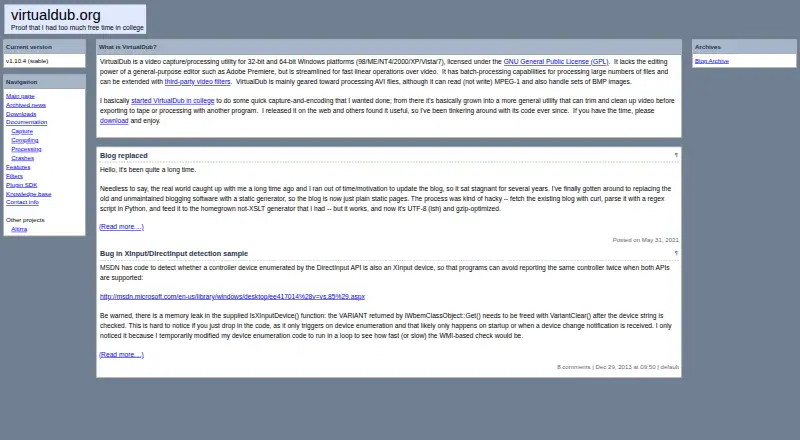
VirtualDub is a free, GPL-licensed video capture and processing utility for 32-bit and 64-bit Windows. It is aimed at users who need basic capture, AVI handling, filtering, trimming, and other fast linear operations rather than a full non-linear editing environment. Its feature set includes Video for Windows-compatible capture, AVI2 and multi-segment AVI support, audio-track replacement or removal, frame-rate adjustment, frame decimation, and third-party video filter and input-driver plugins.
The open-source pricing model keeps the software available at no cost, with no paid tiers to compare. Its strongest workflow advantage is direct processing: users can trim or delete video segments without recompression, apply filters such as blur, sharpen, resize, rotate, levels, and deinterlace, then process multiple files through batch operations. Frameserving to other applications adds a useful connection point for workflows that need to pass video onward without treating VirtualDub as a complete editing suite.
Platform fit is the main boundary. VirtualDub is a Windows desktop application, with no web or mobile app, and its design centers on AVI files and linear processing. The official site lists version 1.10.4 as stable and provides documentation, downloads, and a plugin SDK. Choose VirtualDub for focused Windows capture, AVI processing, filtering, and no-recompression trimming. Choose another editor if you need collaboration, a modern full-editor workflow, or broader platform coverage.
Your product? Our editors can test VirtualDub in depth and publish a review, labelled as paid · from $149/mo →
VirtualDub pricing
VirtualDub fact sheet
| Free plan | Yes |
|---|---|
| Paid from | Free |
| Desktop app | Yes |
| Web app | No |
| Mobile app | No |
| 4K export | Not verified |
| Team collaboration | Not verified |
| Included cloud storage | Not verified |
| Deployment | Desktop |
| Platforms | Windows |
| Support | Email, Docs |
| Built for | Solo, Small business (editorial estimate) |
| Pricing | Free plan |
| Website | virtualdub.org |
| Facts checked | 21 Sep 2026 |
Alternatives to VirtualDub
- DaVinci ResolveA deep free editor with professional post-production tools across desktop and iPad.9.3
- Avid Media ComposerA deep editing suite with collaborative workflows, AI search, and a free entry option.9.2
- Final Cut ProA full-featured editor for Apple users who want desktop and iPad workflows.9.1


See all VirtualDub alternatives →
Used VirtualDub? Be the first to review it
The editor score above is our own research. What this page doesn't have yet is a reader's view — what you used VirtualDub for, what worked and what didn't. No stars are seeded and no review is paid for; an editor reads every one before it appears.
Write a reviewTwo minutes · verified accounts only · read by an editor before it appears
Featured on iTechGuides

VirtualDub is listed in our Video Editing Software directory. Add the badge to your site — it links back to this page.
<a href="https://www.itechguides.com/products/virtualdub/"><img src="https://www.itechguides.com/best/badge/virtualdub.svg" alt="Featured on iTechGuides" width="230" height="46"></a>
Reviewed by iTechGuides Editors · Editorial team · Updated Oct 2026
Advertiser disclosure: iTechGuides is reader-supported. Vendors can pay for top positions in our rankings and for a place on other products' pages, and we may earn a commission when you click some links. Bought places stand at the number bought; this page and our disclosure say so. Paying vendors may get a fuller, more detailed review from our editors, and that review can change their score. How we rank.
Last updated · How we research and update