Virtaal
Virtaal: A focused, format-aware desktop translator for open-source localization work. Ranked #142 of 156 in Translation Software by our editors (3.0/10); pricing: Free plan; best for open-source software localization contributors.
At a glance
- Editor score3.0 / 10
- PricingFree plan
- Best forOpen-source software localization contributors
- Free planYes
- Paid fromFree
- Facts checked21 Sep 2026
Where it wins
- Free and open source across Windows, macOS, and Linux
- Supports PO, MO, XLIFF, translation memory, and terminology tools
- Includes QA checks, spell checking, and machine-translation plugins
Where it doesn't
- Primarily focused on software localization files
- Desktop workflow may not fit browser-first translation teams
- Translate identifies it as a legacy tool no longer actively maintained
Our verdict on Virtaal
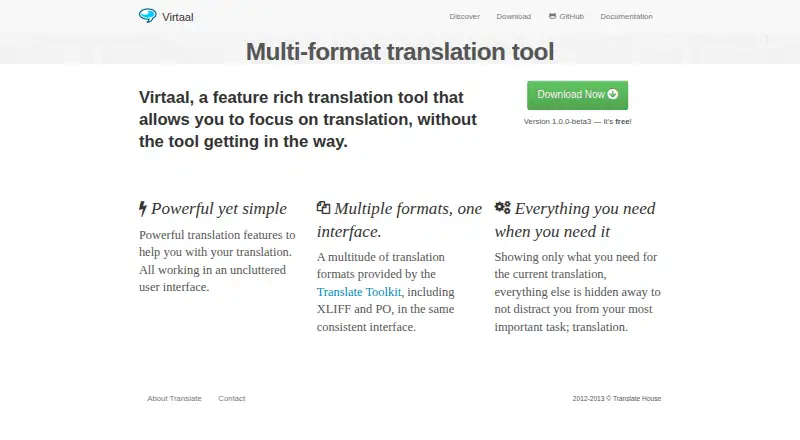
Virtaal is a free, open-source desktop translation tool built primarily for software localization. It is suited to contributors and teams working with localization files rather than broad document or website translation workflows. The application runs on Windows, Linux, and macOS, and supports PO, MO, XLIFF, TMX, TBX, Qt Linguist, and OmegaT glossary files. Its interface combines translation memory, terminology assistance, translation quality checks, spell checking, regular-expression search and replace, and keyboard-oriented navigation in one desktop application.
For localization work, Virtaal covers the core editing and quality-assurance needs without a paid plan structure. Local translation memory helps reuse previous translations, while terminology assistance supports consistent wording. Quality checks and spell checking add review layers before files are delivered. Machine-translation plugins connect with Google Translate, Microsoft Translator, Apertium, Moses, Open-Tran.eu, and Amagama, giving contributors several translation-assistance options within the application. These features make Virtaal a practical fit for file-based localization projects that value an open-source workflow.
Its main limitation is scope. Virtaal is a desktop-focused tool centered on software localization formats, so organizations looking for a broader translation environment should consider whether that narrower focus matches their process. Translate’s current project site identifies Virtaal as a historical, legacy tool that is no longer actively maintained, which matters for buyers prioritizing ongoing development. Choose Virtaal when free, open-source software and support for established localization files are the priorities. Choose an alternative when active maintenance, a wider translation focus, or a different working environment is more important.
Your product? Our editors can test Virtaal in depth and publish a review, labelled as paid · from $149/mo →
Virtaal pricing
Virtaal fact sheet
| Free plan | Yes |
|---|---|
| Paid from | Free |
| Document translation | Not verified |
| Website translation | Not verified |
| Translation memory | Yes |
| Glossary tools | Yes |
| API access | Not verified |
| Supported languages | Not verified |
| Deployment | Desktop |
| Platforms | Windows, macOS, Linux |
| Support | Community, Docs |
| Built for | Solo, Small business (editorial estimate) |
| Integrations | 6 integrations: Google Translate, Microsoft Translator, Apertium, Moses, Open-Tran.eu, Amagama |
| Pricing | Free plan |
| Website | virtaal.translatehouse.org |
| Facts checked | 21 Sep 2026 |
Virtaal integrations
Virtaal lists 6 integrations on its own site.
- Google Translate
- Microsoft Translator
- Apertium
- Moses
- Open-Tran.eu
- Amagama
Alternatives to Virtaal
- Google Cloud TranslationA broad Google Cloud translation stack for developers building multilingual systems.9.4
- DeepL TranslatorA broad translation service spanning everyday use, workplace tools, and developer workflows.9.3
- Google TranslateA free, multi-device translator covering everyday text, media, documents, and websites.9.2


See all Virtaal alternatives →
Used Virtaal? Be the first to review it
The editor score above is our own research. What this page doesn't have yet is a reader's view — what you used Virtaal for, what worked and what didn't. No stars are seeded and no review is paid for; an editor reads every one before it appears.
Write a reviewTwo minutes · verified accounts only · read by an editor before it appears
Featured on iTechGuides

Virtaal is listed in our Translation Software directory. Add the badge to your site — it links back to this page.
<a href="https://www.itechguides.com/products/virtaal/"><img src="https://www.itechguides.com/best/badge/virtaal.svg" alt="Featured on iTechGuides" width="230" height="46"></a>
Reviewed by iTechGuides Editors · Editorial team · Updated Oct 2026
Advertiser disclosure: iTechGuides is reader-supported. Vendors can pay for top positions in our rankings and for a place on other products' pages, and we may earn a commission when you click some links. Bought places stand at the number bought; this page and our disclosure say so. Paying vendors may get a fuller, more detailed review from our editors, and that review can change their score. How we rank.
Last updated · How we research and update