Video To Reel
Video To Reel: A mobile-first clip maker with transcript selection, captions, and 1080p exports. Ranked #17 of 30 in Podcast Clip Makers by our editors (6.6/10); pricing: Free plan; best for mobile creators publishing short vertical clips.
At a glance
- Editor score6.6 / 10
- PricingFree plan
- Best forMobile creators publishing short vertical clips
- Free planYes
- Paid from€9/mo
- Auto clip detectionYes
- Facts checked20 Sep 2026
Where it wins
- Selects moments from transcripts around complete thoughts
- Reframes speakers automatically for 9:16 video
- Adds word-timed captions and supports 1080p rendering
Where it doesn't
- Free exports include a watermark
- Free plan allows one video per calendar month
- Mobile-only workflow lacks web and API access
Our verdict on Video To Reel
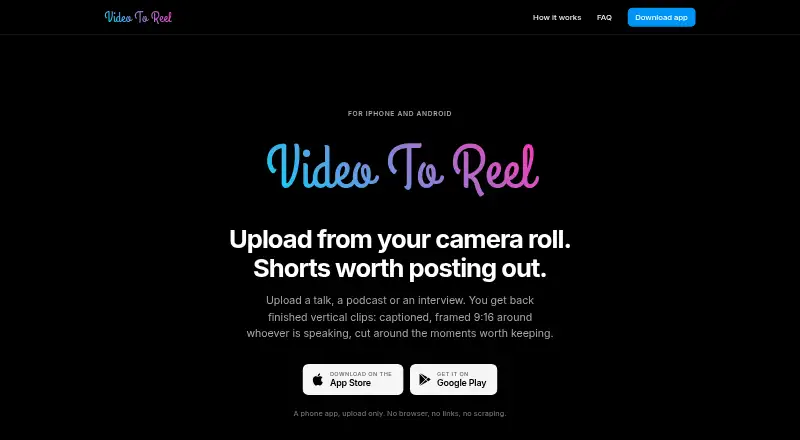
Video To Reel is a mobile app for iPhone and Android that turns uploaded talks, podcasts, interviews, and other recordings into short vertical clips. It transcribes each video, identifies moments from the transcript, cuts clips around complete thoughts, reframes the current speaker for 9:16, adds word-timed captions, and renders at 1080p. Podcasters, interviewers, and speakers can save finished clips to their camera roll or share them to TikTok, Instagram Reels, and YouTube Shorts.
The plan structure suits occasional creators as well as higher-volume production. Free includes one video per calendar month, up to three clips, and watermarked exports. Starter costs €9 per month when billed monthly and includes 150 source minutes per month, up to 10 clips per video, and no watermark. Creator raises the allowance to 500 source minutes per month, while Studio provides 1,500 source minutes per month; both include up to 10 clips per video and a priority queue. The paid tiers are a clearer fit for recurring publishing, while the free tier works better for limited evaluation or infrequent projects.
Its strongest workflow is transcript-led editing combined with speaker-focused reframing and captions. Users can trim clips and restyle captions without re-transcription, which keeps final adjustments separate from the initial clip selection. Uploads support MP4, MOV, and MKV files, but the product accepts device uploads rather than URLs. Sharing is built around mobile destinations, and the app does not provide web or API access. Choose Video To Reel if you want a focused mobile workflow for turning recorded conversations into short social clips. Choose an alternative if browser access, automation, or a broader publishing system is essential.
Your product? Our editors can test Video To Reel in depth and publish a review, labelled as paid · from $149/mo →
Video To Reel pricing
All 4 Video To Reel plans and prices →
Video To Reel fact sheet
| Free plan | Yes |
|---|---|
| Paid from | €9/mo |
| Auto clip detection | Yes |
| Captions | Yes |
| Video reframing | Yes |
| Clip length limit | Not verified |
| Caption languages | Not verified |
| Social publishing | No |
| Watermark on free plan | Yes |
| Deployment | Mobile |
| Platforms | iOS, Android |
| Support | |
| Built for | Solo, Small business, Mid-market (editorial estimate) |
| Integrations | 5 integrations: TikTok, Instagram Reels, YouTube Shorts, Google Play, Apple App Store |
| Pricing | Free plan (source) |
| Website | videotoreel.com |
| Facts checked | 20 Sep 2026 |
Video To Reel integrations
Video To Reel lists 5 integrations on its own site.
- TikTok
- Instagram Reels
- YouTube Shorts
- Google Play
- Apple App Store
Alternatives to Video To Reel
- OpusClipA full workflow for turning long-form video into branded, social-ready clips.9.1
- HeadlinerA versatile podcast repurposing suite with strong free and entry-level plans.8.8
- VizardA broad AI clipping workspace for turning long videos into social content.8.4



See all Video To Reel alternatives →
Used Video To Reel? Be the first to review it
The editor score above is our own research. What this page doesn't have yet is a reader's view — what you used Video To Reel for, what worked and what didn't. No stars are seeded and no review is paid for; an editor reads every one before it appears.
Write a reviewTwo minutes · verified accounts only · read by an editor before it appears
Featured on iTechGuides

Video To Reel is listed in our Podcast Clip Makers directory. Add the badge to your site — it links back to this page.
<a href="https://www.itechguides.com/products/video-to-reel/"><img src="https://www.itechguides.com/best/badge/video-to-reel.svg" alt="Featured on iTechGuides" width="230" height="46"></a>
Reviewed by iTechGuides Editors · Editorial team · Updated Oct 2026
Advertiser disclosure: iTechGuides is reader-supported. Vendors can pay for top positions in our rankings and for a place on other products' pages, and we may earn a commission when you click some links. Bought places stand at the number bought; this page and our disclosure say so. Paying vendors may get a fuller, more detailed review from our editors, and that review can change their score. How we rank.
Last updated · How we research and update