
VersQ
VersQ: A low-cost web CAT tool with broad AI model access and practical translation controls. Ranked #23 of 29 in Computer-Assisted Translation Software by our editors (6.9/10); pricing: Free plan; best for freelancers and teams wanting low-cost web CAT.
At a glance
- Editor score6.9 / 10
- PricingFree plan
- Best forFreelancers and teams wanting low-cost web CAT
- Free planYes
- Paid from$7.99/mo
- Facts checked21 Sep 2026
Where it wins
- Access to 50+ AI translation models
- Translation memory, glossaries, and TMX exchange
- API webhooks, batch processing, and format preservation
Where it doesn't
- Free Basic plan limits translations and supports HTML downloads only
- Higher effective-word limits require paid tiers
- Enterprise collaboration and SLA features start at $49.99 monthly
Our verdict on VersQ
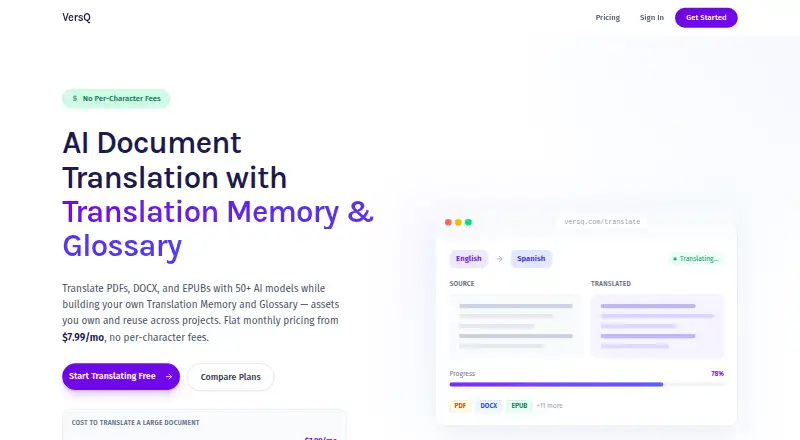
VersQ is a browser-based computer-assisted translation tool for freelance translators, researchers, professionals, and organizations. Its segment-level side-by-side editor supports document translation while translation memory provides exact and fuzzy matching, and glossaries can be managed by language pair and project. Because it runs on the web, access does not require installation. Supported formats include PDF, DOCX, XLSX, PPTX, and EPUB, with document format preservation available across supported workflows.
Pricing scales by usage and access. The free Basic plan includes 5 document translations and 10,000 words per month, with budget models and HTML downloads only. Personal costs $7.99 per month and adds unlimited document translations, 75,000 effective words, budget and balanced models, priority processing, and email support. Professional costs $22.99 per month for 400,000 effective words, all AI models, high-priority processing, advanced analytics, translation history management, and priority support. Enterprise costs $49.99 per month, includes 2,000,000 effective words and 3 team members, and adds collaboration, API access, bulk operations, a dedicated account manager, and SLA guarantees.
VersQ’s main distinction is the combination of CAT fundamentals with access to more than 50 AI translation models. TMX import and export can support workflows that move between tools such as Trados, memoQ, Wordfast, and Matecat. Its REST API adds webhooks and batch processing for organizations handling repeatable translation operations. The platform is a strong fit for users who want browser access, reusable linguistic assets, and model choice at a relatively low entry price. Users needing desktop-first workflows, broader collaboration on lower tiers, or more than HTML downloads on the free plan should consider alternatives.
Your product? Our editors can test VersQ in depth and publish a review, labelled as paid · from $149/mo →
VersQ pricing
All 4 VersQ plans and prices →
VersQ fact sheet
| Free plan | Yes |
|---|---|
| Paid from | $7.99/mo |
| Translation memory | Yes |
| Terminology management | Yes |
| QA checks | Not verified |
| Alignment tool | Not verified |
| Deployment model | Web |
| Offline desktop use | Not verified |
| Deployment | Cloud, Browser extension |
| Platforms | Web |
| Compliance & security | GDPR, 2FA |
| Support | Email, Community, Docs · 24/7 |
| Built for | Solo, Small business, Mid-market, Enterprise (editorial estimate) |
| Integrations | 4 integrations: Trados, memoQ, Wordfast, Matecat |
| Pricing | Free plan (source) |
| Website | versq.com |
| Facts checked | 21 Sep 2026 |
VersQ integrations
VersQ lists 4 integrations on its own site.
- Trados
- memoQ
- Wordfast
- Matecat
Alternatives to VersQ
- SmartcatBroad multilingual automation with strong CAT, collaboration, and integration coverage.9.4
- TradosA balanced CAT suite with cloud, desktop, AI, QA and workflow tools.9.2
- memoQA full-featured CAT environment for professional translation teams, with no free plan.9.0



Used VersQ? Be the first to review it
The editor score above is our own research. What this page doesn't have yet is a reader's view — what you used VersQ for, what worked and what didn't. No stars are seeded and no review is paid for; an editor reads every one before it appears.
Write a reviewTwo minutes · verified accounts only · read by an editor before it appears
Featured on iTechGuides

VersQ is listed in our Computer-Assisted Translation Software directory. Add the badge to your site — it links back to this page.
<a href="https://www.itechguides.com/products/versq/"><img src="https://www.itechguides.com/best/badge/versq.svg" alt="Featured on iTechGuides" width="230" height="46"></a>
Reviewed by iTechGuides Editors · Editorial team · Updated Oct 2026
Advertiser disclosure: iTechGuides is reader-supported. Vendors can pay for top positions in our rankings and for a place on other products' pages, and we may earn a commission when you click some links. Bought places stand at the number bought; this page and our disclosure say so. Paying vendors may get a fuller, more detailed review from our editors, and that review can change their score. How we rank.
Last updated · How we research and update