
Vectorpea
Vectorpea: A free online editor for SVG-oriented vector artwork and common drawing tasks. Ranked #46 of 51 in Vector Graphics Software by our editors (4.1/10); pricing: Free plan; best for users wanting a free, lightweight browser vector editor.
At a glance
- Editor score4.1 / 10
- PricingFree plan
- Best forUsers wanting a free, lightweight browser vector editor
- Free planYes
- Paid fromFree
- SVG exportYes
- Facts checked23 Sep 2026
Where it wins
- Create and edit vector artwork in a browser
- SVG-oriented workflow with SVG export
- Tools for paths, layers, shapes, and typography
Where it doesn't
- Requires an online browser workspace
- Feature set focuses on common vector drawing tasks
- No listed integrations
Our verdict on Vectorpea
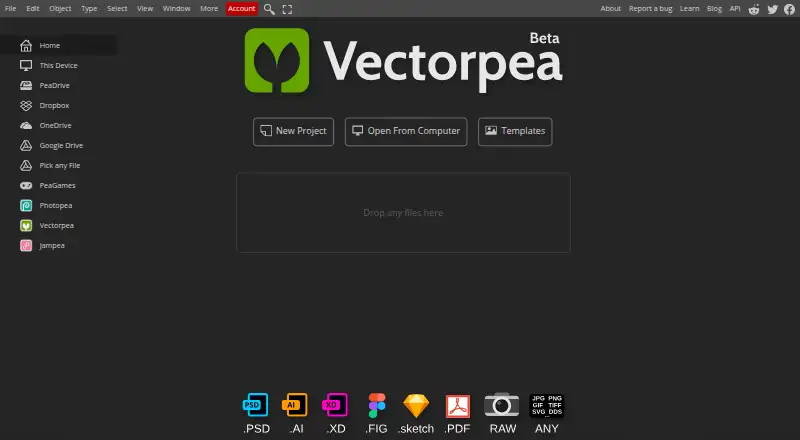
Vectorpea is a free browser-based vector graphics editor for solo users and small teams who need to create or edit scalable artwork without a required desktop installation. Its workflow is centered on vector drawing and SVG: users can construct shapes, edit paths, arrange objects and layers, and work with text and typography. It suits straightforward artwork tasks where access through a web browser matters more than a broad desktop toolset.
The product’s compact feature set is its clearest strength and boundary. Shape and path editing, object and layer arrangement, and typography cover core parts of a vector workflow, while SVG export supports moving artwork out of the editor in that format. This focus makes Vectorpea a plausible fit for lightweight browser-based creation and edits. Buyers needing a wider range of specialized design capabilities should compare alternatives whose published feature sets better match those workflows.
Vectorpea is presented as free, and the product runs online through a browser rather than requiring desktop installation. That lowers the setup commitment for someone who wants to begin working in a browser, but the online-only platform is a poor fit for users who require a desktop application. The listed product details do not establish a larger integration ecosystem, so teams selecting software around connected design tools should weigh that fit. Choose Vectorpea for free, browser-based SVG-oriented work; look elsewhere if your needs extend beyond its focused editing tools or depend on desktop software and integrations.
Your product? Our editors can test Vectorpea in depth and publish a review, labelled as paid · from $149/mo →
Vectorpea pricing
Vectorpea fact sheet
| Free plan | Yes |
|---|---|
| Paid from | Free |
| SVG export | Yes |
| Browser app | Yes |
| Desktop app | Not verified |
| Real-time collaboration | Not verified |
| PDF export | Not verified |
| Animation tools | Not verified |
| Maximum artboards | Not verified |
| Deployment | Cloud |
| Platforms | Web |
| Built for | Solo, Small business (editorial estimate) |
| Pricing | Free plan |
| Website | vectorpea.com |
| Facts checked | 23 Sep 2026 |
Alternatives to Vectorpea
- Adobe IllustratorA deep vector design suite for teams that need advanced artwork and typography tools.9.4
- AffinityA broad free desktop suite for designers who need vector, pixel and layout tools together.9.2
- InkscapeA capable no-cost SVG editor for designers who want desktop flexibility.9.0



See all Vectorpea alternatives →
Used Vectorpea? Be the first to review it
The editor score above is our own research. What this page doesn't have yet is a reader's view — what you used Vectorpea for, what worked and what didn't. No stars are seeded and no review is paid for; an editor reads every one before it appears.
Write a reviewTwo minutes · verified accounts only · read by an editor before it appears
Featured on iTechGuides

Vectorpea is listed in our Vector Graphics Software directory. Add the badge to your site — it links back to this page.
<a href="https://www.itechguides.com/products/vectorpea/"><img src="https://www.itechguides.com/best/badge/vectorpea.svg" alt="Featured on iTechGuides" width="230" height="46"></a>
Reviewed by iTechGuides Editors · Editorial team · Updated Oct 2026
Advertiser disclosure: iTechGuides is reader-supported. Vendors can pay for top positions in our rankings and for a place on other products' pages, and we may earn a commission when you click some links. Bought places stand at the number bought; this page and our disclosure say so. Paying vendors may get a fuller, more detailed review from our editors, and that review can change their score. How we rank.
Last updated · How we research and update