UCBLogo
UCBLogo: A free desktop Logo interpreter for visual, immediate programming feedback. Ranked #41 of 42 in Coding Learning Software by our editors (4.9/10); pricing: Free plan; best for beginners exploring Logo and turtle graphics.
At a glance
- Editor score4.9 / 10
- PricingFree plan
- Best forBeginners exploring Logo and turtle graphics
- Free planYes
- Paid fromFree
- Feedback modeInstant
- Facts checked24 Sep 2026
Where it wins
- Turtle commands turn Logo instructions into visible drawings.
- Interactive execution gives immediate feedback as learners write procedures.
- Free desktop downloads are available for Windows, macOS, and Linux.
Where it doesn't
- Focused on Logo rather than a range of programming languages.
- Requires downloading and running desktop software.
- Documentation is the listed support channel.
Our verdict on UCBLogo
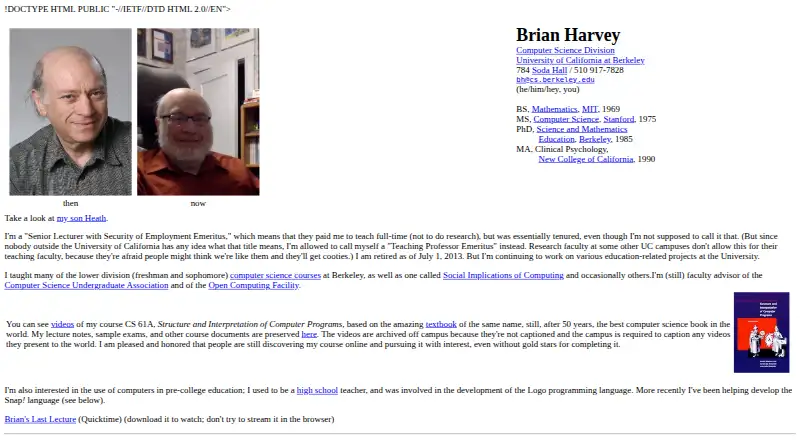
UCBLogo, also known as Berkeley Logo, is an educational desktop programming environment for beginners exploring Logo through turtle graphics. Learners write and run procedures in an interactive interpreter, then see drawing commands produce visual results. Its downloadable format suits individuals and small learning settings that want to work directly with code rather than follow a hosted course. The project is associated with Brian Harvey and the University of California, Berkeley.
The learning experience centers on a concise loop of writing, running, and observing. Turtle graphics make program output visible, while user-defined procedures let learners create reusable instructions. Immediate execution and feedback support experimentation without requiring a separate course platform. This focus is useful for introducing programming concepts visually, but the environment is specifically based on Logo; learners seeking instruction in multiple languages or a broader coding curriculum should look elsewhere.
UCBLogo is free and distributed as a downloadable desktop interpreter for Windows, macOS, and Linux. That makes it a practical fit where desktop installation is acceptable and learners want an interpreter rather than a hosted service. Its listed support channel is documentation, so it is better suited to independent learners or small settings comfortable consulting docs than to buyers who need a structured onboarding program or broader support. Choose it for a focused introduction to Logo and turtle-based programming; choose another option if you need a wider language catalog or a course-led learning experience.
Your product? Our editors can test UCBLogo in depth and publish a review, labelled as paid · from $149/mo →
UCBLogo pricing
All 1 UCBLogo plans and prices →
UCBLogo fact sheet
| Free plan | Yes |
|---|---|
| Paid from | Free |
| Feedback mode | Instant |
| Learning format | Visual |
| Programming languages | Logo |
| Project-based learning | Not verified |
| Mobile apps | Not verified |
| Computer science topics | Not verified |
| Deployment | Desktop |
| Platforms | Windows, macOS, Linux |
| Support | Docs |
| Built for | Solo, Small business (editorial estimate) |
| Pricing | Free plan (source) |
| Website | people.eecs.berkeley.edu |
| Facts checked | 24 Sep 2026 |
Alternatives to UCBLogo
- CodeAI (formerly Code.org)A free, structured web curriculum with classroom tools, labs, and educator support.9.4
- freeCodeCampA completely free, open-source path from coding challenges to full-stack certifications.9.3
- CodecademyA broad coding curriculum with free entry and structured paid paths.9.2



See all UCBLogo alternatives →
Used UCBLogo? Be the first to review it
The editor score above is our own research. What this page doesn't have yet is a reader's view — what you used UCBLogo for, what worked and what didn't. No stars are seeded and no review is paid for; an editor reads every one before it appears.
Write a reviewTwo minutes · verified accounts only · read by an editor before it appears
Featured on iTechGuides

UCBLogo is listed in our Coding Learning Software directory. Add the badge to your site — it links back to this page.
<a href="https://www.itechguides.com/products/ucblogo/"><img src="https://www.itechguides.com/best/badge/ucblogo.svg" alt="Featured on iTechGuides" width="230" height="46"></a>
Reviewed by iTechGuides Editors · Editorial team · Updated Oct 2026
Advertiser disclosure: iTechGuides is reader-supported. Vendors can pay for top positions in our rankings and for a place on other products' pages, and we may earn a commission when you click some links. Bought places stand at the number bought; this page and our disclosure say so. Paying vendors may get a fuller, more detailed review from our editors, and that review can change their score. How we rank.
Last updated · How we research and update