
UbiSim
UbiSim: A nursing-focused VR platform combining scenario authoring, delivery, and learner reporting. Ranked #9 of 24 in Virtual Reality Learning Platforms by our editors (8.3/10); pricing: Pricing on request; best for nursing schools creating clinical scenarios.
At a glance
- Editor score8.3 / 10
- PricingPricing on request
- Best forNursing schools creating clinical scenarios
- Free planNo
- Collaborative learningYes
- Facts checked21 Sep 2026
Where it wins
- No-code authoring supports custom nursing simulation scenarios
- Multiplayer sessions include structured pre-brief and debrief workflows
- AI-enhanced reports, classes, quizzes, and replay support learner review
Where it doesn't
- Institution- or program-level licensing may not suit individual educators
- Scenario delivery centers on supported Meta Quest headsets
- Microsoft Entra ID is the listed single sign-on integration
Our verdict on UbiSim
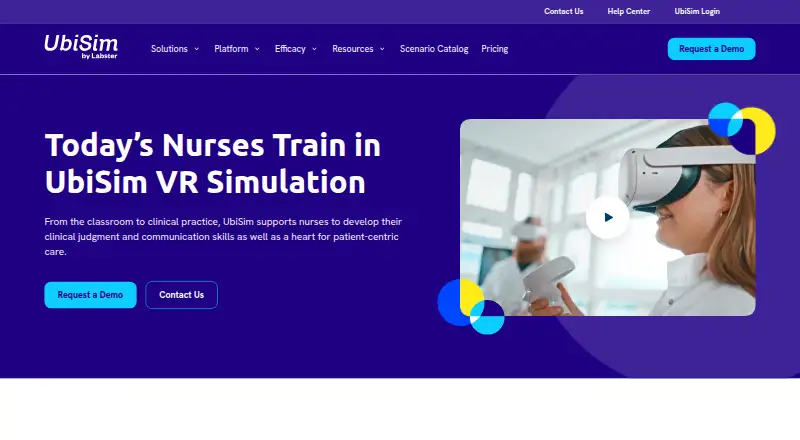
UbiSim is a virtual reality clinical simulation platform for nursing programs, healthcare systems, and workforce-development organizations. It combines immersive patient-care scenarios with educator authoring tools, multiplayer sessions, learner performance reporting, class management, user administration, and structured debriefing. Administrators, trainers, and learners access a web portal, while standalone Meta Quest headsets support simulation delivery. The platform is designed for training in clinical judgment, communication, and patient-centered care.
Scenario creation is a central strength. Educators can author and edit scenarios without code, assign them through classes, invite users, manage roles, and activate or deactivate accounts. Learners can complete pre-brief, simulation, and debrief workflows, followed by quizzes, guided reflection, and web replay. Multiplayer and structured group sessions support shared learning, while community scenario sharing can extend the available content. These tools make UbiSim a focused option for nursing education teams that need both custom content and organized cohort management.
Reporting and institutional administration round out the platform. AI-enhanced learner performance reports provide an additional way to review outcomes, and Microsoft Entra ID supports single sign-on. UbiSim is licensed at the institution or program level, so its operating model is better suited to nursing schools, healthcare organizations, and workforce-development programs than to individual instructors seeking a standalone teaching tool. Buyers should also plan around the supported Meta Quest 2, Meta Quest Pro, and Meta Quest 3 headsets. Choose UbiSim for nursing-focused VR scenarios with authoring, collaboration, assessment, and debriefing; consider a broader platform when training needs extend beyond this clinical education focus.
Your product? Our editors can test UbiSim in depth and publish a review, labelled as paid · from $149/mo →
UbiSim pricing
UbiSim fact sheet
| Free plan | No |
|---|---|
| Paid from | Not verified |
| Collaborative learning | Yes |
| Authoring tools | Yes |
| Learner analytics | Yes |
| Delivery mode | Mixed |
| Learner limit | Not verified |
| Headset support | Meta Quest 2, Meta Quest Pro, Meta Quest 3 |
| Admin controls | Yes |
| Deployment | Cloud |
| Platforms | Web, Windows, macOS |
| Compliance & security | SOC 2 |
| Support | Email, Live chat, Docs |
| Built for | Mid-market, Enterprise (editorial estimate) |
| Integrations | 1 integrations: Microsoft Entra ID |
| Pricing | Pricing on request (source) |
| Website | ubisimvr.com |
| Facts checked | 21 Sep 2026 |
UbiSim integrations
UbiSim lists 1 integrations on its own site.
- Microsoft Entra ID
Alternatives to UbiSim
- VictoryXRA broad VR learning suite with AI, authoring, analytics, and multiplayer spaces.9.3
- EON-XRA broad no-code XR platform for institutions creating, managing, and tracking immersive lessons.9.1
- zSpaceA glasses-free AR/VR learning system with 3D content and teacher authoring tools.9.0



Used UbiSim? Be the first to review it
The editor score above is our own research. What this page doesn't have yet is a reader's view — what you used UbiSim for, what worked and what didn't. No stars are seeded and no review is paid for; an editor reads every one before it appears.
Write a reviewTwo minutes · verified accounts only · read by an editor before it appears
Featured on iTechGuides

UbiSim is listed in our Virtual Reality Learning Platforms directory. Add the badge to your site — it links back to this page.
<a href="https://www.itechguides.com/products/ubisim/"><img src="https://www.itechguides.com/best/badge/ubisim.svg" alt="Featured on iTechGuides" width="230" height="46"></a>
Reviewed by iTechGuides Editors · Editorial team · Updated Oct 2026
Advertiser disclosure: iTechGuides is reader-supported. Vendors can pay for top positions in our rankings and for a place on other products' pages, and we may earn a commission when you click some links. Bought places stand at the number bought; this page and our disclosure say so. Paying vendors may get a fuller, more detailed review from our editors, and that review can change their score. How we rank.
Last updated · How we research and update