
U.S. Web Design System
U.S. Web Design System: A documented, multi-format UI system for teams building accessible government services. Ranked #7 of 26 in UI Kit Libraries by our editors (8.5/10); pricing: Open source; best for government web teams needing documented components.
At a glance
- Editor score8.5 / 10
- PricingOpen source
- Best forGovernment web teams needing documented components
- Paid fromFree
- Founded2015
- Facts checked20 Sep 2026
Where it wins
- 47 documented components with reusable patterns and page templates
- Figma, Sketch, and Adobe XD design kits for design workflows
- Accessibility guidance, testing documentation, and responsive design support
Where it doesn't
- Primarily designed for U.S. federal government websites
- Licensing varies across assets, including some third-party materials
- Implementation spans multiple formats and may require team coordination
Our verdict on U.S. Web Design System
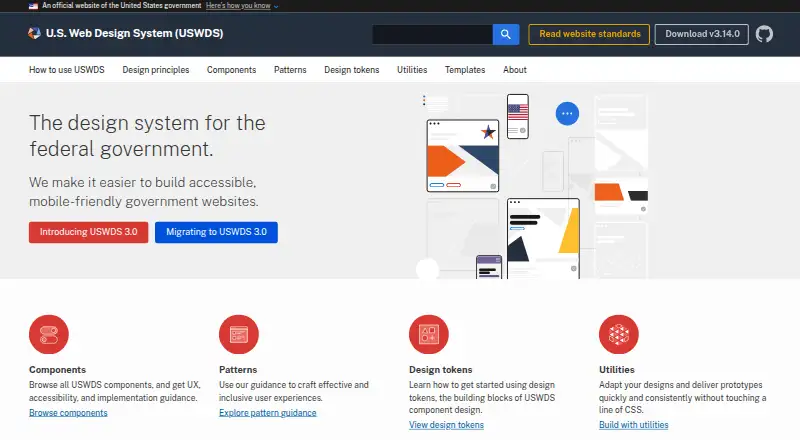
The U.S. Web Design System is an open-source toolkit for teams creating accessible, mobile-friendly websites and digital services. It is designed primarily for U.S. federal government websites, while also being available for broader use. Developers can work with reusable Sass, CSS, JavaScript, HTML, and npm packages, while designers have editable assets for Figma, Sketch, and Adobe XD. The system includes 47 documented interface components, design tokens, utility classes, patterns, and page templates for common government experiences.
Its strongest fit is for organizations that need a documented design system rather than a small collection of standalone UI assets. Responsive guidance supports mobile-friendly implementation, and the system includes accessibility implementation guidance and testing documentation. Design tokens cover color, typography, spacing, opacity, and related styles, helping teams align visual decisions across projects. Utility classes also support prototyping and layout work. The combination of code packages, design kits, documentation, and patterns gives government web teams several ways to connect design and development workflows.
USWDS is open source and commercially usable, with code and design assets publicly available. Licensing varies by asset: most materials use CC0 or public-domain terms, while some third-party assets have separate licenses. Teams should account for that distinction when assembling a project. The system is a strong choice for government teams that value accessibility guidance, documented components, and multiple implementation formats. Teams seeking a narrowly focused kit, built-in AI features, or a system tailored specifically to a non-government product context may prefer a more specialized alternative.
Your product? Our editors can test U.S. Web Design System in depth and publish a review, labelled as paid · from $149/mo →
U.S. Web Design System pricing
U.S. Web Design System fact sheet
| Free plan | Not verified |
|---|---|
| Paid from | Free |
| Component count | Not verified |
| Primary asset format | Multiple |
| Design-system ready | Yes |
| Responsive components | Yes |
| Accessibility guidance | Yes |
| License scope | Commercial |
| Deployment | Cloud, Self-hosted |
| Platforms | Web |
| Support | Email, Community, Docs |
| Built for | Mid-market, Enterprise (editorial estimate) |
| Pricing | Open source |
| Website | designsystem.digital.gov |
| Facts checked | 20 Sep 2026 |
Alternatives to U.S. Web Design System
- MUIA broad React UI ecosystem with free foundations and paid advanced components.9.4
- Carbon Design SystemA broad, accessible UI system with coded components, design kits, tokens, and framework options.9.2
- Adobe SpectrumA broad, open-source foundation for consistent web, desktop, and mobile interfaces.9.0



See all U.S. Web Design System alternatives →
U.S. Web Design System vs the competition
- U.S. Web Design System vs MUI
- U.S. Web Design System vs Carbon Design System
- U.S. Web Design System vs Adobe Spectrum
- U.S. Web Design System vs GitHub Primer
- U.S. Web Design System vs Angular Material
- U.S. Web Design System vs Clarity Design System



Compare U.S. Web Design System with any tool side by side →
Used U.S. Web Design System? Be the first to review it
The editor score above is our own research. What this page doesn't have yet is a reader's view — what you used U.S. Web Design System for, what worked and what didn't. No stars are seeded and no review is paid for; an editor reads every one before it appears.
Write a reviewTwo minutes · verified accounts only · read by an editor before it appears
Featured on iTechGuides

U.S. Web Design System is listed in our UI Kit Libraries directory. Add the badge to your site — it links back to this page.
<a href="https://www.itechguides.com/products/u-s-web-design-system/"><img src="https://www.itechguides.com/best/badge/u-s-web-design-system.svg" alt="Featured on iTechGuides" width="230" height="46"></a>
Reviewed by iTechGuides Editors · Editorial team · Updated Oct 2026
Advertiser disclosure: iTechGuides is reader-supported. Vendors can pay for top positions in our rankings and for a place on other products' pages, and we may earn a commission when you click some links. Bought places stand at the number bought; this page and our disclosure say so. Paying vendors may get a fuller, more detailed review from our editors, and that review can change their score. How we rank.
Last updated · How we research and update