
Typeright
Typeright: A mobile-first writing assistant with predictive typing and broad language tools. Ranked #50 of 88 in Grammar Checkers by our editors (3.7/10); pricing: Free plan; best for mobile users wanting predictive grammar help.
At a glance
- Editor score3.7 / 10
- PricingFree plan
- Best forMobile users wanting predictive grammar help
- Free planYes
- Tone detectionYes
- Facts checked21 Sep 2026
Where it wins
- Checks grammar, spelling, punctuation, and style
- Adds predictive typing, synonyms, mood detection, and translation
- Supports iOS, Android, and Chrome with three languages
Where it doesn't
- Platform coverage centers on mobile apps and Chrome
- Pricing varies by region and includes multiple in-app price points
- Plan details do not clearly distinguish paid-tier features
Our verdict on Typeright
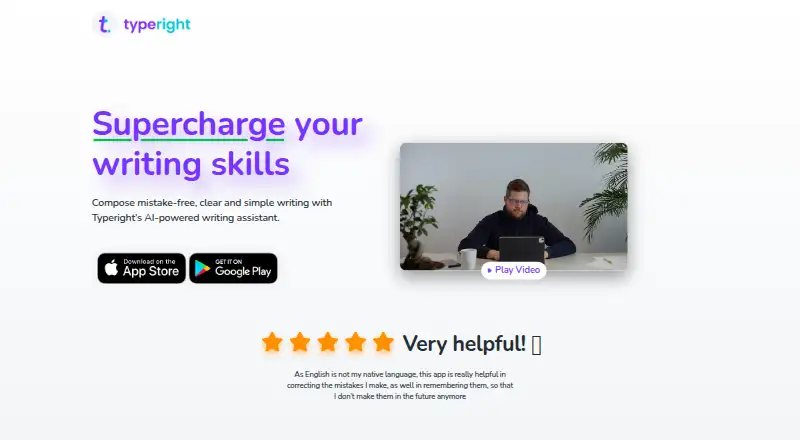
Typeright is an AI-powered writing assistant for people who want grammar and writing help while composing on mobile devices. Its feature set covers grammar, spelling, punctuation, missing words, style suggestions, predictive typing, a personal dictionary, contextual synonyms, mood detection, and translation. It supports English, German, and Spanish through iOS and Android apps, with keyboard functionality for writing across other apps. A Chrome extension is also referenced in the official Android listing, giving browser users an additional access point.
The pricing structure is freemium, with a free plan, a Weekly Subscription, and Typeright Plus options. The listed starting price is 2.99, while App Store prices vary by region and include multiple in-app purchase price points. The published plan names do not establish which features are reserved for each paid option, so buyers should compare the available in-app choices before subscribing. Typeright suits users who want predictive writing assistance alongside correction tools, but it is less suitable for teams or organizations seeking clearly defined plans and documented collaboration features.
Typeright’s strongest differentiator is the combination of correction, keyboard-based predictive typing, contextual synonyms, mood detection, and translation in a mobile-focused product. That breadth makes it useful for everyday writing across apps, particularly for users working in one of its three supported languages. Platform coverage remains focused on iOS, Android, and Chrome rather than a wider desktop ecosystem. The official Android listing was last updated September 11, 2023, while the iOS listing shows version history through November 2024. Choose Typeright for mobile writing support and predictive help; consider an alternative if you need broader platform coverage or more transparent plan distinctions.
Your product? Our editors can test Typeright in depth and publish a review, labelled as paid · from $149/mo →
Typeright pricing
All 2 Typeright plans and prices →
Typeright fact sheet
| Free plan | Yes |
|---|---|
| Paid from | Not verified |
| Browser extension | Yes |
| Desktop app | Not verified |
| Mobile app | Yes |
| Style suggestions | Yes |
| Tone detection | Yes |
| Languages supported | 3 |
| Deployment | Cloud, Mobile, Browser extension |
| Platforms | iOS, Android, Chrome extension |
| Support | |
| Built for | Solo, Small business (editorial estimate) |
| Pricing | Free plan (source) |
| Website | typeright.com |
| Facts checked | 21 Sep 2026 |
Alternatives to Typeright
- GrammarlyA broad writing assistant with strong grammar, tone, rewriting, and AI coverage.9.4
- LanguageToolA broad multilingual checker with open-source and self-hosting options.9.2
- Microsoft EditorA strong Microsoft 365 writing assistant with focused platform coverage.9.0


See all Typeright alternatives →
Used Typeright? Be the first to review it
The editor score above is our own research. What this page doesn't have yet is a reader's view — what you used Typeright for, what worked and what didn't. No stars are seeded and no review is paid for; an editor reads every one before it appears.
Write a reviewTwo minutes · verified accounts only · read by an editor before it appears
Featured on iTechGuides

Typeright is listed in our Grammar Checkers directory. Add the badge to your site — it links back to this page.
<a href="https://www.itechguides.com/products/typeright/"><img src="https://www.itechguides.com/best/badge/typeright.svg" alt="Featured on iTechGuides" width="230" height="46"></a>
Reviewed by iTechGuides Editors · Editorial team · Updated Oct 2026
Advertiser disclosure: iTechGuides is reader-supported. Vendors can pay for top positions in our rankings and for a place on other products' pages, and we may earn a commission when you click some links. Bought places stand at the number bought; this page and our disclosure say so. Paying vendors may get a fuller, more detailed review from our editors, and that review can change their score. How we rank.
Last updated · How we research and update