
TuneArt
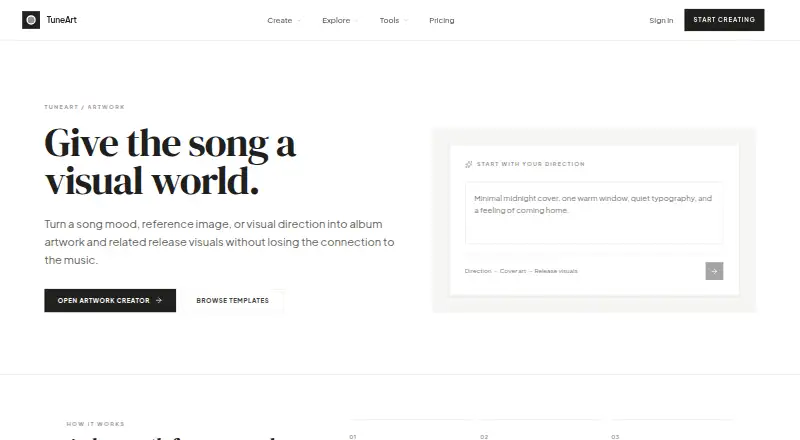
TuneArt: A browser-based workspace for generating, remixing, and preparing music artwork. Ranked #5 of 26 in Album Cover Maker Software by our editors (8.9/10); pricing: Free plan; best for creators wanting AI covers and release projects.
At a glance
- Editor score8.9 / 10
- PricingFree plan
- Best forCreators wanting AI covers and release projects
- Free planYes
- Facts checked22 Sep 2026
Where it wins
- Generates covers from prompts, songs, references, or templates
- Offers six design directions plus portrait and artwork remixing
- Connects songs, lyrics, artwork, and release materials in projects
Where it doesn't
- Free accounts include limited starting credits
- Credit usage applies to templates and generated artwork
- Available through the web rather than a listed native app
Our verdict on TuneArt
TuneArt is a browser-based creative workspace for musicians and independent artists who need album-cover concepts and related release visuals. Its AI artwork tools can work from prompts, songs, references, or templates, while six design directions cover minimalist, surreal, retro, abstract, neon, and illustrated approaches. The product also supports portrait and artwork remixing, reference-cover recreation with a user photo, and sharing formats such as acrylic player, vinyl, polaroid, neon, and minimal card. It is aimed at creators who want artwork generation and connected release planning in one place.
The credit model is central to how TuneArt is positioned. The Free plan includes limited starting credits and access to every template at its listed credit cost. Credit packs provide four pack sizes, purchased credits remain valid for 12 months, and there is no subscription. This structure suits creators who prefer purchasing credits for specific projects rather than committing to recurring billing. It also means frequent generation and template use require attention to credit consumption, especially when exploring multiple concepts or remixes.
TuneArt’s strongest fit is a release workflow that extends beyond a single square cover. The published feature set includes release-ready artwork for streaming platforms, social media, and print, plus connected projects for songs, lyrics, artwork, and release materials. That breadth makes it useful for independent artists building a consistent visual package around a release. Creators seeking a browser-based tool with AI generation, templates, remixing, and project organization should consider TuneArt. It is less suitable for people who want a native app experience or an unlimited-generation subscription model.
Your product? Our editors can test TuneArt in depth and publish a review, labelled as paid · from $149/mo →
TuneArt pricing
All 2 TuneArt plans and prices →
TuneArt fact sheet
| Free plan | Yes |
|---|---|
| Paid from | Not verified |
| Album templates | Yes |
| Streaming size presets | Not verified |
| AI artwork generation | Yes |
| Print-ready export | Yes |
| Max export resolution | Not verified |
| Transparent export | Not verified |
| Money-back guarantee | 7 days |
| Deployment | Cloud, Browser extension |
| Platforms | Web |
| Support | |
| Built for | Solo, Small business (editorial estimate) |
| Pricing | Free plan (source) |
| Website | tuneart.app |
| Facts checked | 22 Sep 2026 |
Alternatives to TuneArt
- CoverArt AIA focused web tool for polished, platform-ready AI cover art.9.4
- One More Shot AIA music-aware cover and promo generator with broad creative output and costly paid tiers.9.2
- Mew Design AI Cover Art GeneratorA conversational AI cover maker with strong revision tools and print-ready paid exports.9.1



See all TuneArt alternatives →
TuneArt vs the competition
- TuneArt vs CoverArt AI
- TuneArt vs One More Shot AI
- TuneArt vs Mew Design AI Cover Art Generator
- TuneArt vs AetherWave AI Album Cover Generator
- TuneArt vs ArtificialStudio Album Cover Generator
- TuneArt vs DistriBeats Artwork Studio



Compare TuneArt with any tool side by side →
Used TuneArt? Be the first to review it
The editor score above is our own research. What this page doesn't have yet is a reader's view — what you used TuneArt for, what worked and what didn't. No stars are seeded and no review is paid for; an editor reads every one before it appears.
Write a reviewTwo minutes · verified accounts only · read by an editor before it appears
Featured on iTechGuides

TuneArt is listed in our Album Cover Maker Software directory. Add the badge to your site — it links back to this page.
<a href="https://www.itechguides.com/products/tuneart/"><img src="https://www.itechguides.com/best/badge/tuneart.svg" alt="Featured on iTechGuides" width="230" height="46"></a>
Reviewed by iTechGuides Editors · Editorial team · Updated Oct 2026
Advertiser disclosure: iTechGuides is reader-supported. Vendors can pay for top positions in our rankings and for a place on other products' pages, and we may earn a commission when you click some links. Bought places stand at the number bought; this page and our disclosure say so. Paying vendors may get a fuller, more detailed review from our editors, and that review can change their score. How we rank.
Last updated · How we research and update