
Transcribe!
Transcribe!: A strong practice aid for slowing, looping, and analyzing recordings by ear. Ranked #30 of 31 in Music Transcription Software by our editors (6.3/10); pricing: 30-day trial; best for practice-focused audio analysis.
At a glance
- Editor score6.3 / 10
- Pricing30-day trial
- Best forPractice-focused audio analysis
- Free planNo
- Paid from$15/unit one-time
- PlatformDesktop
- Facts checked20 Sep 2026
Where it wins
- Variable-speed playback from one-twentieth to double speed
- Pitch shifting, looping, markers, and waveform navigation
- Spectrum analysis, chord guessing, and piano-roll note views
Where it doesn't
- Does not output musical notation
- Does not export MIDI
- No free plan; single-copy license costs $39 one-time
Our verdict on Transcribe!
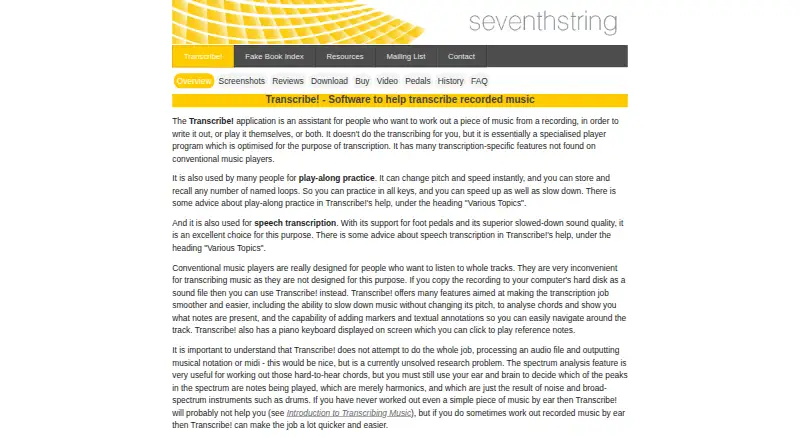
Transcribe! is desktop software for musicians who want to work out recorded music by ear. It runs on Windows, macOS, and Linux, and is also designed for play-along practice and speech transcription. Its feature set centers on controlled listening rather than automatic score creation: users can slow or speed playback, change pitch without changing speed, loop passages, and add markers or annotations. It can also display video for most video files, record audio, apply effects, and save modified audio.
Its strongest area is detailed playback and audio analysis. Playback ranges from one-twentieth to double speed, while fine pitch adjustment supports matching recordings to an instrument or reference. Waveform navigation helps locate passages, and spectrum analysis adds note and chord guessing. A piano-roll display shows note guesses over time, and an on-screen piano provides reference notes. Pedal and keyboard-shortcut controls add options for practice workflows. These tools make Transcribe! a practical fit for musicians learning parts, checking harmony, or studying difficult recordings.
Pricing is a one-time purchase rather than a subscription. A Single copy costs $39 and licenses one copy for use on one computer, or up to three computers for the purchaser's exclusive use. Bulk pricing is $31 per copy for 2–4 copies, $25 for 5–19, $20 for 20–99, and $15 for 100 or more. A 30-day free trial is available, but there is no free plan. Transcribe! should appeal to users who value playback control and analysis across desktop platforms. Those who need musical notation, MIDI export, tablature output, or stem separation should choose a tool built around those outputs instead.
Your product? Our editors can test Transcribe! in depth and publish a review, labelled as paid · from $149/mo →
Transcribe! pricing
All 5 Transcribe! plans and prices →
Transcribe! fact sheet
| Free plan | No |
|---|---|
| Paid from | $15/unit one-time |
| Output formats | piano-roll note guesses; chord names |
| Stem separation | No |
| Chord detection | Yes |
| Tablature output | No |
| MIDI export | No |
| Platform | Desktop |
| Free trial | 30 days |
| Deployment | Desktop |
| Platforms | Windows, macOS, Linux |
| Support | Email, Docs |
| Built for | Solo, Small business, Mid-market, Enterprise (editorial estimate) |
| Pricing | 30-day trial (source) |
| Website | seventhstring.com |
| Facts checked | 20 Sep 2026 |
Alternatives to Transcribe!
- Klangio Transcription StudioA broad transcription tool with notation editing, tablature, and extensive export options.9.4
- AnthemScoreA broad audio-to-score toolkit with AI detection, editing, tablature, and batch processing.9.2
- ScoreCloudA flexible notation workspace with transcription, collaboration, and clear paid upgrades.9.0



See all Transcribe! alternatives →
Used Transcribe!? Be the first to review it
The editor score above is our own research. What this page doesn't have yet is a reader's view — what you used Transcribe! for, what worked and what didn't. No stars are seeded and no review is paid for; an editor reads every one before it appears.
Write a reviewTwo minutes · verified accounts only · read by an editor before it appears
Featured on iTechGuides

Transcribe! is listed in our Music Transcription Software directory. Add the badge to your site — it links back to this page.
<a href="https://www.itechguides.com/products/transcribe/"><img src="https://www.itechguides.com/best/badge/transcribe.svg" alt="Featured on iTechGuides" width="230" height="46"></a>
Reviewed by iTechGuides Editors · Editorial team · Updated Oct 2026
Advertiser disclosure: iTechGuides is reader-supported. Vendors can pay for top positions in our rankings and for a place on other products' pages, and we may earn a commission when you click some links. Bought places stand at the number bought; this page and our disclosure say so. Paying vendors may get a fuller, more detailed review from our editors, and that review can change their score. How we rank.
Last updated · How we research and update