
Tracktion Waveform
Tracktion Waveform: A capable free DAW across three desktop platforms, with paid upgrades for deeper production. Ranked #15 of 36 in Digital Audio Workstations by our editors (7.7/10); pricing: Free plan · 30-day trial; best for free cross-platform production with upgrade paths.
At a glance
- Editor score7.7 / 10
- PricingFree plan · 30-day trial
- Best forFree cross-platform production with upgrade paths
- Free planYes
- Paid from$249 one-time
- Operating systemsMacos_windows_linux
- Facts checked21 Sep 2026
Where it wins
- Free edition includes recording, MIDI, warping, plug-ins, instruments, and video
- Runs on macOS, Windows, and Linux
- Supports VST, VST3, AU, audio warping, and video workflows
Where it doesn't
- Waveform Pro costs $249 as a one-time license
- Advanced instruments and sound content require higher-priced bundles
- The broad feature set may exceed the needs of simple recording projects
Our verdict on Tracktion Waveform
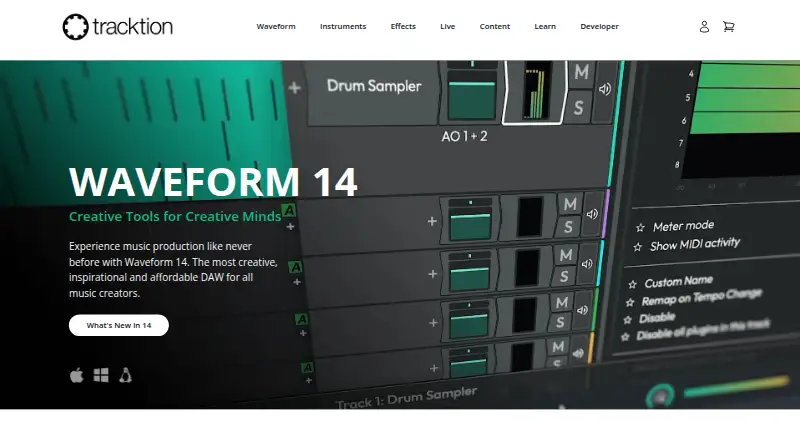
Tracktion Waveform is a desktop digital audio workstation for music creators, producers, bands, DJs, and podcasters. Its core workflow combines multitrack audio recording and editing, MIDI sequencing, clip editing, mixing, plug-in hosting, instruments, effects, and video-related tools. Waveform Free provides a substantial starting point with 14 built-in audio effects, 8 MIDI effects, 11 utility plugins, and 4 built-in instruments. It runs on macOS, Windows, and Linux, making it a practical choice for creators who want the same DAW across major desktop operating systems.
Pricing is structured around a free edition and one-time paid licenses. Waveform Free costs $0 and covers the foundational production workflow. Waveform Pro costs $249 one-time and adds an AI Assistant, 38 built-in audio effects, 10 MIDI effects, 10 built-in instruments, and multi-channel surround sound. The Recommended Bundle costs $349 and includes Pro plus F.'em, Dan Dean Essential Bass, the Testa Imagina drum loop library, and RetroMod FAT & LoFreq Modern. The Studio Content Bundle costs $599, while the Everything Bundle costs $999 and adds further instruments, effects, and all sound packs available at purchase.
Waveform’s breadth is its defining advantage. Real-time audio warping and time-stretching support flexible editing, while VST, VST3, and AU support helps accommodate external plug-ins. Video playback, multiple video clips, video export, and audio replacement extend the workflow beyond music-only projects. The AI Assistant can answer functionality questions and generate MIDI. Choose Waveform for free, cross-platform production with room to expand. Creators seeking only straightforward recording may find its feature range and bundle structure more than they need, while buyers focused on premium included content should compare the cost of higher tiers carefully.
Your product? Our editors can test Tracktion Waveform in depth and publish a review, labelled as paid · from $149/mo →
Tracktion Waveform pricing
All 5 Tracktion Waveform plans and prices →
Tracktion Waveform fact sheet
| Free plan | Yes |
|---|---|
| Paid from | $249 one-time |
| Operating systems | Macos_windows_linux |
| Max audio tracks | Not verified |
| Max MIDI tracks | Not verified |
| Audio warping | Yes |
| Score editor | Not verified |
| Video timeline | Yes |
| VST3 support | Yes |
| Free trial | 30 days |
| Money-back guarantee | 60 days |
| Deployment | Desktop |
| Platforms | macOS, Windows, Linux |
| Compliance & security | GDPR |
| Support | Email, Community, Docs |
| Built for | Solo, Small business, Mid-market, Enterprise (editorial estimate) |
| Pricing | Free plan · 30-day trial (source) |
| Website | tracktion.com |
| Facts checked | 21 Sep 2026 |
Alternatives to Tracktion Waveform
- Pro ToolsA full-featured DAW for professional music production, mixing, and audio post.9.4
- Logic ProA deep Mac-and-iPad DAW for recording, production, editing, mixing, and mastering.9.2
- REAPERREAPER packs extensive audio, MIDI, video, and plug-in support into a one-time desktop license.9.1


See all Tracktion Waveform alternatives →
Used Tracktion Waveform? Be the first to review it
The editor score above is our own research. What this page doesn't have yet is a reader's view — what you used Tracktion Waveform for, what worked and what didn't. No stars are seeded and no review is paid for; an editor reads every one before it appears.
Write a reviewTwo minutes · verified accounts only · read by an editor before it appears
Featured on iTechGuides

Tracktion Waveform is listed in our Digital Audio Workstations directory. Add the badge to your site — it links back to this page.
<a href="https://www.itechguides.com/products/tracktion-waveform/"><img src="https://www.itechguides.com/best/badge/tracktion-waveform.svg" alt="Featured on iTechGuides" width="230" height="46"></a>
Reviewed by iTechGuides Editors · Editorial team · Updated Oct 2026
Advertiser disclosure: iTechGuides is reader-supported. Vendors can pay for top positions in our rankings and for a place on other products' pages, and we may earn a commission when you click some links. Bought places stand at the number bought; this page and our disclosure say so. Paying vendors may get a fuller, more detailed review from our editors, and that review can change their score. How we rank.
Last updated · How we research and update