Toombler
Toombler: A lightweight free flipbook tool for embedded PDFs that stay synced to their source. Ranked #22 of 30 in PDF Flipbook Software by our editors (7.1/10); pricing: Free plan; best for free, lightweight embeds with automatic updates.
At a glance
- Editor score7.1 / 10
- PricingFree plan
- Best forFree, lightweight embeds with automatic updates
- Free planYes
- Paid fromFree
- Website embedYes
- Facts checked20 Sep 2026
Where it wins
- Unlimited flipbooks with no page limit
- Automatic updates when the source PDF changes
- Embeds for WordPress, Wix, Shopify, and more
Where it doesn't
- One advertisement appears on each flipbook's inside cover
- No analytics or lead capture features
- Flipbooks are deleted after 12 months without being opened
Our verdict on Toombler
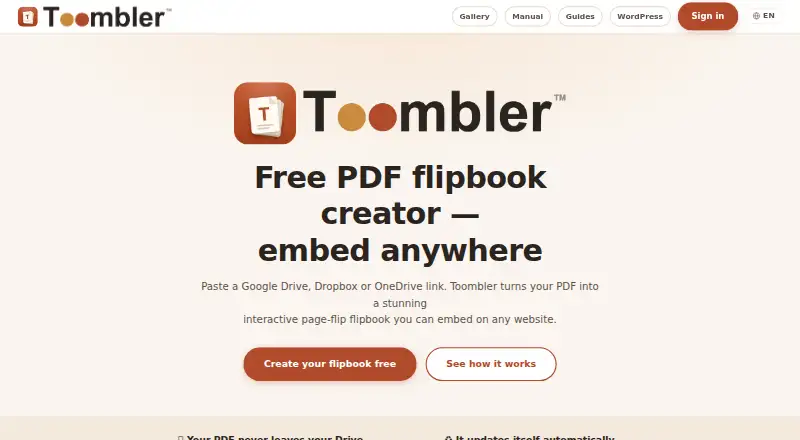
Toombler converts PDFs from Google Drive, Dropbox, or OneDrive into browser-based flipbooks. It suits publishers, educators, businesses, and site owners that want to embed documents without uploading or storing duplicate PDF copies. Users share a source link, then add the flipbook to a website through iframe, JavaScript, Web Component, or oEmbed code. The responsive viewer includes touch support, zoom, fullscreen, autoplay, clickable links, a table of contents, and QR codes.
Toombler has one Free plan at no cost. It includes unlimited flipbooks, no page limit, and no watermark over pages. Each flipbook includes one advertisement on the inside cover, while the PDF remains in the user's Google Drive, Dropbox, or OneDrive. Automatic source updates are particularly useful for documents that change over time. PIN protection and expiry dates add control for shared or time-sensitive materials. The service works with WordPress, Wix, Squarespace, Ghost, Webflow, Shopify, WooCommerce, Teachable, Thinkific, and Notion.
Its focus is straightforward publishing rather than measurement or conversion workflows. Toombler does not include analytics or lead capture, and the product is web-based rather than supported by mobile apps. It also does not provide custom branding or offline downloads. Flipbook links created more than 12 months ago that have not been opened for 12 months are deleted. Choose Toombler for free, responsive PDF embeds with cloud-source syncing and basic access controls. Choose an alternative if branded presentation, audience analytics, lead collection, or offline reading is central to your requirements.
Your product? Our editors can test Toombler in depth and publish a review, labelled as paid · from $149/mo →
Toombler pricing
All 1 Toombler plans and prices →
Toombler fact sheet
| Free plan | Yes |
|---|---|
| Paid from | Free |
| Website embed | Yes |
| Mobile app support | Web |
| Page limit | Not verified |
| Reader analytics | No |
| Lead capture | No |
| Custom branding | Not verified |
| Offline download | Not verified |
| Deployment | Cloud |
| Platforms | Web |
| Built for | Solo, Small business (editorial estimate) |
| Integrations | 13 integrations: Google Drive, Dropbox, OneDrive, WordPress, Wix, Squarespace … |
| Pricing | Free plan (source) |
| Website | toombler.com |
| Facts checked | 20 Sep 2026 |
Toombler integrations
Toombler lists 13 integrations on its own site.
- Google Drive
- Dropbox
- OneDrive
- WordPress
- Wix
- Squarespace
- Ghost
- Webflow
- Shopify
- WooCommerce
- Teachable
- Thinkific
- Notion
Alternatives to Toombler
- AnyFlipA full-featured flipbook platform with broad publishing options and a useful free plan.9.4
- FlipHTML5A broad flipbook platform for interactive publishing, lead capture, analytics, and digital sales.9.3
- FlipsnackA broad flipbook platform for branded publications, interactive content, and analytics.9.2


See all Toombler alternatives →
Used Toombler? Be the first to review it
The editor score above is our own research. What this page doesn't have yet is a reader's view — what you used Toombler for, what worked and what didn't. No stars are seeded and no review is paid for; an editor reads every one before it appears.
Write a reviewTwo minutes · verified accounts only · read by an editor before it appears
Featured on iTechGuides

Toombler is listed in our PDF Flipbook Software directory. Add the badge to your site — it links back to this page.
<a href="https://www.itechguides.com/products/toombler/"><img src="https://www.itechguides.com/best/badge/toombler.svg" alt="Featured on iTechGuides" width="230" height="46"></a>
Reviewed by iTechGuides Editors · Editorial team · Updated Oct 2026
Advertiser disclosure: iTechGuides is reader-supported. Vendors can pay for top positions in our rankings and for a place on other products' pages, and we may earn a commission when you click some links. Bought places stand at the number bought; this page and our disclosure say so. Paying vendors may get a fuller, more detailed review from our editors, and that review can change their score. How we rank.
Last updated · How we research and update