
Textile Designer AI
Textile Designer AI: A broad AI textile workflow for teams that need production-ready pattern outputs. Ranked #9 of 24 in Pattern Design Software by our editors (6.3/10); pricing: Paid; best for AI textile teams with production workflows.
At a glance
- Editor score6.3 / 10
- PricingPaid
- Best forAI textile teams with production workflows
- Free planNo
- Seamless repeatYes
- Facts checked20 Sep 2026
Where it wins
- Generates designs from prompts or reference images
- Combines repeats, colorways, separation, vectorization, and upscaling
- Supports web, Windows, macOS, API, and Photoshop workflows
Where it doesn't
- No free plan is available
- Unused credits expire after 30 days on Basic and Standard
- Some team tiers limit seats or include credit-based usage
Our verdict on Textile Designer AI
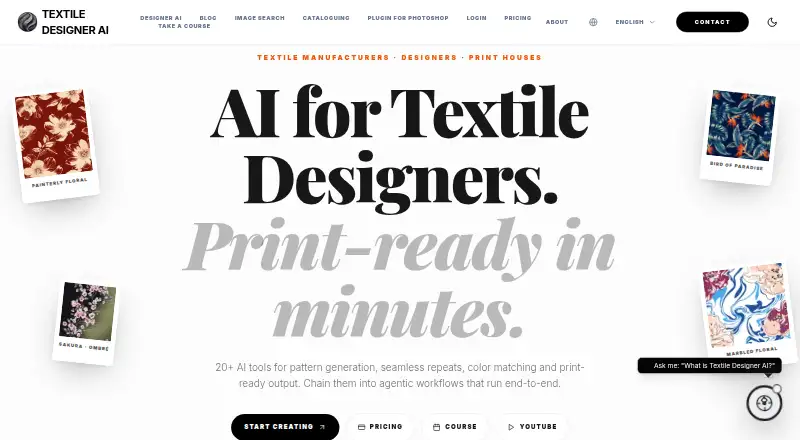
Textile Designer AI is a browser-based platform for textile manufacturers, fashion brands, print houses, and designers. It brings AI design generation, repeat creation, color matching, colorway development, color separation, raster-to-vector conversion, and print preparation into one product. Designs can start from prompts or reference images, while exports include PNG, TIFF, JPG, SVG, EPS, PDF, and PSD. The product is particularly suited to teams moving from concept development into repeat and production artwork rather than to users seeking a general illustration tool.
Its strongest differentiator is the breadth of the textile workflow. Repeat structures include block, half-drop, cross, and step, while color separation prepares artwork for printing layers. Print-ready upscaling and DPI preparation address a later production stage, and agentic workflows can chain multiple design operations. The Unlimited Solo plan includes every design tool, while Teams Standard lists core tools that cost no credits. These capabilities make the product a fit for production teams that need to coordinate several pattern tasks in one environment.
The paid plan structure ranges from Basic with 275 credits and one user to Standard with 1,500 credits and one user; unused credits expire after 30 days on both plans. Unlimited Solo provides one seat and five boosts per month. Teams Basic supports unlimited users with 11,750 credits and an Admin and Master Dashboard; Teams Standard supports up to 30 users with 14,000 credits; Teams Premium provides unlimited users, 16,750 credits, and priority email and phone support. Adobe Photoshop integration, Adobe Creative Cloud compatibility, web, Windows, macOS, and API access broaden its workflow fit. Teams needing textile-specific production tools should consider it; users wanting a free plan or a simpler, narrower pattern tool should look elsewhere.
Your product? Our editors can test Textile Designer AI in depth and publish a review, labelled as paid · from $149/mo →
Textile Designer AI pricing
All 6 Textile Designer AI plans and prices →
Textile Designer AI fact sheet
| Free plan | No |
|---|---|
| Paid from | Not verified |
| Seamless repeat | Yes |
| Colorway tools | Yes |
| Vector editing | Yes |
| Repeat types | block, half-drop, cross, step |
| Supported platforms | web, Windows, macOS, API |
| Export formats | PNG, TIFF, JPG, SVG, EPS, PDF, PSD |
| Deployment | Cloud, Desktop |
| Platforms | Web, Windows, macOS |
| Support | Email, Phone, Live chat, Docs · 24/7 |
| Built for | Solo, Small business, Mid-market, Enterprise (editorial estimate) |
| Integrations | 2 integrations: Adobe Photoshop, Adobe Creative Cloud |
| Pricing | Paid (source) |
| Website | textile-designer.ai |
| Facts checked | 20 Sep 2026 |
Textile Designer AI integrations
Textile Designer AI lists 2 integrations on its own site.
- Adobe Photoshop
- Adobe Creative Cloud
Alternatives to Textile Designer AI
- KXStitchA free Linux desktop app for creating, editing, and printing cross-stitch patterns.7.9
- MediaChance Pattern StudioA focused editor for tileable textures, layered artwork, and material maps.7.9
- AVA CAD/CAMA deep Mac-only toolkit for textile design, colour management and print production.6.9

See all Textile Designer AI alternatives →
Also Ranked In
Textile Designer AI is ranked in 3 of our directories.
Used Textile Designer AI? Be the first to review it
The editor score above is our own research. What this page doesn't have yet is a reader's view — what you used Textile Designer AI for, what worked and what didn't. No stars are seeded and no review is paid for; an editor reads every one before it appears.
Write a reviewTwo minutes · verified accounts only · read by an editor before it appears
Featured on iTechGuides

Textile Designer AI is listed in our Pattern Design Software directory. Add the badge to your site — it links back to this page.
<a href="https://www.itechguides.com/products/textile-designer-ai/"><img src="https://www.itechguides.com/best/badge/textile-designer-ai.svg" alt="Featured on iTechGuides" width="230" height="46"></a>
Reviewed by iTechGuides Editors · Editorial team · Updated Oct 2026
Advertiser disclosure: iTechGuides is reader-supported. Vendors can pay for top positions in our rankings and for a place on other products' pages, and we may earn a commission when you click some links. Bought places stand at the number bought; this page and our disclosure say so. Paying vendors may get a fuller, more detailed review from our editors, and that review can change their score. How we rank.
Last updated · How we research and update