Terma
Terma: A capable remote connection workspace, but not a photo watermarking product. Ranked #32 of 33 in Photo Watermarking Software by our editors (6.0/10); pricing: Open source; best for remote connection and administration workflows.
At a glance
- Editor score6.0 / 10
- PricingOpen source
- Best forRemote connection and administration workflows
- Paid fromFree
- Facts checked20 Sep 2026
Where it wins
- Combines SSH, terminals, SFTP, remote desktops, and port forwarding
- Supports Windows, macOS, Linux, and Web operation
- Includes encrypted configuration, backups, and batch commands
Where it doesn't
- Does not provide photo watermarking features
- Its feature set focuses on remote administration rather than image workflows
- Not suited to buyers seeking photo watermarking tools
Our verdict on Terma
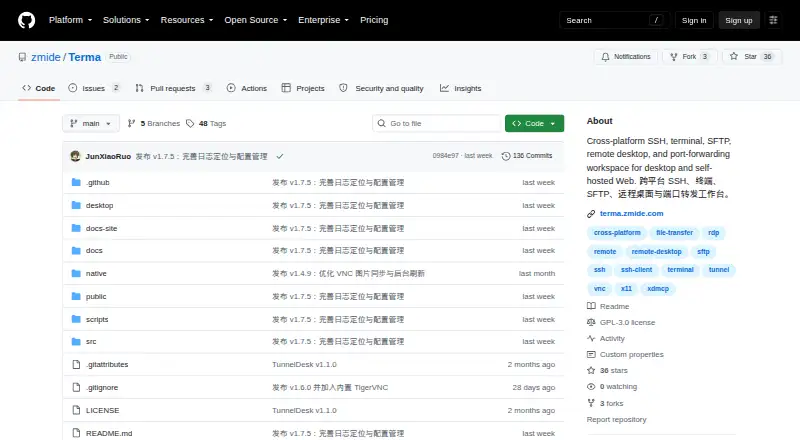
Terma is an open-source remote connection workspace for desktop and self-hosted Web environments. It brings SSH connection management, terminal sessions, SFTP file operations, remote desktop access, port forwarding, and batch commands into one interface. Desktop packages are available for Windows, macOS, and Linux, while Web operation is supported on Linux servers and Termux. Its intended audience is people managing remote systems and files, not users preparing images for publication. For the Photo Watermarking Software category, Terma is therefore a poor fit because its documented capabilities address connection and administration tasks rather than adding watermarks to photos.
Its strongest case is breadth within remote access. SSH connections can be grouped, searched, tagged, favorited, and checked for health, while terminal workspaces support multiple tabs and split layouts. SFTP adds browsing, searching, transfers, editing, and synchronization. The workspace also supports RDP, VNC, and XDMCP remote desktops, along with FTP/FTPS, Telnet, serial connections, and local, remote, and SOCKS5 port forwarding. Batch command execution across multiple hosts, with TXT and JSON export, extends it toward repeatable administration workflows.
Terma also includes password and private-key authentication, encrypted configuration, database backup and restore, and SSH configuration import and export. Those features make it relevant when remote connection management is the goal, especially across supported desktop and Web environments. They do not address image watermarking, photo preparation, or related creative workflows. Buyers looking for a remote administration workspace may find the feature coverage appropriate; buyers who need to place, manage, or export watermarks on photos should choose a dedicated photo watermarking product instead.
Your product? Our editors can test Terma in depth and publish a review, labelled as paid · from $149/mo →
Terma pricing
Terma fact sheet
| Free plan | Not verified |
|---|---|
| Paid from | Free |
| Batch watermarking | Not verified |
| Maximum batch size | Not verified |
| Logo marks | Not verified |
| Signature marks | Not verified |
| Watermark presets | Not verified |
| Supported platforms | web, Windows, macOS, Linux |
| API access | Not verified |
| Deployment | Self-hosted, Desktop |
| Platforms | Web, Windows, macOS, Linux |
| Support | Community |
| Pricing | Open source |
| Website | github.com |
| Facts checked | 20 Sep 2026 |
Alternatives to Terma
- WatermarklyA capable choice for very large cross-platform batches, with a useful free plan.9.4
- eZy WatermarkA feature-rich freemium watermarking tool for mobile creators and businesses.9.2
- iWatermarkA broad watermarking toolkit for users who need batch processing and advanced mark types.9.0



Used Terma? Be the first to review it
The editor score above is our own research. What this page doesn't have yet is a reader's view — what you used Terma for, what worked and what didn't. No stars are seeded and no review is paid for; an editor reads every one before it appears.
Write a reviewTwo minutes · verified accounts only · read by an editor before it appears
Featured on iTechGuides

Terma is listed in our Photo Watermarking Software directory. Add the badge to your site — it links back to this page.
<a href="https://www.itechguides.com/products/terma/"><img src="https://www.itechguides.com/best/badge/terma.svg" alt="Featured on iTechGuides" width="230" height="46"></a>
Reviewed by iTechGuides Editors · Editorial team · Updated Oct 2026
Advertiser disclosure: iTechGuides is reader-supported. Vendors can pay for top positions in our rankings and for a place on other products' pages, and we may earn a commission when you click some links. Bought places stand at the number bought; this page and our disclosure say so. Paying vendors may get a fuller, more detailed review from our editors, and that review can change their score. How we rank.
Last updated · How we research and update