
Teambook
Teambook: Project-based planning for teams that want workload visibility without per-seat pricing. Ranked #13 of 25 in Resource Management Software by our editors (8.0/10); pricing: 30-day trial; best for small teams planning work across projects.
At a glance
- Editor score8.0 / 10
- Pricing30-day trial
- Best forSmall teams planning work across projects
- Free planNo
- Paid from€2/unit/mo
- Capacity planningYes
- Facts checked23 Sep 2026
Where it wins
- Visual bookings show availability and workload across projects
- Skills and tags help planners find suitable people
- Unlimited users are included in the €2 base plan
Where it doesn't
- Capacity visualization costs an additional €1 per project monthly
- Timesheet logging and approval cost an additional €1 per project monthly
- Capacity planning comparisons are monthly, not a fine-grained forecast
Our verdict on Teambook
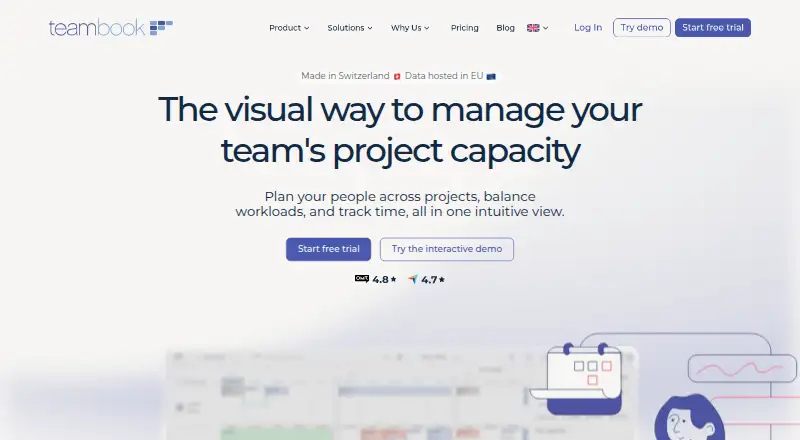
Teambook is a cloud resource management application for assigning people across multiple projects. Its visual planning board schedules bookings and displays availability and workload, while people can be tagged by skills, seniority, and language to help identify suitable staff. The vendor positions it for agencies, consultancies, engineering and construction teams, and IT services organizations. Small teams that plan around projects rather than user seats may find its pricing structure a fit; teams needing detailed short-interval capacity comparisons may find its monthly capacity view limiting.
The Planning plan costs €2 per project per month and includes core planning features and unlimited users. Capacity visualization and simulation are a separate add-on at €1 per project per month, and timesheet logging and approval are another €1 per project per month. The product offers a 30-day trial without a credit card. This project-based model makes the base entry price clear, but teams that need both capacity planning and approved timesheets should account for those add-ons rather than treating them as part of the base plan.
Teambook combines workload visibility, drag-and-drop reassignment, forecasting across selected months, and calendar synchronization with Google, Outlook, Mac, and iOS calendars. It also lists integrations including Slack, Zapier, QuickBooks, HubSpot, Personio, Lucca, and Microsoft Entra ID, plus a REST API for custom applications; web, iOS, and Android access are supported. Email and documentation are the listed support channels, and two-factor authentication is listed as a security measure. Choose Teambook for visual project allocation, skills filtering, and optional time approval; consider another approach if your planning depends on more granular capacity periods.
Questions about Teambook
Does Teambook have a free plan? No free plan is listed; paid plans start at €1/unit/mo (Capacity add-on).
How much does Teambook cost? Teambook lists 3 paid plans; the lowest is Capacity add-on at €1/unit/mo.
Is there a free trial of Teambook? Yes: a 30-day free trial; no card is needed.
What does Teambook run on? Web, iOS and Android. It runs in the cloud and as a mobile app.
What does Teambook integrate with? 11 integrations, including Google Calendar, Microsoft Outlook, Mac OS X Calendar/iCal, iOS Calendar and Zapier.
Who is Teambook built for? Small businesses and mid-market companies (our editorial estimate).
Your product? Our editors can test Teambook in depth and publish a review, labelled as paid · from $149/mo →
Teambook pricing
All 3 Teambook plans and prices →
Teambook fact sheet
| Free plan | No |
|---|---|
| Paid from | €2/unit/mo |
| Capacity planning | Yes |
| Workload management | Yes |
| Skills matching | Yes |
| Scenario planning | Yes |
| Planning granularity | Monthly |
| Resource requests | Not verified |
| Free trial | 30 days · no card needed |
| Deployment | Cloud, Mobile |
| Platforms | Web, iOS, Android |
| Compliance & security | 2FA |
| Support | Email, Docs |
| Built for | Small business, Mid-market (editorial estimate) |
| Integrations | 11 integrations: Google Calendar, Microsoft Outlook, Mac OS X Calendar/iCal, iOS Calendar, Zapier, Slack … See all → |
| Pricing | 30-day trial (source) |
| Website | teambookapp.com |
| Facts checked | 23 Sep 2026 |
Teambook integrations
Teambook lists 11 integrations on its own site.
- Google Calendar
- Microsoft Outlook
- Mac OS X Calendar/iCal
- iOS Calendar
- Zapier
- Slack
- QuickBooks
- HubSpot
- Personio
- Lucca
- Microsoft Entra ID
See all Teambook integrations →
Alternatives to Teambook
- NaptaA deep resource-planning suite for complex professional-services staffing operations.9.3
- Tempus ResourceA broad planning suite for complex portfolios and enterprise integrations.9.1
- EG SilverbucketDeep planning, skills matching and forecasting for mature project teams.9.0



See all Teambook alternatives →
Used Teambook? Be the first to review it
The editor score above is our own research. What this page doesn't have yet is a reader's view — what you used Teambook for, what worked and what didn't. No stars are seeded and no review is paid for; an editor reads every one before it appears.
Write a reviewTwo minutes · verified accounts only · read by an editor before it appears
Featured on iTechGuides

Teambook is listed in our Resource Management Software directory. Add the badge to your site — it links back to this page.
<a href="https://www.itechguides.com/products/teambook/"><img src="https://www.itechguides.com/best/badge/teambook.svg" alt="Featured on iTechGuides" width="230" height="46"></a>
Reviewed by iTechGuides Editors · Editorial team · Updated Nov 2026
Advertiser disclosure: iTechGuides is reader-supported. Vendors can pay for top positions in our rankings and for a place on other products' pages, and we may earn a commission when you click some links. Bought places stand at the number bought; this page and our disclosure say so. Paying vendors may get a fuller, more detailed review from our editors, and that review can change their score. How we rank.
Last updated · How we research and update