
Tajima Embroidery i2
Tajima Embroidery i2: A production-focused digitizing plugin with strong automation, fills, fonts, and garment controls. Ranked #10 of 31 in Embroidery Design Software by our editors (8.4/10); pricing: Pricing on request; best for production designers using Illustrator or CorelDRAW.
At a glance
- Editor score8.4 / 10
- PricingPricing on request
- Best forProduction designers using Illustrator or CorelDRAW
- Supported platformsBoth
- Facts checked21 Sep 2026
Where it wins
- AutoDigitize converts vector artwork into stitches with stitch estimates.
- More than 300 standard, carved, and programmed fills support varied designs.
- Garment recipes automate pull compensation, underlay, and stitch density controls.
Where it doesn't
- Contact-sales pricing makes plan comparison less direct.
- CorelDRAW support is shown for Windows hosts.
- Its workflow depends on supported Adobe Illustrator or CorelDRAW hosts.
Our verdict on Tajima Embroidery i2
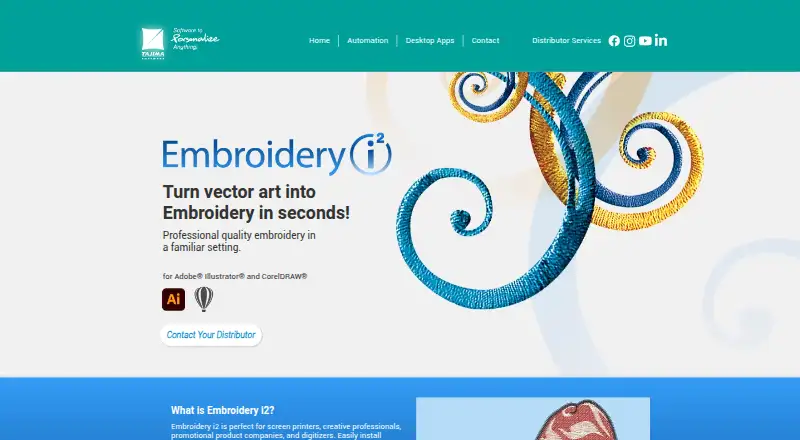
Tajima Embroidery i2 is a desktop embroidery digitizing plugin for Adobe Illustrator and CorelDRAW. It is designed for screen printers, creative professionals, promotional product companies, and digitizers who need to turn vector artwork into embroidery designs. AutoDigitize converts artwork into stitches and provides stitch estimates, while 3D stitch previews and PNG export support design approval. The software runs with Windows hosts and Adobe Illustrator on macOS, making it a fit for production teams already working in one of those design environments.
Pricing follows a contact-sales model, with prospective buyers directed to local distributors. That approach may suit organizations that want a product discussion before purchase, but it gives less immediate visibility into plan structure and paid-tier differences. The integration model is clear: Tajima Embroidery i2 works inside Adobe Illustrator and CorelDRAW rather than presenting itself as a separate standalone design environment. Server-based authentication supports access from multiple supported computers, which can help teams that share work across approved systems.
The strongest case for Tajima Embroidery i2 is its depth of production controls. The published feature set includes more than 20 standard fills, 135 carved fills, 150 programmed fills, more than 125 digitized embroidery fonts, and TTF-to-embroidery conversion. Three-letter monogramming adds decorations and envelope effects, while AutoClip Stitches, Auto Satin Stitch, automatic overlap, and automatic start/stop reduce repetitive stitch adjustments. Garment-specific recipes add pull compensation, underlay, and stitch density controls. Choose it when vector-based production and detailed embroidery automation are central to the workflow; choose another option if you want a standalone embroidery application or a pricing model with clearly published tiers.
Questions about Tajima Embroidery i2
What does Tajima Embroidery i2 run on? Windows and macOS. It runs as a desktop app.
What does Tajima Embroidery i2 integrate with? 2 integrations: Adobe Illustrator and CorelDRAW.
Who is Tajima Embroidery i2 built for? Small businesses and mid-market companies (our editorial estimate).
Your product? Our editors can test Tajima Embroidery i2 in depth and publish a review, labelled as paid · from $149/mo →
Tajima Embroidery i2 pricing
Tajima Embroidery i2 fact sheet
| Free plan | Not verified |
|---|---|
| Paid from | Not verified |
| Auto-digitizing | Yes |
| Stitch simulation | Yes |
| Appliqué tools | Not verified |
| Vector import | Yes |
| Machine file formats | Not verified |
| Supported platforms | Both |
| Maximum hoop size | Not verified |
| Deployment | Desktop |
| Platforms | Windows, macOS |
| Support | |
| Built for | Small business, Mid-market (editorial estimate) |
| Integrations | 2 integrations: Adobe Illustrator, CorelDRAW |
| Pricing | Pricing on request |
| Website | tajimasoftware.com |
| Facts checked | 21 Sep 2026 |
Tajima Embroidery i2 integrations
Tajima Embroidery i2 lists 2 integrations on its own site.
- Adobe Illustrator
- CorelDRAW
Alternatives to Tajima Embroidery i2
- Hatch EmbroideryA complete embroidery suite for professionals who need manual and automated digitizing.9.4
- BERNINA Embroidery Software 9A deep desktop toolkit for BERNINA owners and advanced embroidery workflows.9.3
- mySewnet EmbroideryA flexible embroidery suite with free access, cloud transfer, and advanced paid-tier tools.9.2



See all Tajima Embroidery i2 alternatives →
Used Tajima Embroidery i2? Be the first to review it
The editor score above is our own research. What this page doesn't have yet is a reader's view — what you used Tajima Embroidery i2 for, what worked and what didn't. No stars are seeded and no review is paid for; an editor reads every one before it appears.
Write a reviewTwo minutes · verified accounts only · read by an editor before it appears
Featured on iTechGuides

Tajima Embroidery i2 is listed in our Embroidery Design Software directory. Add the badge to your site — it links back to this page.
<a href="https://www.itechguides.com/products/tajima-embroidery-i2/"><img src="https://www.itechguides.com/best/badge/tajima-embroidery-i2.svg" alt="Featured on iTechGuides" width="230" height="46"></a>
Reviewed by iTechGuides Editors · Editorial team · Updated Nov 2026
Advertiser disclosure: iTechGuides is reader-supported. Vendors can pay for top positions in our rankings and for a place on other products' pages, and we may earn a commission when you click some links. Bought places stand at the number bought; this page and our disclosure say so. Paying vendors may get a fuller, more detailed review from our editors, and that review can change their score. How we rank.
Last updated · How we research and update