
Synfig Studio
Synfig Studio: A capable free choice for vector tweening, cutout rigs, and 2D animation workflows. Ranked #14 of 106 in Animation Software by our editors (8.0/10); pricing: Free plan; best for free vector tweening and cutout animation.
At a glance
- Editor score8.0 / 10
- PricingFree plan
- Best forFree vector tweening and cutout animation
- Free planYes
- Paid fromFree
- Facts checked21 Sep 2026
Where it wins
- Automatic vector tweening reduces frame-by-frame drawing
- 50+ layer types support varied 2D artwork and effects
- Bone deformation and parameter linking support advanced animation control
Where it doesn't
- Focused on 2D animation rather than 3D production
- The broad feature set may require time to learn
- Command-line rendering is geared toward technical workflows
Our verdict on Synfig Studio
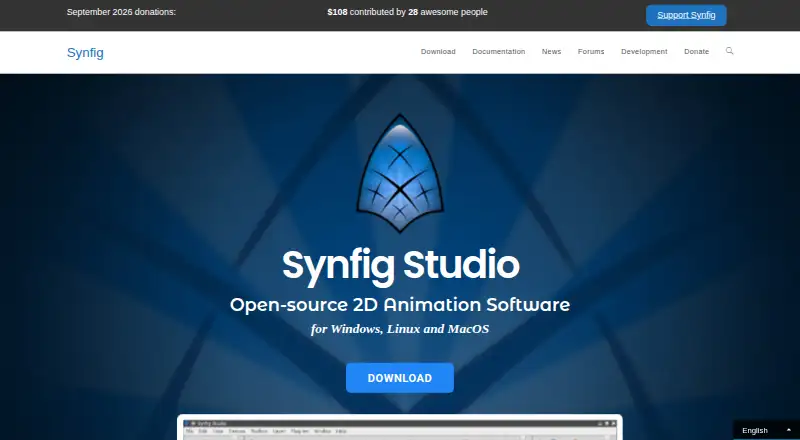
Synfig Studio is free, open-source 2D animation software for artists creating animations from vector and bitmap artwork. Its automatic vector tweening calculates in-between frames from key positions, reducing the need for frame-by-frame drawing. The application also supports cutout animation through a bone system, skeleton deformation for raster artwork, layered compositions, filters, and parameter linking through direct connections or mathematical expressions. It runs on Windows, Linux, and macOS, making it suitable for creators who want a desktop tool without a paid license.
The feature depth is strongest for users who need more than basic timeline animation. Synfig includes 50+ layer types covering geometric, gradient, filter, distortion, transformation, and fractal layers. Bone-based workflows can combine bitmap images or vector artwork, while skeleton deformation extends rigging to raster assets. Parameter linking and mathematical expressions add control for connected animation properties. These capabilities make the software a fit for vector-focused motion, cutout characters, and technical 2D scenes, but the range of controls may call for a considered learning process.
Rendering is available through Synfig's command-line renderer and supports bitmap image and video outputs. The documented formats include BMP, DV, MPG, AVI, MOV, FLV, GIF, MIFF, JPEG, EXR, PNG, PPM, and YUV. That output range suits users who need rendered assets in several image or video formats. Synfig Studio is the better choice for free, open-source 2D work centered on vector tweening, layered artwork, and rigged cutout animation. It is less suitable for teams seeking a broader 3D production environment or a tool defined around non-animation workflows.
Your product? Our editors can test Synfig Studio in depth and publish a review, labelled as paid · from $149/mo →
Synfig Studio pricing
Synfig Studio fact sheet
| Free plan | Yes |
|---|---|
| Paid from | Free |
| 2D animation tools | Yes |
| 3D modeling | Not verified |
| Character rigging | Yes |
| Motion graphics | Not verified |
| Cloud collaboration | Not verified |
| Supported platforms | windows, linux, macos |
| Export formats | bitmap images, video formats, animated GIF, MPG, PNG image sequences |
| Deployment | Desktop |
| Platforms | Windows, Linux, macOS |
| Support | Community, Docs |
| Built for | Solo, Small business, Mid-market (editorial estimate) |
| Pricing | Free plan |
| Website | synfig.org |
| Facts checked | 21 Sep 2026 |
Alternatives to Synfig Studio
- Toon Boom HarmonyA focused 2D suite for hand-drawn, rigged, composited, and effects-driven animation.9.3
- BlenderA broad 3D suite for professional animation without software licensing costs.9.2
- Cinema 4DA broad desktop toolkit for motion design, 3D production, simulation, and rendering.9.1



See all Synfig Studio alternatives →
Also Ranked In
Synfig Studio is ranked in 3 of our directories.
Used Synfig Studio? Be the first to review it
The editor score above is our own research. What this page doesn't have yet is a reader's view — what you used Synfig Studio for, what worked and what didn't. No stars are seeded and no review is paid for; an editor reads every one before it appears.
Write a reviewTwo minutes · verified accounts only · read by an editor before it appears
Featured on iTechGuides

Synfig Studio is listed in our Animation Software directory. Add the badge to your site — it links back to this page.
<a href="https://www.itechguides.com/products/synfig-studio/"><img src="https://www.itechguides.com/best/badge/synfig-studio.svg" alt="Featured on iTechGuides" width="230" height="46"></a>
Reviewed by iTechGuides Editors · Editorial team · Updated Oct 2026
Advertiser disclosure: iTechGuides is reader-supported. Vendors can pay for top positions in our rankings and for a place on other products' pages, and we may earn a commission when you click some links. Bought places stand at the number bought; this page and our disclosure say so. Paying vendors may get a fuller, more detailed review from our editors, and that review can change their score. How we rank.
Last updated · How we research and update