
Symu
Symu: An affordable browser proofing tool for client comments, versions, and design presentations. Ranked #26 of 29 in Design Proofing Software by our editors (6.6/10); pricing: Paid; best for freelancers presenting designs for comment.
At a glance
- Editor score6.6 / 10
- PricingPaid
- Best forFreelancers presenting designs for comment
- Paid from€5/mo
- Facts checked20 Sep 2026
Where it wins
- Direct comments, clickable hotspots, and fixed headers for presentations
- Version uploads, status workflows, permissions, and shared folders
- Photoshop, Sketch, Chrome, Slack, Dropbox, and Google Drive connections
Where it doesn't
- Paid plans have storage and screen limits that vary by tier
- Dropbox and Google Drive integrations are listed as coming soon
- Proofing centers on comments and workflow rather than broader approval controls
Our verdict on Symu
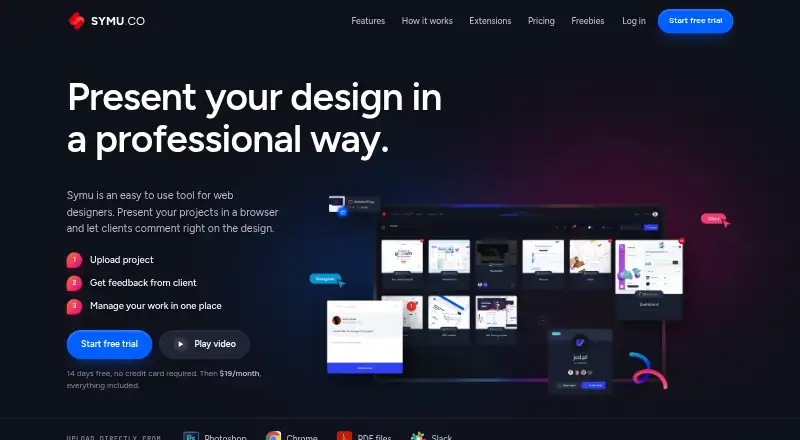
Symu is a browser-based design presentation and proofing tool for web designers who need to share work with clients and collect feedback in context. Users can upload projects, present designs in a browser, place comments directly on designs, manage versions, and organize projects with status-based workflows. Clickable hotspots support interactive prototypes, while fixed headers help keep presentation elements visible. Team permissions, shared folders, and unlimited team members are included in the published plan highlights, making Symu suitable for freelancers and small collaborative teams.
Pricing is structured across three paid monthly plans. Freelancer costs €5 per month, Professional costs €10 per month, and Team costs €25 per month. The published plans show activity and stats, project workflow, comment-based tasks, file storage, team management, and unlimited team members for each tier. Storage and screen limits vary by tier, so the choice between plans is tied to the scale of presentation and file needs as well as the monthly budget. The low entry price suits independent designers who want client-facing proofing without a larger platform commitment.
Symu fits workflows built around design files and browser review. Photoshop and Sketch upload plugins support design handoffs, while the Chrome extension handles screenshots and uploads. Slack is listed among the integrations; Dropbox and Google Drive are listed as coming soon. The tool’s focus is clear: present designs, collect comments, update versions, and track project status. Choose Symu for straightforward client review and freelancer-friendly pricing. Teams seeking more extensive approval controls or broader proofing depth may prefer a more specialized alternative.
Your product? Our editors can test Symu in depth and publish a review, labelled as paid · from $149/mo →
Symu pricing
Symu fact sheet
| Free plan | Not verified |
|---|---|
| Paid from | €5/mo |
| Supported file types | |
| Annotation tools | Yes |
| Approval workflow | Not verified |
| Version history | Yes |
| Guest reviewers | Not verified |
| Maximum upload size | Not verified |
| Deployment | Cloud, Browser extension |
| Platforms | Web, Chrome extension |
| Compliance & security | GDPR |
| Support | Email, Docs |
| Built for | Solo, Small business, Mid-market (editorial estimate) |
| Integrations | 6 integrations: Slack, Dropbox, Google Drive, Adobe Photoshop, Sketch, Chrome See all → |
| Pricing | Paid (source) |
| Website | symu.co |
| Facts checked | 20 Sep 2026 |
Symu integrations
Symu lists 6 integrations on its own site.
- Slack
- Dropbox
- Google Drive
- Adobe Photoshop
- Sketch
- Chrome
Alternatives to Symu
- ReviewStudioA flexible proofing workspace with strong file coverage and a practical free tier.9.2
- Artwork FlowA broad packaging proofing platform with compliance checks, workflows, and asset management.9.1
- AshoreAshore brings multi-format proofing, workflow automation, and branded reviews into one platform.9.0



Used Symu? Be the first to review it
The editor score above is our own research. What this page doesn't have yet is a reader's view — what you used Symu for, what worked and what didn't. No stars are seeded and no review is paid for; an editor reads every one before it appears.
Write a reviewTwo minutes · verified accounts only · read by an editor before it appears
Featured on iTechGuides

Symu is listed in our Design Proofing Software directory. Add the badge to your site — it links back to this page.
<a href="https://www.itechguides.com/products/symu/"><img src="https://www.itechguides.com/best/badge/symu.svg" alt="Featured on iTechGuides" width="230" height="46"></a>
Reviewed by iTechGuides Editors · Editorial team · Updated Oct 2026
Advertiser disclosure: iTechGuides is reader-supported. Vendors can pay for top positions in our rankings and for a place on other products' pages, and we may earn a commission when you click some links. Bought places stand at the number bought; this page and our disclosure say so. Paying vendors may get a fuller, more detailed review from our editors, and that review can change their score. How we rank.
Last updated · How we research and update