
Supervertaler Workbench
Supervertaler Workbench: A capable desktop CAT workspace for open-source users who want AI assistance. Ranked #21 of 29 in Computer-Assisted Translation Software by our editors (7.1/10); pricing: Free plan; best for open-source users wanting AI-assisted desktop CAT.
At a glance
- Editor score7.1 / 10
- PricingFree plan
- Best forOpen-source users wanting AI-assisted desktop CAT
- Free planYes
- Paid fromFree
- Offline desktop useYes
- Facts checked21 Sep 2026
Where it wins
- Free MIT-licensed software with commercial use allowed
- Runs on Windows, macOS, and Linux with offline desktop support
- Combines memory, termbases, QA, CAT exchange, and AI tools
Where it doesn't
- No alignment tool is included
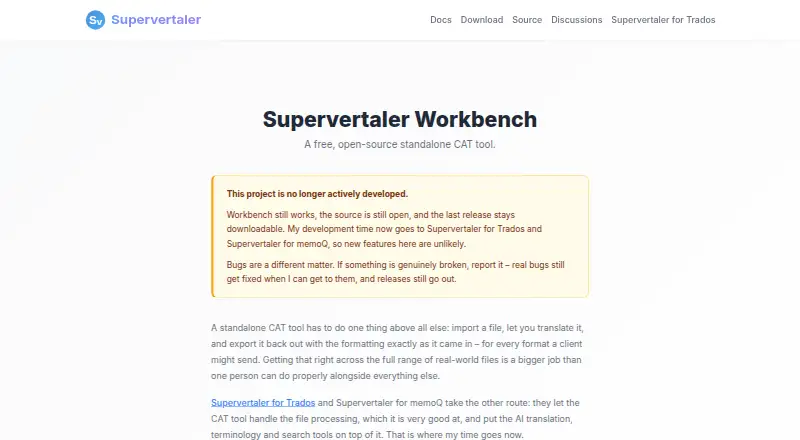
- New features are no longer actively developed
- Cloud AI providers require internet access
Our verdict on Supervertaler Workbench
Supervertaler Workbench is a standalone computer-assisted translation application for translators who want an AI-assisted desktop CAT environment. It combines a translation editor with fuzzy translation memory, TMX import and export, termbases, terminology highlighting, concordance search, spellchecking, tag validation, and non-translatable checks. It runs locally on Windows, macOS, and Linux, and its MIT license permits commercial use. The product is especially suited to open-source users who want a free desktop workflow with both local and cloud AI options.
Its strongest fit is breadth within a standalone CAT application. Workbench can exchange files and workflows with memoQ, Trados, Phrase, and CafeTran, while integrations with Déjà Vu X3, Ollama, OpenAI, Anthropic, Google Gemini, Mistral AI, and OpenRouter extend its translation and AI ecosystem. Translation memories support fuzzy matching and TMX exchange, while termbases, automatic terminology highlighting, and concordance search support terminology control. Voice commands, push-to-talk dictation, and system-wide clipboard, lookup, and translation tools add interaction options beyond the core editor.
The main trade-off is product direction. Workbench remains available and receives bug fixes, but new features are no longer actively developed, so it is a better choice for users who value current functionality over an expanding roadmap. Cloud AI providers require internet access; local Ollama processing can keep AI data on the machine. There is also no alignment tool. Choose Workbench if you want a free, open-source, cross-platform CAT tool with memory, terminology, QA, exchange formats, and flexible AI providers. Consider another option if active new-feature development or alignment workflows are central to your requirements.
Your product? Our editors can test Supervertaler Workbench in depth and publish a review, labelled as paid · from $149/mo →
Supervertaler Workbench pricing
All 1 Supervertaler Workbench plans and prices →
Supervertaler Workbench fact sheet
| Free plan | Yes |
|---|---|
| Paid from | Free |
| Translation memory | Yes |
| Terminology management | Yes |
| QA checks | Yes |
| Alignment tool | No |
| Deployment model | Desktop |
| Offline desktop use | Yes |
| Deployment | Desktop |
| Platforms | Windows, macOS, Linux |
| Support | Community, Docs |
| Built for | Solo, Small business, Mid-market (editorial estimate) |
| Integrations | 11 integrations: memoQ, Trados, Phrase, CafeTran, Déjà Vu X3, Ollama … |
| Pricing | Free plan (source) |
| Website | supervertaler.com |
| Facts checked | 21 Sep 2026 |
Supervertaler Workbench integrations
Supervertaler Workbench lists 11 integrations on its own site.
- memoQ
- Trados
- Phrase
- CafeTran
- Déjà Vu X3
- Ollama
- OpenAI
- Anthropic
- Google Gemini
- Mistral AI
- OpenRouter
Alternatives to Supervertaler Workbench
- SmartcatBroad multilingual automation with strong CAT, collaboration, and integration coverage.9.4
- TradosA balanced CAT suite with cloud, desktop, AI, QA and workflow tools.9.2
- memoQA full-featured CAT environment for professional translation teams, with no free plan.9.0



See all Supervertaler Workbench alternatives →
Used Supervertaler Workbench? Be the first to review it
The editor score above is our own research. What this page doesn't have yet is a reader's view — what you used Supervertaler Workbench for, what worked and what didn't. No stars are seeded and no review is paid for; an editor reads every one before it appears.
Write a reviewTwo minutes · verified accounts only · read by an editor before it appears
Featured on iTechGuides

Supervertaler Workbench is listed in our Computer-Assisted Translation Software directory. Add the badge to your site — it links back to this page.
<a href="https://www.itechguides.com/products/supervertaler-workbench/"><img src="https://www.itechguides.com/best/badge/supervertaler-workbench.svg" alt="Featured on iTechGuides" width="230" height="46"></a>
Reviewed by iTechGuides Editors · Editorial team · Updated Oct 2026
Advertiser disclosure: iTechGuides is reader-supported. Vendors can pay for top positions in our rankings and for a place on other products' pages, and we may earn a commission when you click some links. Bought places stand at the number bought; this page and our disclosure say so. Paying vendors may get a fuller, more detailed review from our editors, and that review can change their score. How we rank.
Last updated · How we research and update