
Steinberg MixKey
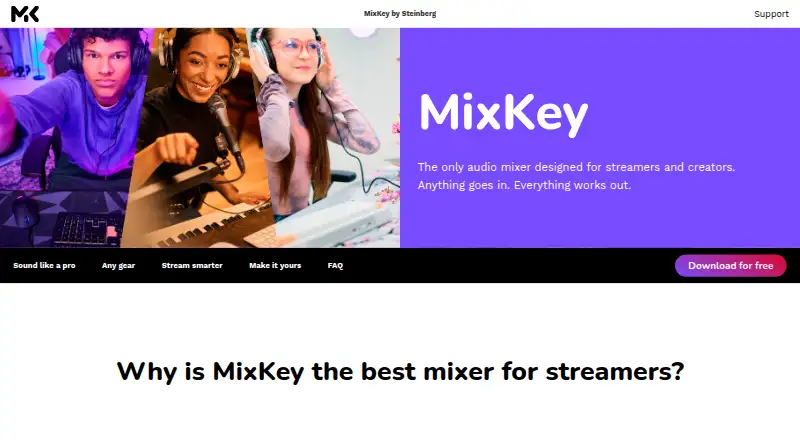
Steinberg MixKey: A focused free mixer for routing microphones, apps, and chats into streams. Ranked #14 of 28 in Audio Mixing Software by our editors (7.8/10); pricing: Free plan; best for free streaming and voice-chat mixing.
At a glance
- Editor score7.8 / 10
- PricingFree plan
- Best forFree streaming and voice-chat mixing
- Free planYes
- Paid fromFree
- Facts checked20 Sep 2026
Where it wins
- Independent stream, monitor, and voice-chat outputs
- Automatic gain, processing, recording, and panic muting
- Integrates with OBS, Discord, Zoom, and Stream Deck
Where it doesn't
- Desktop support is limited to Windows and macOS
- Recording is provided in WAV format
- Narrower than full DJ or live mixing software
Our verdict on Steinberg MixKey
Steinberg MixKey is free desktop audio mixer software for streamers, podcasters, and content creators. It combines microphones, instruments, games, browsers, Discord, and other audio sources into configurable channels. Independent stream, monitor, and voice-chat outputs make it suited to creators who need separate mixes for streaming software, conversations, and personal monitoring. It runs on Windows and macOS.
Its strongest fit is routing and control across a creator’s everyday audio setup. Multiple configurable channels can be given custom names and colors, while the interface size can be adjusted for different workspaces. Automatic gain control manages input levels, and a low-cut filter plus audio processing help shape the mix. Integrations with OBS, Discord, Zoom, and Elgato Stream Deck connect MixKey to common streaming, meeting, chat, and control workflows. WAV recording captures the full mix, and panic muting and microphone mute controls provide quick ways to silence audio.
MixKey keeps its focus on desktop streaming and content creation rather than presenting the breadth of a full DJ or live mixer. That makes it a practical choice for creators who want configurable channels, independent outputs, voice-chat routing, and straightforward recording without a paid plan. It is less suitable for users seeking broader live-mixing capabilities or a more extensive production environment. Choose it for free Windows or macOS-based streaming and voice-chat workflows; consider a broader mixer when advanced live or DJ-focused functionality is the priority.
Your product? Our editors can test Steinberg MixKey in depth and publish a review, labelled as paid · from $149/mo →
Steinberg MixKey pricing
All 1 Steinberg MixKey plans and prices →
Steinberg MixKey fact sheet
| Free plan | Yes |
|---|---|
| Paid from | Free |
| Maximum tracks | Not verified |
| Surround mixing | Not verified |
| Stem separation | Not verified |
| Cloud collaboration | Not verified |
| Live audio input | Yes |
| Supported platforms | Windows, macOS |
| Export formats | WAV |
| Deployment | Desktop |
| Platforms | Windows, macOS |
| Support | Docs, Community |
| Built for | Solo, Small business (editorial estimate) |
| Integrations | 4 integrations: OBS, Discord, Zoom, Elgato Stream Deck |
| Pricing | Free plan (source) |
| Website | steinberg.net |
| Facts checked | 20 Sep 2026 |
Steinberg MixKey integrations
Steinberg MixKey lists 4 integrations on its own site.
- OBS
- Discord
- Zoom
- Elgato Stream Deck
Alternatives to Steinberg MixKey
- Fairlight LiveA capable free mixer for teams handling complex live, broadcast, and immersive audio.9.4
- Waves eMotion LV1A high-capacity live mixer for networked FOH, monitor, broadcast and recording workflows.9.2
- MixPadA flexible freemium mixer for recording, editing, and producing audio across desktop and mobile.8.9

See all Steinberg MixKey alternatives →
Used Steinberg MixKey? Be the first to review it
The editor score above is our own research. What this page doesn't have yet is a reader's view — what you used Steinberg MixKey for, what worked and what didn't. No stars are seeded and no review is paid for; an editor reads every one before it appears.
Write a reviewTwo minutes · verified accounts only · read by an editor before it appears
Featured on iTechGuides

Steinberg MixKey is listed in our Audio Mixing Software directory. Add the badge to your site — it links back to this page.
<a href="https://www.itechguides.com/products/steinberg-mixkey/"><img src="https://www.itechguides.com/best/badge/steinberg-mixkey.svg" alt="Featured on iTechGuides" width="230" height="46"></a>
Reviewed by iTechGuides Editors · Editorial team · Updated Oct 2026
Advertiser disclosure: iTechGuides is reader-supported. Vendors can pay for top positions in our rankings and for a place on other products' pages, and we may earn a commission when you click some links. Bought places stand at the number bought; this page and our disclosure say so. Paying vendors may get a fuller, more detailed review from our editors, and that review can change their score. How we rank.
Last updated · How we research and update